Reporting day often goes like this.
You export rankings from one tool, traffic from Google Analytics and a few charts from Search Console. Then you paste it all into a template and send it off.
A day later, the reply comes in: “Thanks, but what actually changed this month, and what did you do?”
The best SEO reporting tools fix both problems. They pull your data together automatically, so you’re not rebuilding the same report every month.
And they help you explain the results, so clients and stakeholders can see what changed, why it changed and what work led to it.
That second part matters more than it used to. Search now happens on Google and in AI tools like ChatGPT, and SEO results often take months to show. So the people reading your reports want context and progress, not just this month’s numbers.
A report that tells that story clearly is often what keeps a client renewing or a budget approved.
So, we compared 11 SEO reporting tools on what makes a report genuinely useful:
- White-labeling
- Scheduled delivery
- Client access
- Room for your own commentary
- Whether the tool can report on AI search, which most reports still leave out
You’ll also see what each tool costs and how pricing changes as your client list grows.
Key Takeaways
- A good SEO report explains results and shows the work, not just charts. Look for tools that let you add notes and show what was done.
- Check the basics before the features: white-labeling, scheduled delivery, and whether clients get a PDF, a live dashboard or both.
- AI search is the biggest gap in most reports. Clients increasingly ask how they show up in ChatGPT and AI Overviews, and few tools can answer that yet.
- Compare prices for your own client count: Some tools charge per client, others per data source, dashboard or report, so the cheapest headline price isn’t always the cheapest bill.
- Most agencies need one main platform, plus a dashboard tool only if they report on channels beyond SEO.
How We Chose These Tools
We looked at each tool’s features, pricing pages and documentation. For Konvart, we used the reports we generate for our own website.
Each tool was judged on six things that matter when a report goes to a client or stakeholder:
- Data sources: where the data comes from, and whether you need other tools to fill gaps
- White-labeling: whether you can remove the tool’s branding and add your own
- Scheduled delivery: whether reports can go out automatically, weekly or monthly
- Client access: PDF reports, live dashboards, a client login, or a mix
- Commentary: how easily you can add notes that explain the numbers
- AI search reporting: whether the report can show visibility in tools like ChatGPT and Google’s AI Overviews
The list includes two kinds of tools.
SEO platforms collect the data themselves, such as rankings, site audits and backlinks, and turn it into reports.
Reporting and dashboard tools pull data from the platforms you already use and present it.
Neither type is better. It depends on whether you need the data, the presentation or both.
SEO Reporting Tools at a Glance
If you only have a minute, start here. The table shows what each tool is best for, whether you can white-label your reports, and how pricing works.
| Tool | Best for | White-label | Starting price | Pricing model |
| Konvart | SEO and AI search reports that explain results, in one platform | ✓ Included | Free plan; paid from $30/mo | Per plan, with shared credits across client accounts |
| AgencyAnalytics | Agencies reporting on many channels for many clients | ✓ Included | 25perclient/mo(20 billed annually) | Per client |
| Semrush (My Reports) | Teams already using Semrush | — Pro report ($20/mo each) | SEO plan $139/mo, plus $10 to $20 per report | Per plan, plus per report |
| SE Ranking | Mid-size agencies that want tracking, audits and reports in one suite | — Agency Pack ($69/mo, annual only) | 129/mo(103.20 billed annually) | Per plan, plus add-ons |
| Data Studio (formerly Looker Studio) | Fully custom dashboards on a zero budget | ✗ Basic branding only | Free; Pro $9 per user per project/mo | Free, or per user |
| DashThis | Quick, template-based dashboards | — Professional plan and up | 54/mo(44 billed yearly) | Per dashboard and data source |
| Databox | Tying SEO to wider business KPIs | — Paid add-on | Free plan; paid from $71/mo billed annually | Per plan, by users and data sources |
| Swydo | Small agencies that want white-labeling included | ✓ Included | $69/mo | Per data source (first 10 included) |
| Whatagraph | Large agencies reporting across many marketing channels | ✓ Included | From €699/mo, billed annually | Per plan, by data source credits |
| Raven Tools | Budget SEO reporting for small agencies | — Full white-label from Grow plan | 49/mo(39 billed yearly) | Per plan, by domains |
| SEO Gets | A faster view of Search Console data, with live client portals | ✓ Client portals | $49/mo for the first site | Per site ($4 per extra site) |
✓ included · — paid add-on or higher plan · ✗ not available
Plans change often, so confirm the current price before you buy.
One thing stands out: white-labeling is often an add-on or locked to a higher plan. So a tool’s starting price may not be what you’ll actually pay to send branded reports.
Each review below covers scheduling, client access, commentary and AI search reporting in more detail.
If you only need keyword ranking reports rather than full client reports, our list of tools for keyword ranking reports goes into more depth.
The 11 Best SEO Reporting Tools
Each tool below is reviewed the same way, so you can compare them easily.
You’ll see what it’s best for, the reporting specs that matter most (data sources, white-labeling, scheduled delivery, client access and AI search reporting), its key features, pricing and the trade-offs to know before you buy.
The tools aren’t ranked from best to worst. So, the right choice depends on how many clients you report on, which channels you cover and whether your clients prefer a PDF or a live dashboard.
Let’s start.
1. Konvart
Best for: Agencies and in-house teams that want SEO and AI search reports that explain the results, without connecting several tools
Konvart is an all-in-one SEO platform that can help you create branded, white-label SEO reports combining Google Analytics traffic, rankings, AI search citations, technical health and conversions, with written notes, on a weekly or monthly schedule.
Because the rankings, audit and AI search data come from Konvart’s own tools, there are no third-party connectors to set up or break.
You build the template once, and every report after that generates itself.
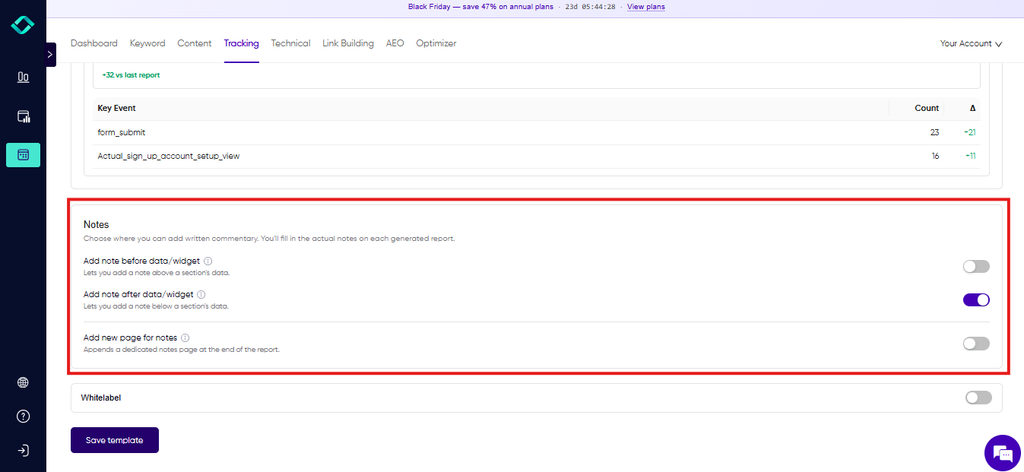
What makes these reports different is the context. You can add notes before or after any section, or on a separate page at the end, so the report explains why conversions jumped or why a ranking dipped.
That saves the follow-up email asking what the numbers mean.
Reporting specs
- Data sources: Google Analytics 4, Google Search Console, plus Konvart’s own rank tracking, site audit and AI visibility data
- White-label: Included, with your brand name, logo and “Prepared by” details
- Scheduled delivery: Weekly or monthly, emailed to recipients
- Client access: PDF reports
- AI search reporting: Citations, share of voice and AI assistant traffic
Key features
- Ready-made report sections: traffic, organic search movers, rankings, technical health and conversions from GA4 key events
- AI search reporting: total citations, share of voice, citations gained and lost, and traffic from AI channels. An “opportunities” table shows which brands are cited instead of yours for each query, and which of your pages could compete. This data comes from Konvart’s AI visibility tracking.
- Technical health: site health score, total issues and issues resolved since the last report, so clients can see the fixes behind the numbers
- Notes anywhere: before or after any section, or on a dedicated notes page
- Saved templates and report history: set the layout and branding once, then reuse them
- Multiple client accounts: run reports for several clients from one plan
Pricing
- Free: $0, with 10 credits to try the tools
- Individual: $30/mo, including 200 tracked keywords, 1 AI visibility site and 250 credits
- Team: $45 per user/mo (minimum 2 users), with 5 AI visibility sites and pooled limits
- Reports don’t use any credits. Client accounts share the plan’s limits, and you can add capacity with credits when you need it (for example, 50 credits for an extra AI visibility site) instead of upgrading.
- 7-day free trial, no card needed. See all plans and credit rates.
Things to consider
- Reports are sent as PDFs. There’s no live client portal yet, so clients who want to log in and explore data themselves may prefer a dashboard tool.
- Reports cover SEO and AI search only, not paid ads or social media. If you report on every channel, you’ll need a multi-channel tool alongside it.
Choose Konvart if you want reports that explain what changed and why, including how your clients show up in AI search, at a price that works from your first client.
Learn more about Konvart’s SEO reports.
2. AgencyAnalytics
Best for: Agencies reporting on several marketing channels for many clients, who want a branded client portal
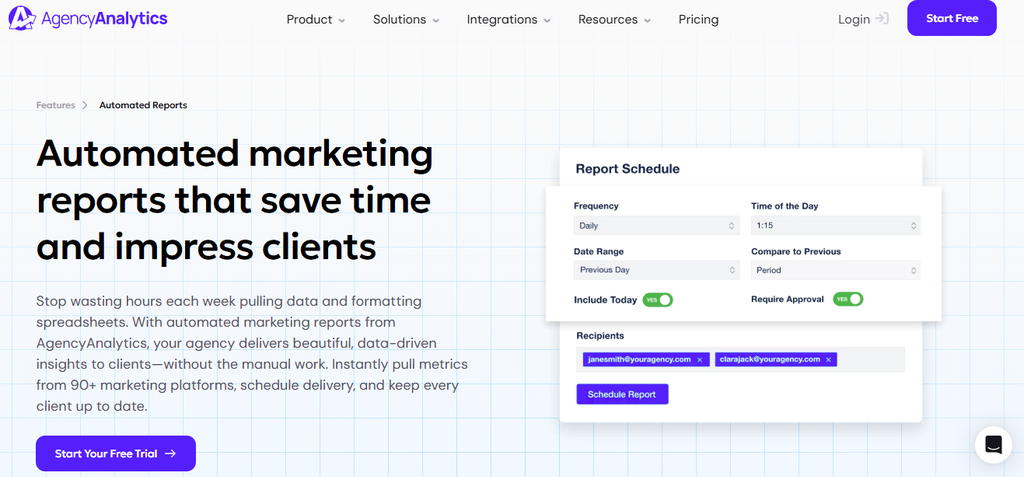
AgencyAnalytics is a client reporting platform built for marketing agencies. It pulls data from more than 90 marketing platforms into white-labeled dashboards and reports, so one client report can cover SEO, paid ads, social media and calls together.
Clients can get scheduled reports, log in to a branded portal, or both.
Pricing is per client rather than per plan, and every client includes the full feature set. That makes costs easy to predict, but they rise with each client you add.
Reporting specs
- Data sources: 90+ marketing integrations, including Google Analytics, Search Console, Google Ads, social platforms and SEO tools like Semrush and Ahrefs
- White-label: Included, with your logo, colors, custom domain and “sent from” email
- Scheduled delivery: Daily, weekly or monthly, with optional approval before sending
- Client access: Branded client portal, plus PDF and slide-style reports
- AI search reporting: Available through the AI Tracker add-on
Key features
- Custom comments and annotations to explain traffic spikes or ranking changes
- Report approvals, so you can review data and add commentary before a scheduled report goes out
- AI summaries that update when you change the date range
- KPIs and goal tracking, shown in reports as progress bars or charts
- Roll-up reports that combine data across several clients or locations
- AI Tracker add-on for visibility, citations and sentiment across ChatGPT, Google AI Overviews, Google AI Mode, Claude, Perplexity and Gemini
Pricing
- Core: $25 per client/mo, or $20 per client/mo billed annually
- Add-ons: Rank Tracker from $41.67/mo per 500 keywords, and AI Tracker from $20.83/mo per 250 credits (both billed annually)
- 14-day free trial
Things to consider
- Per-client pricing adds up as your roster grows, especially for smaller clients who only need a simple SEO report.
- Rank tracking and AI search tracking cost extra, so a full SEO report needs at least one add-on on top of the per-client fee.
Choose AgencyAnalytics if you report on several channels for each client and want a polished client portal, and you’re happy to pay per client for it.
3. Semrush (My Reports)
Best for: Teams already using Semrush who want SEO, competitor and AI visibility data in their client reports
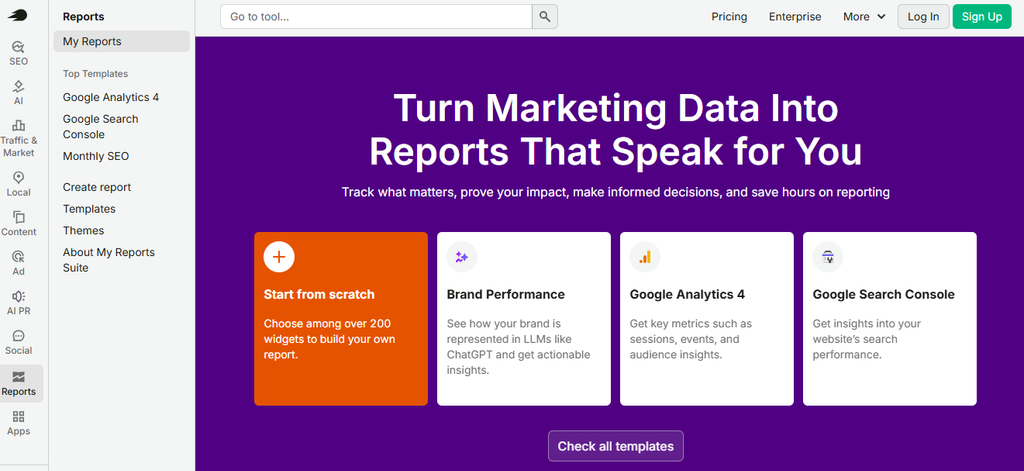
My Reports is the reporting tool inside Semrush. You drag widgets from Semrush’s own tools, such as Position Tracking, Site Audit and Backlink Analytics, into a PDF or online dashboard.
Then you add Google Analytics, Search Console and other marketing data alongside them.
If your team already does its SEO research in Semrush, your reports can draw on the same data without exporting anything.
Reports are bought one at a time, on top of a Semrush plan. That keeps things flexible, but costs grow with each client report you add.
Reporting specs
- Data sources: Semrush tools, Google Analytics 4 and Search Console, plus 20+ external integrations on Pro reports
- White-label: Pro reports only ($20/mo per report)
- Scheduled delivery: Monthly, weekly or daily (hourly on Pro reports)
- Client access: PDF and online dashboard, with link sharing on Pro reports
- AI search reporting: AI referral traffic from GA4 on any paid plan. AI mentions, citations and share of voice need the AI Visibility Toolkit or a plan that includes it.
Key features
- Ready-made templates, including SEO, Google Analytics, AI traffic and AI brand performance reports
- Text, image and notes widgets to add commentary and context
- AI summaries that pull out the main takeaways (full features on Pro reports)
- AI visibility widgets for mentions, citations, sentiment and competitor comparisons across ChatGPT, Google AI Overviews, Google AI Mode and Gemini (with the AI Visibility Toolkit)
- Competitor data from Semrush’s research tools, which few reporting tools can match
Pricing
- SEO plan: 139/mo(117.33/mo billed annually), covering 5 websites and 500 tracked keywords
- Starter (SEO + AI Search): 199/mo(165.17/mo billed annually), adding daily AI prompt tracking
- Base report: $10/mo per report. Your first paid toolkit includes 3.
- Pro report: $20/mo per report, adding white-labeling, external integrations, link sharing and a custom domain
- 7-day free trial
Things to consider
- White-label reports cost $20 each per month on top of your plan, so ten branded client reports add $200 a month.
- The SEO plan covers 5 websites, so agencies with more clients will need a higher plan.
- Semrush is a big platform. It suits teams that will use its research tools as well, not just the reports.
Choose Semrush if your team already works in Semrush and wants reports that combine rankings, competitor data and AI visibility in one place.
4. SE Ranking
Best for: Mid-size agencies that want rank tracking, site audits, AI visibility and client reports in one SEO suite
SE Ranking is an all-round SEO platform with a built-in report builder.
Rankings, site audits, backlinks and AI visibility data all come from SE Ranking’s own tools, and you can add Google Analytics and Search Console data next to them.
Its Agency Pack adds the client-facing extras most agencies need, such as white-labeling and client seats.
AI visibility tracking is included on the entry plan, which is less common at this price point.
Reporting specs
- Data sources: SE Ranking’s own tools (rank tracking, site audit, backlinks, AI visibility), plus Google Analytics and Search Console
- White-label: Agency Pack ($69/mo, billed annually only)
- Scheduled delivery: Included, with unlimited scheduled reports on the Agency Pack
- Client access: PDF reports. The Agency Pack adds client seats and a white-labeled platform, and Growth adds guest links.
- AI search reporting: AI prompt tracking across 5 AI engines on every plan, with more prompts through the AI Search add-on
Key features
- Report builder with drag-and-drop sections from across the platform
- Daily rank tracking: 2,000 keywords on Core, 5,000 on Growth
- AI visibility: 25 tracked prompts a day on every plan
- AI summaries in scheduled reports with the Agency Pack
- White-labeled platform with the Agency Pack, so clients log in to a dashboard with your branding
Pricing
- Core: 129/mo(103.20/mo billed annually), with 10 projects, 1 seat and 10 report builder reports
- Growth: 279/mo(223.20/mo billed annually), with 30 projects, 3 seats and 30 report builder reports
- Agency Pack: +$69/mo, annual billing only, adding white-labeling, 30 client seats and unlimited scheduled reports
- AI Search add-on: from $71/mo for more AI prompts
- 14-day free trial, no card needed
Things to consider
- White-labeled reports need the Agency Pack, which is only sold on annual billing. If you pay monthly, branded reports aren’t available.
- Core allows 10 report builder reports, so larger agencies will hit the limit quickly.
Choose SE Ranking if you want one SEO suite for tracking, audits, AI visibility and reports, and you’re comfortable committing to annual billing for white-labeling.
5. Data Studio (formerly Looker Studio)
Best for: Teams with time to build fully custom dashboards, on a zero budget
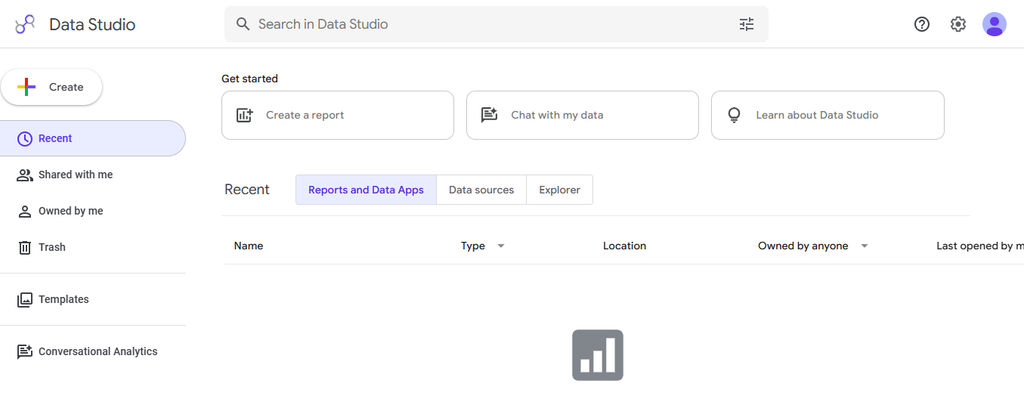
Data Studio is Google’s free reporting tool, renamed from Looker Studio in 2026.
It connects natively to Google Analytics, Search Console and other Google products, and you build reports with a drag-and-drop editor.
There’s no cost to create or view reports, which makes it the default starting point for many small teams and freelancers.
The trade-off is time. Every chart, filter and layout is yours to build, and connecting non-Google data, such as rankings from an SEO tool, usually needs a paid third-party connector.
Reporting specs
- Data sources: Google Analytics, Search Console, Google Ads and other Google products for free, plus 1,000+ connectors (many partner connectors are paid)
- White-label: You can add your logo and colors, but reports stay on Google’s domain and there’s no custom domain
- Scheduled delivery: Email delivery on a schedule. Pro adds up to 200 delivery schedules per report and delivery to Google Chat.
- Client access: Live dashboard link, or a PDF via scheduled email
- AI search reporting: No AI visibility data, though you can filter GA4 traffic to show visits from AI tools
Key features
- Fully custom layouts with charts, tables, filters and date controls
- Text boxes and images for commentary anywhere on the page
- Interactive reports, so clients can change date ranges and filters themselves
- Free templates from Google and the community to get started faster
Pricing
- Data Studio: free for creators and viewers
- Data Studio Pro: $9 per user per project/mo, adding team workspaces, more delivery options and Google Cloud support
- 30-day free trial of Pro
Things to consider
- Building a solid client report from scratch can take hours, and fixing broken charts or connectors is up to you.
- Third-party connectors for rankings, backlinks or ads platforms beyond Google can cost more than a dedicated reporting tool.
Choose Data Studio if you mainly report on Google data, have the time to build and maintain your own templates, and want to keep costs at zero.
6. DashThis
Best for: Non-technical teams that want clean, template-based dashboards up and running in minutes
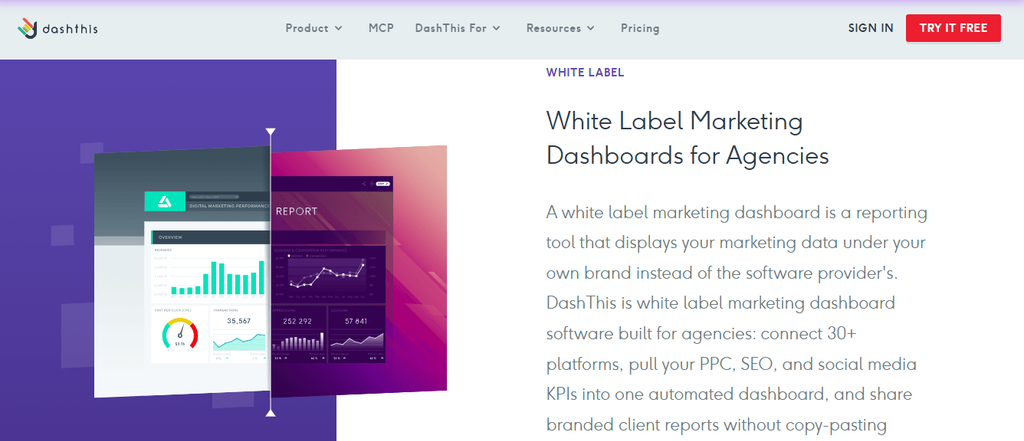
DashThis is a marketing dashboard tool built for speed. You connect your data, pick a preset template and get a client-ready dashboard with very little setup.
It connects to 30+ marketing platforms, including Google Analytics, Search Console and SEO tools like Semrush, Ahrefs and Moz, so an SEO dashboard can show traffic, rankings and backlinks side by side.
Pricing depends on the number of dashboards and data sources you use, not on users or clients.
That suits agencies that build one dashboard per client.
Reporting specs
- Data sources: 30+ integrations, including GA4, Search Console, Semrush, Ahrefs and Moz, plus CSV uploads
- White-label: Professional plan and up, including removing DashThis branding and using your own domain
- Scheduled delivery: Automatic email reports on every plan
- Client access: Live dashboard link, plus PDF
- AI search reporting: Only what you pull in from another tool or GA4
Key features
- Preset and custom templates for SEO, PPC, social and more
- Comment widgets to add notes and context to any dashboard
- AI Insights on every plan, with automatic Summary, Opportunities, Wins and Issues sections
- Calculated widgets and data blending to combine metrics from several platforms
- Unlimited users on every plan
Pricing
- Individual: 54/mo(44/mo paid yearly), with 3 dashboards and 15 sources
- Professional: 164/mo(139/mo paid yearly), with 10 dashboards and 40 sources
- Business: 324/mo(279/mo paid yearly), with 25 dashboards and 100 sources
- AI Insights Pro add-on: 19/mo(15/mo yearly) for chat-style analysis
- Free trial, no card needed
Things to consider
- White-labeling starts on Professional, so solo consultants on the Individual plan can’t fully brand their reports.
- Pricing moves in steps. If you need 11 dashboards, you pay for the 25-dashboard plan.
- DashThis presents data but doesn’t collect it, so you’ll still need an SEO tool for rankings and audits.
Choose DashThis if you want polished dashboards fast, without a learning curve, and already have tools collecting your SEO data.
7. Databox
Best for: Teams that want to connect SEO results to wider business KPIs, with AI-assisted analysis
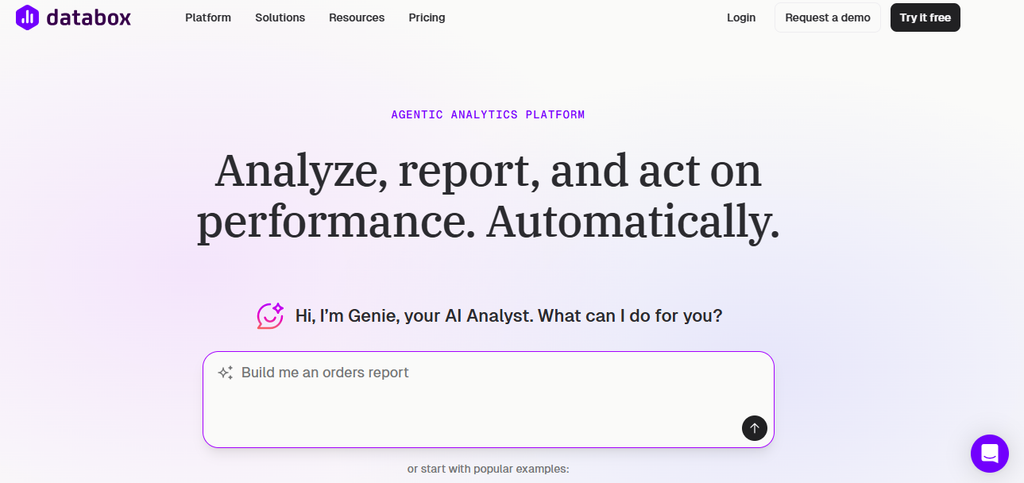
Databox is a business analytics platform that pulls marketing, sales and finance data into dashboards.
For SEO reporting, its strength is context: you can put organic traffic next to leads, pipeline and revenue, and track them against goals.
Its AI analyst, Genie, answers questions about your data and writes performance summaries.
It’s built more for ongoing performance tracking than for a monthly client PDF.
That suits in-house teams reporting to leadership, and agencies whose clients want live dashboards.
Reporting specs
- Data sources: 100+ integrations across marketing, sales, finance and analytics, including GA4 and Search Console
- White-label: Paid add-on
- Scheduled delivery: Sharing and notifications from the Team plan up
- Client access: Live dashboards and shareable links
- AI search reporting: Not built in
Key features
- Genie, an AI analyst, that answers questions and writes performance summaries
- Goals and BI features to track SEO results against business targets
- Custom data integrations and API access from the Analyst plan
- MCP server to bring your Databox data into AI tools like Claude and ChatGPT
Pricing
- Free: $0, with 1 user, 3 data sources and 50 AI credits a month
- Analyst: $71/mo billed annually, with 1 user and 5 data sources
- Team: from $199/mo billed annually, with 3 users, 10 data sources and sharing and notifications
- Custom: on request, with setup and support from the Databox team
- 20% off with annual billing, and a 14-day free trial on any paid plan
Things to consider
- Scheduled sharing and notifications start on the Team plan, so the cheaper plans suit internal analysis more than client reporting.
- There’s no AI visibility data. If clients ask how they show up in ChatGPT or AI Overviews, you’ll need a separate tool. Our guide to answer engine optimization explains what to measure.
Choose Databox if you want SEO data side by side with sales and revenue metrics, and want AI-assisted analysis.
8. Swydo
Best for: Small and mid-size agencies that want full white-labeling and client portals included, with pricing based on data sources
Swydo is a client reporting tool built for agencies.
It turns data from your marketing platforms into white-labeled reports and live dashboards, and it includes full branding, a custom domain and a client portal.
You pay by the number of data sources you connect, not per client or user.
That model works well when each client has a simple setup, such as Google Analytics and Search Console. Costs grow faster for clients with many connected accounts.
Reporting specs
- Data sources: Dozens of integrations, including Google Analytics, Search Console, Google Ads and social platforms
- White-label: Included, with branded PDFs, a custom domain and branded email templates
- Scheduled delivery: Managed from one Scheduled Overview, with automatic resend if a delivery fails
- Client access: Secure client portal, shareable live dashboards and PDF
- AI search reporting: Not built in
Key features
- AI report builder and AI-generated summaries, with AI credits included on fair use
- Performance alerts by email or Slack when key metrics change
- Role-based access and password-protected dashboards for client sharing
- Unlimited clients, users, dashboards and reports
- MCP connector to query client data from Claude or ChatGPT
Pricing
- Base plan: $69/mo, including the first 10 data sources
- Extra sources: $4.50 each from 11 to 100, $3.00 from 101 to 500, and $2.00 above 500
- 14-day free trial, no card needed
Things to consider
- Each connected account counts as a source, so a client with GA4, Search Console and two ad accounts uses four.
- Swydo reports on data rather than collecting it, so you’ll still need a rank tracker or SEO tool for keyword positions and audits.
Choose Swydo if you want white-labeling and client portals included from day one, and most of your clients connect only a few data sources.
9. Whatagraph
Best for: Larger agencies reporting across many marketing channels, who want AI-assisted analysis and a dedicated success manager
Whatagraph is a marketing reporting platform aimed at agencies and in-house teams with complex reporting needs.
It pulls data from paid ads, social, SEO and analytics platforms into visual, white-labeled reports, and its AI agents help with analysis and summaries.
Every plan includes unlimited users and reports, plus a dedicated customer success manager.
It’s priced and sold for scale. Plans are billed annually, and you start with a demo rather than a self-serve trial.
Reporting specs
- Data sources: Marketing integrations across paid ads, social, SEO and analytics, using one credit per connected account
- White-label: Included, with a custom report domain as a Prime add-on
- Scheduled delivery: Automated emails with PDF reports
- Client access: Shareable live reports, plus PDF
- AI search reporting: AI visibility is available on higher AI usage tiers
Key features
- IQ Agents, Whatagraph’s AI layer for analysis and reporting, included on both plans
- Unlimited users and reports
- Dedicated customer success manager on every plan
- Data transfer to Looker Studio and BigQuery on the Prime plan
Pricing
- Max: from €699/mo, billed annually, with 50 credits (1 credit per connected data account)
- Prime: custom pricing, billed annually
- Demo on request. No self-serve free trial is listed.
Things to consider
- Annual-only billing and a high starting price make Whatagraph a big commitment for small agencies.
- Credits run out as you connect more accounts, and going past your plan’s threshold means upgrading.
Choose Whatagraph if you run a larger agency reporting across many channels and want hands-on support, AI analysis and visual reports, with the budget to match.
10. Raven Tools
Best for: Small agencies on a budget that want SEO tools and white-labeled client reports in one low-cost platform
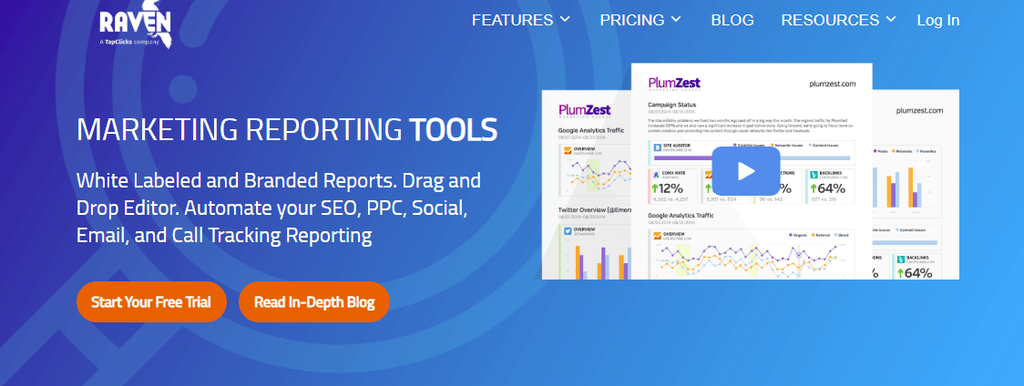
Raven Tools is one of the longest-running SEO reporting platforms.
It combines its own SEO tools, such as site auditing, rank tracking and backlink research, with a report builder that pulls in Google Analytics and Search Console data.
Automated client reports are unlimited on every plan, which keeps reporting costs low for agencies with several small clients.
Plans scale by the number of domains you manage, so you can add clients without paying per report.
Reporting specs
- Data sources: Raven’s own SEO tools, plus Google Analytics, Search Console and other marketing integrations
- White-label: Report, subdomain and email branding on every plan. Full white-label from the Grow plan.
- Scheduled delivery: Unlimited automated client reports on every plan
- Client access: PDF reports by email
- AI search reporting: Not built in
Key features
- 45 SEO and reporting tools in one platform
- Site auditor, rank tracking and backlink research, so reports don’t rely on other SEO tools
- Drag-and-drop report builder with automated delivery
- Multiple users on every plan, from 2 on Small Biz to 40 on Lead
Pricing
- Small Biz: 49/mo(39/mo paid yearly), with 2 domains and 1,500 position checks
- Start: 109/mo(79/mo paid yearly), with 20 domains and 15,000 position checks
- Grow: 199/mo(139/mo paid yearly), with 80 domains and full white-labeling
- Thrive: 299/mo(249/mo paid yearly), with 160 domains
- Lead: 479/mo(399/mo paid yearly), with 320 domains
- 7-day free trial
Things to consider
- Full white-labeling starts on Grow at $199/mo, so smaller plans keep some Raven branding in the platform.
- There’s no AI visibility reporting. As clients ask more about ChatGPT and AI Overviews, you’ll need another tool to answer them.
Choose Raven Tools if you want an all-in-one SEO and reporting platform for many small clients, and AI search reporting isn’t a priority yet.
11. SEO Gets
Best for: SEOs and agencies who live in Search Console and want faster analysis, plus live client portals
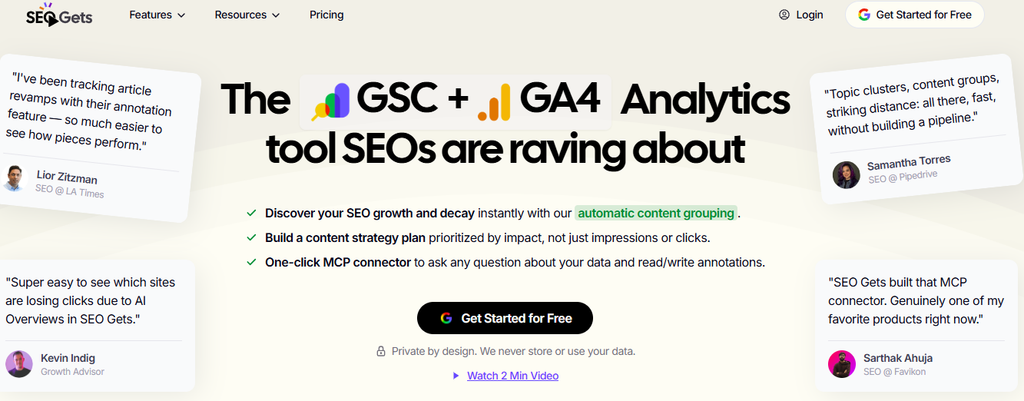
SEO Gets is a Search Console and GA4 analytics tool. It brings every site you manage into one master dashboard, removes many of Search Console’s usual limits, and makes filtering by page, query or topic much faster.
For reporting, each paid site gets a white-labeled live client portal that updates automatically, so clients can check progress whenever they like.
It’s narrow by design. SEO Gets focuses on Google’s own data rather than rankings, backlinks or audits.
Reporting specs
- Data sources: Google Search Console and GA4
- White-label: White-labeled client portals on every paid site
- Scheduled delivery: Built around live portals rather than scheduled PDF reports
- Client access: Live client portal via a shareable link
- AI search reporting: Not built in
Key features
- Master dashboard showing clicks and impressions for all your sites on one page
- Content groups and topic clusters to report on sections of a site, not just pages
- Opportunity and Action reports that highlight quick wins
- Annotations and Google update markers to explain changes in the data
- SEO testing to measure the impact of changes
- Unlimited users and Google accounts, plus MCP access for Claude and ChatGPT
Pricing
- Free sites: free forever, with Search Console data, the master dashboard and filtering
- Core sites: $49/mo for the platform and your first core site, then 4/moforeachextracoresite.Coresitesbecomeunlimitedat35(185/mo).
- Super Sites add-on: $4/mo per site for index reporting, content change tracking and extended storage
- 14-day free trial, no card needed
Things to consider
- Reports only cover Search Console and GA4 data, so rankings, backlinks and technical audits need another tool.
- Clients get a live portal rather than a monthly report in their inbox, which some clients prefer and others don’t.
Choose SEO Gets if Search Console is your main source of truth and you want fast analysis and live, branded portals at a low cost per site.
What a Good SEO Client Report Should Include
The tool you pick matters less than what goes into the report.
So, a good SEO report answers three questions: Are we growing? Why? What happens next?
Everything else is supporting detail.
Here’s a structure that works for most clients and stakeholders, in roughly this order:
- Summary: Three or four sentences on the month. The main wins, any drops and what caused them.
- Traffic and conversions: Organic sessions alongside leads, sales or sign-ups from Google Analytics. Conversions matter more than traffic, because they show SEO is bringing in business, not just visitors.
- Biggest movers: The queries and pages that gained or lost the most clicks. This turns a single traffic number into a story about what’s working.
- Rankings: Average position and movement for the keywords that matter most. Keep the list short and focused on commercial terms, not hundreds of keywords no one will read.
- AI search visibility: How often the brand is mentioned or cited in AI answers, how it compares with competitors and how much traffic comes from AI tools. This is the section most reports still leave out, and clients increasingly ask about it. Konvart’s reports, for example, also list the queries where competitors are cited instead, and which of the client’s pages could compete for them.
- Technical health: A site health score and the issues fixed since the last report. A regular site audit makes this section easy to fill and shows clients the work behind the scenes.
- Work completed: Pages optimized, content published, links earned and fixes applied. This is what clients pay for, so don’t make them guess.
- What’s next: Two or three priorities for the coming month, so the report ends with a plan.
Add one sentence of commentary under each section.
A chart showing traffic up 18% raises questions. “Organic traffic rose 18%, mainly from the new service pages we published in March” answers them.
That one line prevents most of the “so what?” emails that follow a report.
Keep the length in check too. Five to eight pages is plenty for a monthly report. If a section has nothing new to say, a single line saying “steady, no action needed” is better than a page of unchanged charts.
With the right structure in mind, the next step is matching it to the right tool.
How to Choose the Right SEO Reporting Tool
Every tool on this list is good at something, and most of them will produce a decent-looking report.
The differences show up later when your client list doubles, when a client asks for a login instead of a PDF, or when someone asks how they show up in ChatGPT.
So, choosing with those moments in mind saves you from switching tools, and rebuilding every template.
Before you start a free trial, work through these six questions. Your answers will narrow the list to two or three tools worth testing.
1. How many clients do you report on?
Pricing models matter more than starting prices. Some tools charge per client, others per data source, dashboard, report or domain.
So the cheapest tool for three clients can be the most expensive for thirty.
Here’s what sending white-labeled monthly reports could cost an agency with 10 clients, each connecting Google Analytics and Search Console. Prices are monthly billing unless stated.
| Tool | Approx. monthly cost for 10 clients | How it adds up |
| Data Studio | $0 | Free, but basic branding only |
| Konvart | $30 to $70 | Individual plan. Add about $40 in credits to track AI visibility for all 10 clients. |
| SEO Gets | $85 | $49 plus $4 for each extra site |
| Raven Tools | $109 | Start plan, up to 20 domains |
| Swydo | $114 | $69 plus 10 extra data sources at $4.50 |
| DashThis | $164 | Professional plan, 10 dashboards |
| SE Ranking | $172 | Core plus Agency Pack, billed annually |
| AgencyAnalytics | $250 | 25perclient(200 billed annually) |
| Semrush | $340 to $500 | SEO plan plus 10 Pro reports, or Pro+ if you need more than 5 projects |
These figures cover the reports themselves. Dashboard tools like Swydo and DashThis still rely on other tools for rankings and audits, while SEO platforms like Konvart, SE Ranking and Raven Tools collect that data too.
2. Do clients want a PDF or a live login?
Some clients want a report in their inbox on the first of the month that they can forward to their boss. Others want to log in whenever they like and click around.
Many agencies end up with a mix of both.
AgencyAnalytics, Swydo and SEO Gets are strong on live portals. Konvart, Raven Tools and Semrush are built around scheduled reports, with Semrush also offering online dashboards.
If you’re not sure what your clients prefer, ask two or three of them before you choose. It’s a five-minute conversation that can save you from paying for a portal nobody logs into.
3. SEO only, or every channel?
If you also handle paid ads, social media or email for clients, a multi-channel tool like AgencyAnalytics, Whatagraph or DashThis keeps everything in one report.
That saves you from stitching PDFs together or sending three separate reports.
If SEO is the main job, an SEO platform usually gives you deeper data without extra connectors or fees.
Rankings, audits and backlinks come from the same place as the report, so numbers match across your dashboards and your reports. And there are fewer integrations to break.
4. Do you need AI search reporting?
If clients are asking how they show up in ChatGPT, Gemini or Google’s AI Overviews, put this near the top of your list.
Only a few tools report on it directly, and several charge for it as an add-on.
So, look beyond whether a tool “tracks AI.” The useful reports show mentions and citations over time, how the client compares with competitors, and how much traffic actually comes from AI tools.
Tools like Konvart also point to what to do next, such as the queries where competitors are cited instead.
5. How much commentary do you add?
If your reports rely on you explaining the numbers (and the best ones do), check how easy that is in each tool.
Look for notes you can place next to any section, annotations on charts, and AI summaries you can edit rather than accept as they are.
The easiest way to judge this is to write one real report during the free trial, with your own data and your own notes.
You’ll know within an hour whether the tool helps you tell the story or gets in the way.
6. Who builds and maintains the template?
Every report needs someone to set it up, and someone to fix it when a connector breaks or a client wants a new section.
With Data Studio, that person is you, and it can take hours. Template-based tools get you started in minutes, and saved templates mean each new client takes far less time than the first.
Think about who on your team will own reporting, and how much time they really have each month.
If you’d like the SEO work itself to run with less effort, not just the reporting, our roundup of the best automated SEO software compares tools that handle both.
Once you’ve answered these questions, you’ll know which features you can’t do without and which you’d only pay for if they came free.
The quick picks below match the most common situations to the tools that fit them best.
Best SEO Reporting Tools By Situation
If you’d rather skip straight to a shortlist, these are the tools we’d start with for the most common reporting setups.
Each one is the best fit for that situation, not necessarily the best tool overall.
1. SEO agencies that want AI search in every report: Konvart.
Rankings, traffic, technical health and AI citations come from one platform, with notes on every section and white-labeling from $30/mo. See how it works for agencies managing several clients.
2. In-house teams reporting to a founder or board: Konvart or Databox.
Konvart is the better fit if the report should explain SEO and AI search results. Databox suits teams that want SEO next to sales and revenue metrics.
3. Agencies reporting on many channels: AgencyAnalytics or Whatagraph for larger agencies with bigger budgets.
4. Small agencies that want white-labeling included: Swydo for reports built on connected data, or Raven Tools if you also need SEO tools in the same platform.
5. Search Console-heavy analysis with live client portals: SEO Gets.
6. Fast, template-based dashboards: DashThis.
7. A zero budget and time to build: Data Studio.
Most agencies don’t need more than two of these. One main platform for SEO data and client reports, plus a dashboard tool only if you report on other channels, covers almost every setup.
Choose a Report Your Clients Will Actually Read
The right tool for SEO reporting saves you hours every month, but saving time is only half the job.
A report’s real purpose is to show progress clearly: what changed, why it changed, what you did, and what comes next. When clients and stakeholders can see that at a glance, renewals and budget approvals get a lot easier.
So start with the people reading your reports. Decide whether they want a PDF or a login, whether they need AI search covered, and how much explanation they expect.
Then pick the tool that makes that report easiest to produce every month.
If you want reports that cover SEO and AI search in one place, with your branding and your notes, Konvart sets them up from a single template and sends them on schedule.
Create your first branded SEO report, with a 7-day free trial and no card needed
Frequently Asked Questions
What is an SEO reporting tool?
An SEO reporting tool collects data such as traffic, rankings, conversions and technical health, and turns it into reports or dashboards for clients and stakeholders. Most also automate delivery, so reports go out weekly or monthly without manual work.
What should an SEO report include?
A good SEO report starts with a short summary, then covers traffic and conversions, the biggest gains and losses, keyword rankings, AI search visibility, technical health, work completed and next steps. Add a sentence of commentary under each section, so readers understand what the numbers mean and why they changed.
How often should you send SEO reports to clients?
Monthly reports suit most clients, because SEO changes take weeks to show. Weekly updates work well during a launch, a site migration or a fast-moving campaign. Many agencies also hold a quarterly review to step back from the monthly numbers, look at longer trends and agree on priorities for the next three months.
What is white-label SEO reporting?
White-label SEO reporting means removing the reporting tool’s branding and replacing it with your own, such as your logo, colors, agency name and sometimes your own web address. Clients see a report that looks like it came straight from your agency.
Can you create SEO reports for free?
Yes. Google Analytics and Search Console are free, and Google offers a free reporting tool that turns their data into custom dashboards. The trade-off is time: you build and maintain every report yourself, branding options are limited, and adding data from other SEO tools often needs paid connectors.
How do you report on AI search visibility?
Track a set of questions your clients’ customers would ask in tools like ChatGPT, Gemini and Google’s AI Overviews. Then report how often the brand is mentioned or cited, how that compares with competitors and how it changes over time. Add the traffic AI tools send to the site, using your analytics data.