Every keyword tracking tool tells you where a page ranks, and if it’s moving up or down. But where they differ is everything around that number.
Some check rankings every day, others once a week. Some follow your position in Google Maps and AI answers, others only in classic search results.
That’s why picking just any tool rarely works.
A dental clinic tracking 30 local keywords, an in-house SaaS team watching 500, and an agency reporting on 40 clients need very different things from a rank tracker.
So, we compared 15 keyword tracking tools on different points: starting price, free plan or trial, update frequency, keyword limits, and whether they track local and AI search.
Key takeaways
- Best for turning rankings into action: Konvart, from $30/mo. It tracks up to 200 keywords weekly, and you can add more as you need them. The same plan includes AI visibility tracking, local map tracking, and an Optimizer that fixes the pages behind the numbers.
- Cheapest paid tracker: Keyword.com costs $4/mo for weekly Google tracking, or $16/mo for daily updates.
- Best free options: Google Search Console for your own site’s data, and the free version of SEO PowerSuite Rank Tracker for desktop tracking.
- Best daily tracking at the entry level: Wincher (500 keywords for $49/mo) and SE Ranking (2,000 keywords for $129/mo).
- AI tracking is now common. Konvart, Nightwatch, SE Ranking, Mangools, Moz Pro, and ProRankTracker all track AI answers on their entry plans. Konvart’s AEO tool tracks the citations AI tools give your site and the clicks they send you from ChatGPT, Perplexity, Claude, and Gemini. When you compare tools, look at what each one tells you beyond whether you were mentioned.
- Best for local businesses: Konvart’s Local Map Tracker shows where you rank in Google Maps alongside your regular and AI rankings. BrightLocal is built for local SEO, is priced per location, and includes grid tracking and local AI visibility.
- Weekly tracking is a normal choice: Konvart, Ahrefs, and Mangools update weekly. For most sites, weekly data shows the trend without the daily noise.
The Best Keyword Tracking Tools at a Glance
All prices are for monthly billing unless noted.
| Tool | Best for | Starting price | Free plan or trial | Update frequency | Keywords (entry plan) | AI tracking | Local tracking |
| Konvart | Turning rankings into action, with AI and local tracking | $30/mo | Free plan, 7-day trial | Weekly | 200, expandable | ✓ | ✓ |
| Keyword.com | Low-cost Google tracking, weekly or daily | $4/mo weekly, $16/mo daily | 14-day trial | Weekly or daily | 50 | Higher plan or add-on | — |
| Semrush | All-in-one SEO suite with daily tracking | $139/mo | Free plan, 7-day trial | Daily | 500 | Limited; prompt tracking from $199/mo | — |
| Ahrefs | Teams focused on backlinks and competitor research | $129/mo | Free plan (no Rank Tracker) | Weekly | 750 | Paid add-on | — |
| SE Ranking | Daily tracking with AI included on the entry plan | $129/mo | 14-day trial | Daily | 2,000 | ✓ | — |
| AccuRanker | High-volume daily tracking | $224/mo | — | Daily | 2,000 | Top plan only | — |
| Moz Pro | Small teams that want SEO and AI prompt tracking together | $99/mo | Free trial (Medium plan) | — | 300 | ✓ | — |
| Advanced Web Ranking | Large keyword sets at a lower cost per keyword | $139/mo | Free trial | Weekly by default, daily available | 7,000 | ✓ | ✓ |
| Nightwatch | Local and AI tracking in one tool | €79/mo | 14-day trial | Daily, plus on-demand | 500 | ✓ | ✓ |
| Mangools SERPWatcher | Budget all-in-one with AI tracking included | $18.85/mo, billed annually | Free account | Weekly (daily on Agency) | 200 | ✓ | — |
| Wincher | Affordable daily tracking | $49/mo | Free trial | Daily | 500 | — | ✓ |
| SEO PowerSuite Rank Tracker | Desktop tracking with no keyword cap | Free, or $179/year | Free version | Scheduled checks | Unlimited (paid plans) | — | — |
| ProRankTracker | Agencies tracking Google, Maps, and AI daily | $99/mo | 7-day trial | Daily | 1,000 | ✓ | ✓ |
| BrightLocal | Local businesses and multi-location brands | $41/mo per location | 14-day trial | — | 100 per location | ✓ | ✓ |
| Google Search Console | Free performance data for your own site | Free | Free | Daily, about 2–3 days behind | No limit | ✗ | ✗ |
What to Look for in a Keyword Tracking Tool
The table above shows what each tool offers. This section helps you work out what you need.
Most keyword position tools handle the basics well, so the right choice comes down to a few details: how often you need fresh data, where your customers search, and what you plan to do once you see the numbers.
Get those clear first, and you’ll avoid paying for features you won’t use or missing the one that matters most.
Here are a few thing you should look at when deciding:
1. Update frequency that matches how fast you act
Daily tracking sounds better, but it only helps if someone acts on daily changes.
Rankings move every day for reasons that have nothing to do with your site, such as personalization, testing on Google’s side, or a competitor updating a page.
If you check daily, you can’t make an informed decision on those daily movements.
A simple test: think about how often you change your pages. If you publish or update content a few times a month, weekly data shows you the trend clearly.
Daily tracking earns its cost when you’re running time-sensitive campaigns, monitoring a site migration, or reporting to clients who check their numbers often.
2. Keyword limits with room to grow
Count the keywords you’d track today, then add the ones you plan to target in the next six months.
Most teams start small and grow fast once they begin finding keywords their competitors already rank for.
Then check how each tool handles growth. Some make you jump to the next plan, which can double your bill for a few hundred extra keywords.
Others, like Konvart, let you add keywords one at a time, so you pay only for what you track.
3. Total cost, not just the plan price
A rank tracker is rarely the only SEO tool a team pays for. Most also need site audits, keyword research, reporting, and now AI visibility tracking.
Buy each one separately and a $50 tracker can turn into a $300 monthly stack.
So before comparing plan prices, list the other tools you pay for today.
A plan that bundles several of them can cost less overall than the cheapest standalone tracker, and it keeps your data in one place.
4. Where you actually appear on the page
Ranking first doesn’t always mean being seen first. An AI Overview, ads, a map pack, and a “People also ask” box can all sit above the top organic result and push it far down the page.
Look for a tracker that shows which SERP features appear for each keyword, including the ones you don’t rank in yet.
Those are often your quickest wins: a featured snippet or “People also ask” spot you can earn by improving the page that already ranks.
5. Local tracking, if location matters to you
If customers find you by searching near them, a national ranking hides most of the picture.
You can rank third across a city and still be invisible a few streets away.
Local tracking comes in two levels. Basic tracking checks your ranking for a city or postcode.
Map tracking checks your position in Google Maps results, and grid tracking repeats that check from many points around your location to show where you’re strong and where you drop off.
If you’re a local business or work with them, look for map pack rankings, not just city-level results [→ Local Map Tracker].
6. AI search visibility
More searches now end in an AI answer, so many trackers have added AI visibility. The features aren’t equal, though.
Here’s what to check:
- Which AI tools it tracks: The main ones are ChatGPT, Perplexity, Gemini, Claude, Google AI Overviews, and AI Mode.
- Whether it tracks citations, not just mentions: A mention means the AI named your brand. A citation means it linked to your page as a source, which can send traffic.
- Whether it shows the sources AI tools rely on: Knowing which pages an AI answer cites tells you what content to create or which sites to get featured on.
- Whether it connects visibility to traffic: Seeing the clicks AI tools send you
7. Competitor tracking
Your rankings make more sense next to your competitors’.
A drop from position 3 to 5 means one thing if a competitor overtook you, and another if Google added an AI Overview.
Look for a tool that lets you track competitors on the same keywords and shows when someone new enters your top 10.
8. Reporting you can share
If you report to clients, a manager, or a founder, check how easy it is to get the data out.
Useful features include scheduled email reports, white-label PDFs, and dashboards people can view without a login.
A tool that builds the report for you saves hours every month.
9. Whether it helps you act on what it finds
A rank tracker tells you a page dropped from position 4 to 9. But it usually doesn’t tell you why, or what to change.
That part is left to you: opening an audit tool, checking the page, working out the fix, and updating your CMS.
Some tools now close that gap. They connect your rankings to the issues on the page and suggest or apply the fix, so a drop turns into a task.
If your team is small or stretched, this can matter more than any other feature on this list. A tool like Konvart can turn a ranking drop into a fix.
With those criteria in mind, here’s how the 15 tools compare.
Top 15 Rank Tracking Tool
Each one covers what the tool does best, where it falls short, and who it fits, so you can match it against your own list.
1. Konvart
Best for: Turning rankings into action, with AI and local tracking in the same plan
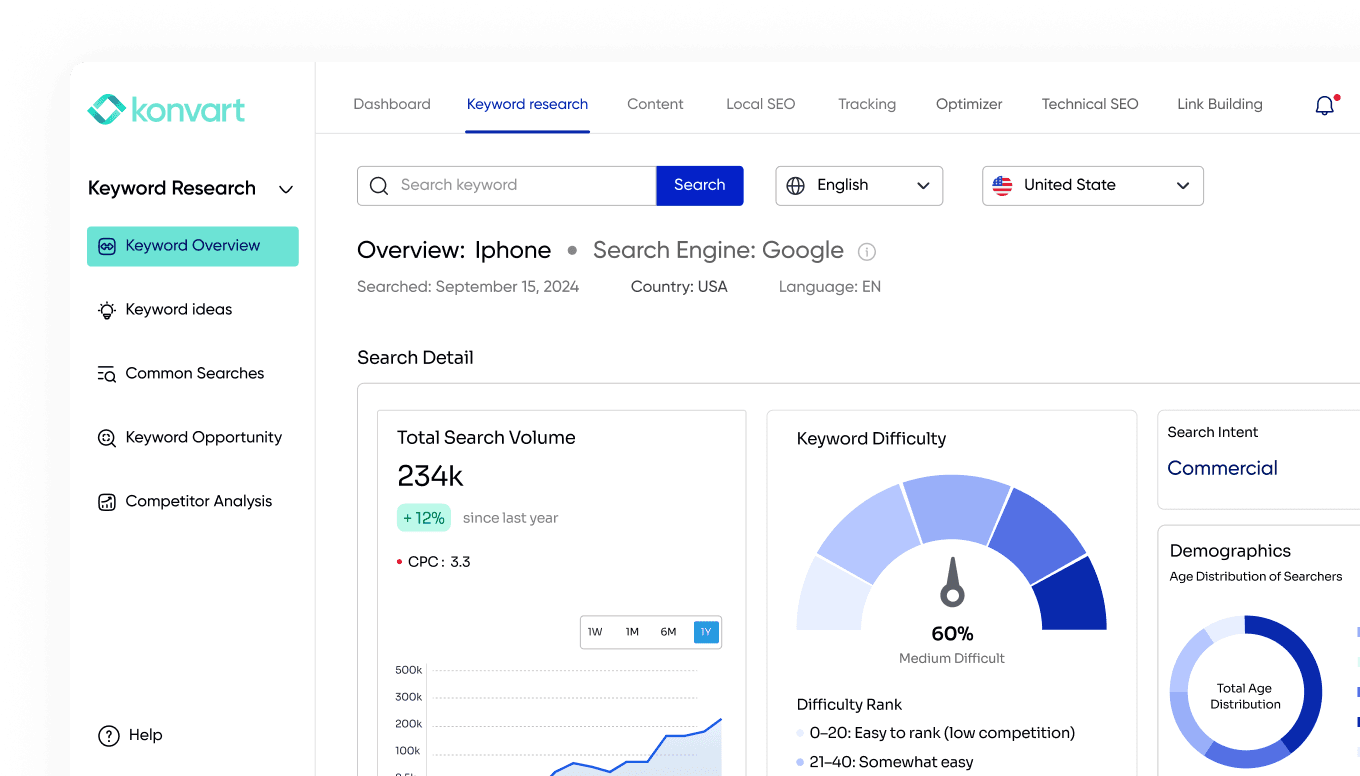
A lot of rank trackers stop at the number, but Konvart treats a ranking report as the start of the work.
Konvart tracks your keywords on Google at global, national, and local levels. Each keyword shows which SERP features appear, including the ones you don’t hold yet, and email alerts tell you when something moves.
Konvart also shows where you appear in AI answers, where you rank in Google Maps, and which pages need fixing, so you’re not jumping between three or four tools to understand one drop.
Key features
- Weekly Google rank tracking with SERP feature tracking and email notifications
- AI visibility tracking that shows the citations AI tools give your site, the sources and fan-out queries behind each answer, and the traffic you get from ChatGPT, Perplexity, Claude, and Gemini
- Local map tracking that checks your Google Maps and local organic rankings across a 5, 10, or 20 km radius, with competitor benchmarking and a pin view of where you lead or fall behind
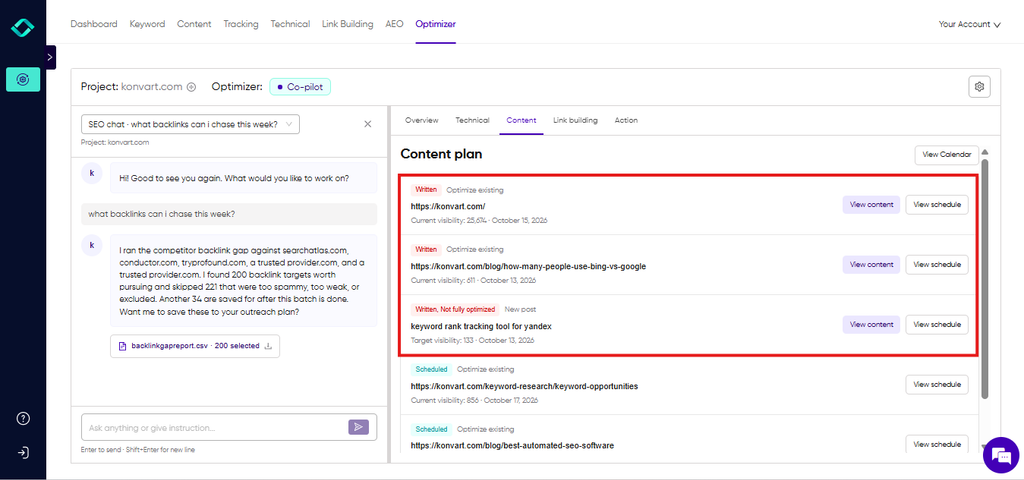
- An Optimizer that acts on the data. It writes fixes directly into WordPress, Shopify, Webflow, or Wix, in co-pilot mode (you approve every change) or autopilot. It can also turn AI citation sources into Reddit suggestions, link prospects, or content fixes.
- Branded PDF reports, free and refreshed every 30 days
Pricing
- Free plan: $0, with 10 credits
- Individual: $30/mo, with 200 tracked keywords, 250 credits, and 1 AI visibility site
- Team: $45 per user/mo (minimum 2 users), with 400 tracked keywords, 5 AI visibility sites, and MCP and API access
- Extra keywords cost 1 credit each per month (credits are $10 for 50), so you add keywords as you need them instead of upgrading your whole plan
- 7-day free trial, no card required. Paying annually saves 11%.
Things to consider
- Rankings update weekly, so if you need daily data for a migration or a fast-moving campaign, a daily tracker will suit you better.
Choose Konvart if you want to know why a ranking changed and fix it in the same place, and you’d rather pay for one plan than separate tools for rank tracking, AI visibility, local tracking, and audits.
2. Keyword.com
Best for: Low-cost Google tracking, weekly or daily
Keyword.com is a dedicated rank tracker, and its pricing is built around choice.
You pick how many keywords you track and how often they update, then pay for exactly that. Its Search Visibility plan tracks Google only.
It also shows visibility depth, meaning how far down the page your result actually appears once ads and SERP features are counted.
For AI search, you’ll have to move up to the 360° Visibility plan, which adds AI visibility credits, or you’ll have to buy the AI Visibility plan on its own.
Key features
- Google rank tracking with a choice of weekly or daily updates
- Visibility depth, showing where your result sits on the page, not just its position number
- AI visibility tracking on the 360° plan or as a standalone plan
- An MCP server, so you can query your rankings from an AI assistant
- A white-label reporting add-on for agencies
Pricing
- Search Visibility: from $4/mo for 50 keywords with weekly updates, or $16/mo with daily updates
- 360° Visibility: from $33/mo weekly or $131/mo daily, with 1,000 keywords and 150 AI credits
- AI Visibility: from $9.80/mo for 20 credits
- Custom plans from $490/mo, and a white-label add-on for $29/mo
- 14-day free trial, no card required. Paying annually saves 20%.
Things to consider
- Daily updates cost about four times the weekly price, so the low entry price applies to weekly tracking.
- It’s a tracker only. You’ll need other tools for audits, keyword research, and fixing the pages behind a ranking drop.
Choose Keyword.com if you want a focused rank tracker, value control over update frequency, and already have other tools for the rest of your SEO work.
3. Semrush
Best for: All-in-one SEO suite with daily tracking
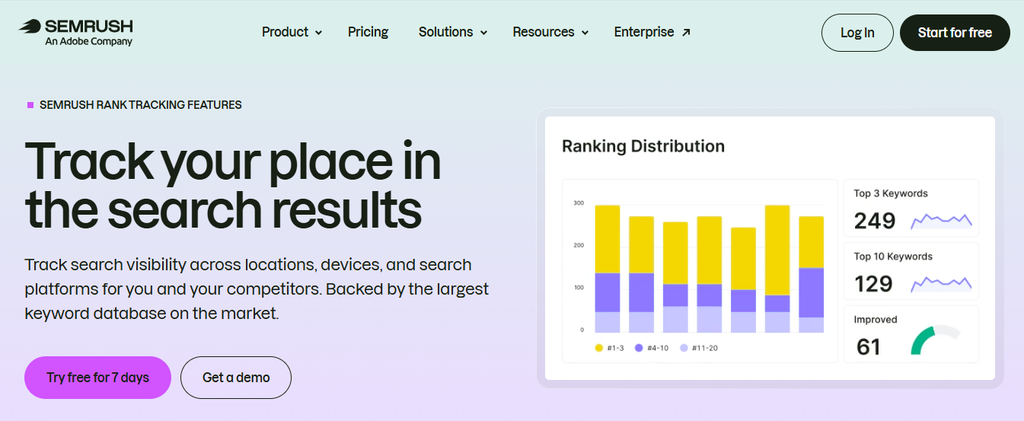
Rank tracking is one part of a larger toolkit in Semrush. And that also covers keyword research, competitor analysis, site audits, and content tools. Every paid plan updates rankings daily.
AI visibility is limited on the entry SEO plan and grows from the Starter plan up, where you get a set number of tracked AI prompts.
Key features
- Daily rank tracking on every paid plan
- A full SEO toolkit for keyword research, competitor keyword analysis, audits, and content
- AI prompt tracking from the Starter plan up
- A free plan with limited access
Pricing
- Free plan available
- SEO: $139/mo, with 500 tracked keywords and limited AI visibility
- Starter: $199/mo, with 500 keywords and 50 AI prompts
- Pro+: $299/mo, with 1,500 keywords and 100 AI prompts
- Advanced: custom pricing, from 5,000 keywords
- 7-day free trial. Paying annually saves up to 17%.
Things to consider
- 500 keywords at $139/mo is a high entry price if rank tracking is the main thing you need.
- Meaningful AI tracking starts at $199/mo, so you’ll need a bigger budget if AI search matters to you.
Choose Semrush if you need a full research suite for a team that will use most of its tools, and daily data matters to you.
4. Ahrefs
Best for: Teams focused on backlinks and competitor research
Ahrefs is known for its backlink and competitor data. Its Rank Tracker is built into the same platform, so you can follow your rankings next to the research you use to plan content and links.
Rank Tracker updates weekly on every plan, including the most expensive ones. If you need it for AI visibility, it’s a separate product called Brand Radar.
Key features
- Weekly rank tracking on all plans
- Backlink and competitor research in the same platform
- AI visibility through Brand Radar, sold separately
- Ahrefs Free for limited site and audit data
Pricing
- Ahrefs Free: Site Explorer and Site Audit only, no Rank Tracker
- Starter: $29/mo, with no Rank Tracker allowance listed
- Lite: $129/mo, with 750 tracked keywords
- Standard: $249/mo, with 2,000 keywords
- Advanced: $449/mo, with 5,000 keywords
- Enterprise: $1,499/mo, billed annually, with 10,000+ keywords
- Brand Radar AI: from $199/mo extra
- No free trial for paid plans
Things to consider
- Rank tracking starts at $129/mo, and AI visibility adds at least $199/mo on top.
- There’s no free trial, so you’ll need to commit before you can try Rank Tracker on your own keywords.
Choose Ahrefs if backlink research is central to your work and you want rankings in the same tool. Weekly updates suit you, and you don’t need AI tracking bundled in.
5. SE Ranking
Best for: Daily tracking with AI visibility included on the entry plan
SE Ranking pairs a daily rank tracker with a set of other SEO tools. Its entry plan includes 2,000 keywords, and AI prompt tracking across five AI tools without an add-on.
If you need deeper AI tracking, there’s an AI Search add-on you can buy on top of any plan.
Key features
- Daily rank tracking on every plan
- 2,000 tracked keywords on the entry plan
- AI prompt tracking across five AI tools, included from the Core plan
- An optional AI Search add-on for more detailed AI visibility
- A wider SEO toolkit alongside rank tracking
Pricing
- Core: 129/mo(103.20/mo annually), with 2,000 keywords and 100 AI prompts
- Growth: 279/mo(223.20/mo annually), with 5,000 keywords and 250 AI prompts
- AI Search add-on: 89/mo(71.20/mo annually)
- 14-day free trial, no card required
Things to consider
- At 100 prompts, the AI tracking in Core suits monitoring a handful of topics. Broader coverage means the Growth plan or the add-on.
- It shows where you rank and where you’re mentioned, but fixing the pages behind a drop is still a manual job.
Choose SE Ranking if you want daily data on a large keyword list, plus basic AI tracking.
6. AccuRanker
Best for: High-volume daily tracking
AccuRanker is a dedicated rank tracker. It’s popular with agencies and large in-house teams that track thousands of keywords and want daily data without the extra tools of an SEO suite.
Its plans are sized by keyword count, starting at 2,000. AI features, such as AI click-through rate and AI search volume data, are on the Expert plan.
Key features
- Daily rank tracking, sized for large keyword lists
- Flexible keyword tiers within each plan
- AI click-through rate and AI search volume on the Expert plan
- A focused interface built only for rank tracking
Pricing
- Professional: $224/mo, for 2,000 to 5,000 keywords
- Expert: $764/mo, for 10,000 to 25,000 keywords
- Enterprise: custom pricing
- Paying annually saves 10%.
Things to consider
- The $224/mo starting price is high for small sites that only need a few hundred keywords.
- AI features start on the Expert plan, at $764/mo.
Choose AccuRanker if you track thousands of keywords, need daily data, and want a tool that does rank tracking and nothing else.
7. Moz Pro
Best for: Small teams that want SEO and AI prompt tracking together
Moz Pro combines keyword research, rank tracking, site crawls, and AI visibility in one plan.
Since its latest update, AI tracking is built into every plan. It includes AI Overview tracking by keyword and prompt tracking across ChatGPT, Gemini, Google AI Mode, and Perplexity.
If you want to go further and see which sources those AI answers cite, check how much detail each tool gives on citations.
Key features
- Rank tracking on every plan, from 300 keywords
- AI Overview tracking by keyword
- AI prompt tracking across four AI models, updated weekly
- AI visibility dashboards and site crawling included on every plan
Pricing
- Standard: 99/mo(79/mo annually), with 1 user, 3 sites, 300 keywords, and 150 AI prompts
- Medium: 179/mo(143/mo annually), with 2 users, 10 sites, 1,500 keywords, and 300 AI prompts
- Large: 299/mo(239/mo annually), with 3 users, 25 sites, 3,000 keywords, and 600 AI prompts
- A free trial is offered on the Medium plan. Paying annually saves 20%.
Things to consider
- 300 keywords on the $99 plan is a modest allowance compared with some dedicated trackers at a similar price.
- The free trial is offered on the Medium plan, not the entry plan.
Choose Moz Pro if you’re a small team that wants keyword research, rank tracking, and AI prompt tracking together.
8. Advanced Web Ranking
Best for: Large keyword sets at a lower cost
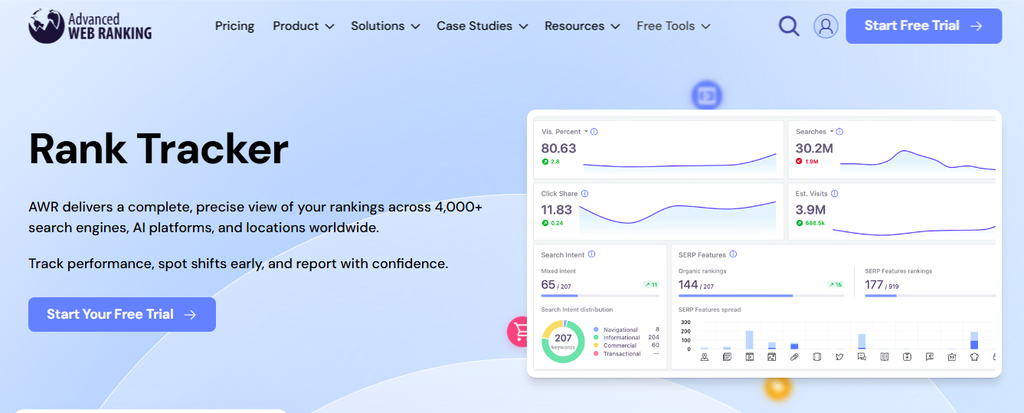
Advanced Web Ranking (AWR) gives you some of the largest keyword allowances on this list.
Its entry plan covers 7,000 keywords, which makes it a strong choice for big sites and agencies tracking many clients.
Rankings update weekly by default. You can switch keywords to daily or on-demand checks, but daily tracking uses seven times the keyword allowance.
AI visibility tracking, covering citations and mentions, is included from the Pro plan.
Key features
- 7,000 tracked keywords on the entry plan
- Weekly updates by default, with daily and on-demand options
- Local and mobile rank tracking, so you can see how rankings differ by location and device
- AI visibility, citations, and mentions from the Pro plan
Pricing
- Pro: $139/mo, with 7,000 keywords
- Agency: $279/mo, with 14,500 keywords
- Enterprise: $699/mo, with 35,500 keywords
- A free trial is available, though no indication of how long it lasts. Paying annually saves 10%.
Things to consider
- Daily tracking uses seven keyword units per keyword, so 7,000 weekly keywords become about 1,000 daily ones.
- It’s built for tracking and reporting. Turning a drop into a fix happens in other tools.
Choose AWR if you track thousands of keywords across clients or locations, and weekly data covers most of your needs.
9. Nightwatch
Best for: Local and AI tracking in one tool
Nightwatch tracks rankings across classic search, Google Maps, and AI search on every plan.
Its entry plan covers ChatGPT, Claude, Gemini, Perplexity, AI Mode, and AI Overviews.
Rankings update daily, and you can run on-demand checks when you need fresh data straight away. Prices are listed in euros.
Key features
- Daily rank tracking, plus on-demand checks
- Google Maps tracking on every plan
- AI tracking across six AI platforms on every plan
- Plans that scale from 500 to 7,500 keywords, plus custom enterprise plans
Pricing
- Starter: €79/mo, with 500 keywords
- Professional: €159/mo, with 2,500 keywords
- Agency: €399/mo, with 7,500 keywords
- Enterprise: custom pricing
- 14-day free trial, no card required
Things to consider
- Prices are in euros, so the cost in dollars changes with the exchange rate.
- It tracks where you appear in AI answers, but turning those insights into content updates or outreach is up to you.
Choose Nightwatch if you want daily Google, local, and AI rankings in one tracker from the entry plan up.
10. Mangools SERPWatcher
Best for: A budget all-in-one with AI tracking included
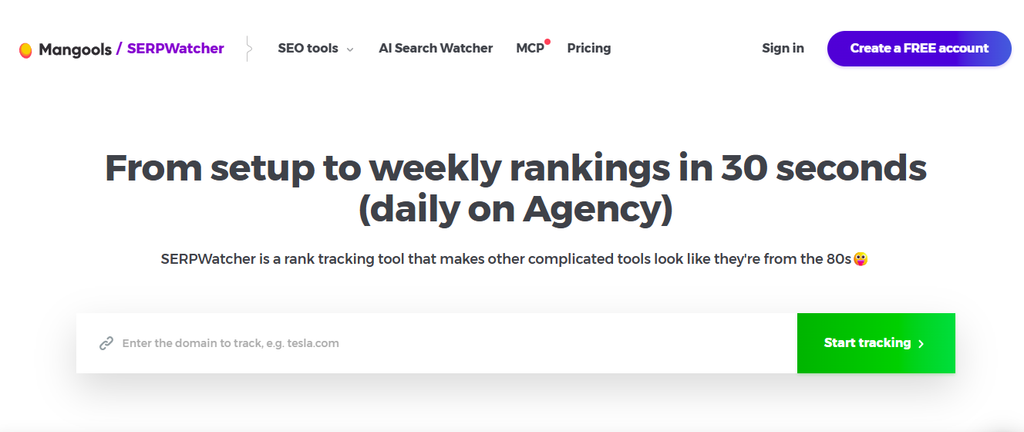
SERPWatcher is the rank tracker inside Mangools, a bundle of SEO tools that also covers keyword research, SERP analysis, backlinks, and site analysis.
Every plan includes AI Search Watcher PRO, which monitors 500 prompts across eight AI models.
Rankings update weekly on the Basic and Premium plans and daily on Agency. API and MCP access come with every plan.
Key features
- Rank tracking with unlimited domains on every plan
- AI Search Watcher PRO included, with 500 prompts across eight AI models
- Keyword research, SERP analysis, and backlink data
- API and MCP access on every plan
Pricing (annual billing)
- Basic: 18.85/mo(226.20/year), with 200 keywords updated weekly
- Premium: 26.35/mo(316.20/year), with 700 keywords updated weekly
- Agency: 48.85/mo(586.20/year), with 1,500 keywords updated daily
- Free account available, with a 48-hour money-back guarantee on paid plans. Annual billing saves about 35%.
Things to consider
- Daily updates are only on the Agency plan.
- Keyword allowances are small for larger sites, and Basic doesn’t allow extra seats.
Choose Mangools if you’re a freelancer or small business that wants rank tracking, keyword research, and AI tracking.
11. Wincher
Best for: Affordable daily tracking
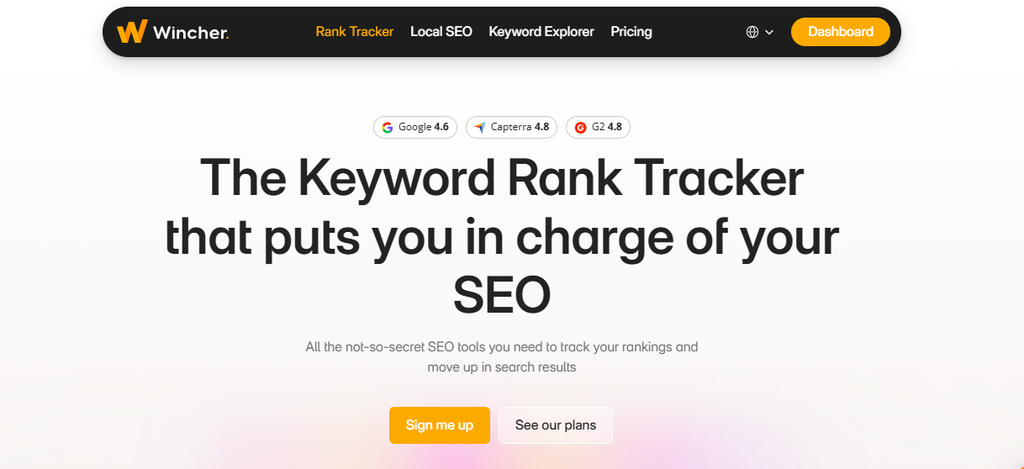
Wincher is a straightforward rank tracker that updates daily on every plan, including the cheapest.
Its entry plan covers 500 keywords across up to 10 websites, which suits freelancers and small businesses that want daily data without suite-level pricing.
Each plan includes competitor tracking. Higher plans add on-demand updates, unlimited websites, and more users. Wincher also offers local rank tracking, which updates weekly.
Key features
- Daily rank tracking on every plan
- Competitor tracking on every plan, for 5 to 20 competitors per website depending on plan
- On-demand updates from the Standard plan
- Local rank tracking, updated weekly
Pricing
- Basic: $49/mo, with 500 keywords, up to 10 websites, and 1 user
- Standard: $89/mo, with 1,000 keywords, unlimited websites, and multiple users
- Professional: $319/mo, with 5,000 keywords, unlimited websites, and multiple users
- Custom pricing for more than 50,000 keywords
- A free trial is available on the Basic plan.
Things to consider
- The Basic plan is limited to one user and doesn’t include on-demand updates.
- It focuses on tracking, so you’ll need other tools for site audits and page fixes
Choose Wincher if you want daily rankings and competitor tracking at a low monthly price, and rank tracking is the main thing you need.
12. SEO PowerSuite Rank Tracker
Best for: Desktop tracking with no keyword cap
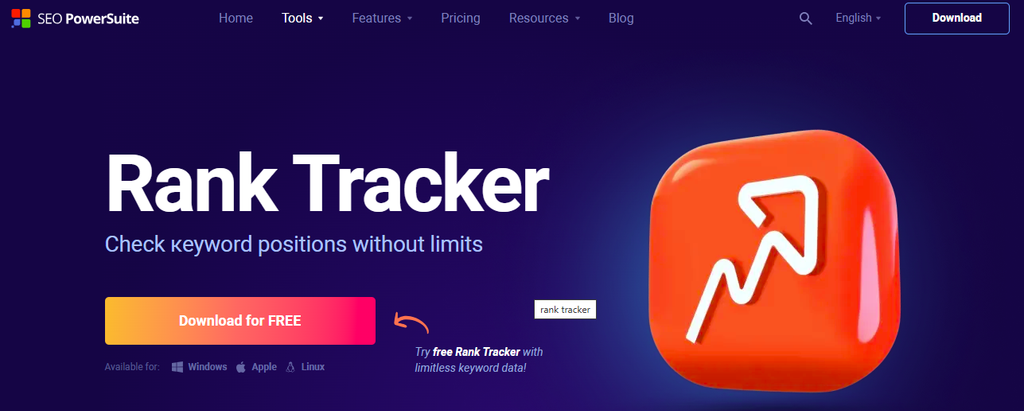
Rank Tracker from SEO PowerSuite is desktop software, not a cloud app. You install it on your computer and run rank checks from there.
That setup lets it offer unlimited keywords on its paid editions, which almost no cloud tracker does at this price.
There’s a free version, and the paid editions are billed yearly..
Key features
- Unlimited keywords on paid editions
- Scheduled rank checks
- A free version with no time limit
- Part of the SEO PowerSuite toolkit, which includes other desktop SEO tools
Pricing
- Free version: $0
- Professional: $179/year
- Enterprise: $419/year
Things to consider
- Because it’s desktop software, scheduled checks depend on your computer being on and the app running.
- Sharing data with a team or clients takes more work than with a cloud tool that offers shareable reports
Choose SEO PowerSuite Rank Tracker if you track a very large keyword list, and you’re comfortable running software on your own computer.
13. ProRankTracker
Best for: Agencies tracking Google, Maps, and AI daily
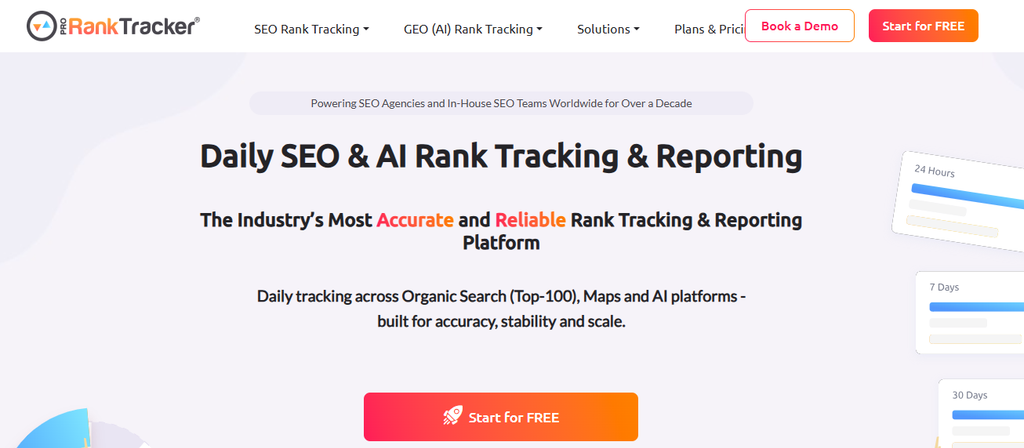
ProRankTracker updates the top 100 results daily and covers more search surfaces than most trackers.
From the Starter plan, it tracks Google organic results on desktop and mobile, Google Business Profile map listings, AI Overviews and AI Mode, and AI platforms like ChatGPT.
The higher plans are built for agencies. They add a client-facing app, Data Studio integration, API access, and on-demand updates.
Key features
- Daily top-100 rank updates
- Local, mobile, and Google Maps tracking from the Starter plan
- AI Overviews, AI Mode, and AI platform tracking from the Starter plan
- A client app and Data Studio integration on Pro, and API access and on-demand updates on Agency
- Unlimited URLs and projects
Pricing
- Starter: $99/mo, with 1,000 keywords
- Pro: $149/mo, with 2,000 keywords and 10 users
- Agency: from $199/mo, with 3,000+ keywords and unlimited users
- 7-day free trial for 100 keywords, no card required. Paying annually saves 10%.
Things to consider
- At $99/mo, the entry price is high for small sites that only need a few hundred keywords.
- On-demand updates and API access are only on the Agency plan.
Choose ProRankTracker if you manage several clients and want daily rankings across Google, Maps, and AI search in one dedicated tracker.
14. BrightLocal
Best for: Local businesses and multi-location brands
BrightLocal is built for local SEO. Its rank tracking, reviews, listings, and reporting are all designed around physical locations, and its plans are priced per location.
That makes it easy to budget for a single shop or a brand with dozens of branches.
Plans include local rank tracking for up to 100 keywords per location, with competitor comparison. They also include a Local Search Grid that shows how your map pack ranking changes across your service area, and a Local AI Visibility Tracker for local queries in AI search.
Key features
- Local rank tracking for up to 100 keywords and 4 competitors per location
- Local Search Grid for map pack rankings across an area, for up to 5 keywords
- Local AI Visibility Tracker
- Per-location pricing that scales with your number of branches or clients
Pricing (per location)
- Track: 41/mo(31/mo annually)
- Manage: 54/mo(40/mo annually)
- Grow: 65/mo(49/mo annually)
- 14-day free trial, no card required
Things to consider
- Per-location pricing adds up quickly for brands or agencies with many locations.
- It’s focused on local search, so national and global rank tracking, technical audits, and content opportunities need other tools.
Choose BrightLocal if local search drives your business, or you’re an agency managing local clients and want rankings, listings, and reviews in one place.
15. Google Search Console
Best for: Free performance data for your own site
Google Search Console is free and comes straight from Google.
Its Performance report shows the queries your site appears for, plus clicks, impressions, click-through rate, and average position for each query and page.
It isn’t a rank tracker in the usual sense. Instead of checking a fixed keyword list from a set location, it reports the average position across every search where your site appeared.
That makes it one of the most reliable sources of real search data you can get, and a useful partner to any paid tracker.
Key features
- Clicks, impressions, CTR, and average position for every query your site appears for
- Data by page, country, device, and search appearance
- Indexing and page experience reports
- Free, with no keyword limit
Pricing
- Free
Things to consider
- It only shows data for sites you own, so you can’t track competitors’ rankings.
- Average position blends many searches together, so it won’t show your exact rank in a specific city or for a specific keyword on a given day.
- Data appears about two to three days late.
Choose Google Search Console if you want free, first-party search data. It’s best used alongside a paid tracker, not instead of one.
Daily vs Weekly Rank Tracking: Which do you Need?
Update frequency is one of the biggest differences between the tools above, and one of the biggest drivers of price.
Several trackers charge much more for daily data.
On Keyword.com, daily tracking costs about four times the weekly price, and on Advanced Web Ranking, a daily keyword uses seven times the allowance of a weekly one.
Before paying that premium, it’s worth knowing what daily data will actually change for you.
When daily tracking makes sense
Daily data earns its cost when you need to react within days, not weeks:
- Site migrations and redesigns: If URLs change or pages break, you want to spot a drop the day it happens.
- Time-sensitive campaigns: Product launches, seasonal sales, and news-driven content have a short window.
- Highly competitive keywords: In crowded markets, positions can change quickly, and the gap between position 3 and 6 is worth real money.
- Client reporting: Some agency clients expect to check their numbers every day.
When weekly tracking is enough
For most sites, weekly data shows everything you need to make decisions:
- Content-led SEO: New and updated pages often take weeks to settle, so daily checks don’t show stable ranking.
- Long-term trends: A four-week trend line tells you more than a single day’s movement.
- Smaller budgets: Weekly tracking lets you follow more keywords for the same price.
That’s why many established tools use weekly tracking as a standard, not a cut-down option.
Konvart, Ahrefs, and Mangools all update weekly, and Advanced Web Ranking defaults to it.
How to Get the Most From Weekly Data
Weekly tracking gives you fewer data points, so how you read them matters.
A single update can look alarming on its own, and a real problem can hide between checks if nobody’s paying attention.
A simple routine fixes both, so you catch the moves that matter and ignore the ones that don’t.
- Compare week over week, then month over month: One weekly drop is a signal to watch. Two or three in a row is a trend to act on.
- Turn on alerts: Email notifications for ranking changes mean you hear about a big move without checking a dashboard.
- Check Search Console between updates: If something looks wrong mid-week, its daily data can confirm whether clicks are dropping too.
- Spend the time you save on fixes: Rankings move when pages improve, not when you look at them more often.
Get this routine in place and weekly data will tell you everything you need to make good decisions, without the cost or volatility of daily checks.
How to Choose the Right Keyword Tracking Tool
The best tool is the one that fits how you work. Start with these three questions:
- How many keywords will you track in six months? This sets your budget range more than anything else.
- Where do your customers search? If it’s mostly Google, most tools will do. If it’s Google Maps or AI tools like ChatGPT, narrow the list to tools that track those.
- What happens after you see a drop? If someone on your team investigates and fixes it, a tracker on its own is fine. If not, look for a tool like Konvart that helps you act on the data.
With those answers, use the shortlist below.
1. If you want to fix what the rankings show, not just watch them: Konvart connects your rankings to the issues behind them, and its Optimizer can apply the fixes for you.
2. If you’re a small business or freelancer on a budget: Konvart gives you rank tracking, AI visibility, local tracking, and audits from $30/mo. Mangools and Keyword.com are low-cost options if you mainly need tracking.
3. If you’re a local business: Konvart’s Local Map Tracker shows your map pack rankings across your area, alongside your regular rankings. BrightLocal is a strong choice if you also manage reviews and listings for many locations.
4. If AI search matters to you: Konvart tracks AI citations and the traffic they send you, and shows the sources behind each answer. Nightwatch and SE Ranking include AI tracking on their entry plans too.
5. If you need daily data: SE Ranking, Wincher, and Nightwatch all update daily on their entry plans.
6. If you need a full research suite: Semrush, Ahrefs, and Moz Pro pair rank tracking with deep keyword and backlink research. You can get these on Konvart too, at a much lesser price point.
7. If you’re an agency tracking thousands of keywords: Advanced Web Ranking, AccuRanker, and ProRankTracker are built for high volumes and client reporting.
8. If you want free data: Google Search Console shows real performance data for your own site, and the SEO PowerSuite Rank Tracker free version gives you desktop tracking at no cost.
What to do With Your Rankings Once You Have Them
A ranking report only pays off when it leads to a change on your site. Here’s a simple routine you can run every week, whichever tool you use.
1. Group keywords by page: Look at rankings page by page, not keyword by keyword. A page that drops for 10 related keywords has a different problem from one that drops for a single term.
2. Find your nearest wins: Keywords in positions 4 to 20 are usually the fastest to improve, because Google already sees the page as relevant.
Spotting these striking-distance keywords tells you where an update will pay off first.
3. Work out why a ranking moved: Check three things in order: did a competitor overtake you, did a new SERP feature push your result down the page, or did something change on your own page?
Comparing your rankings with your competitors‘ usually answers the first question in minutes.
4. Make the fix, then watch the next update: Update the content, fix the technical issue, or improve the internal links. Then check whether the ranking responds over the following two to four weeks.
The faster way: let Konvart turn rankings into fixes
Steps 3 and 4 are where most teams get stuck.
Finding out why a page dropped means opening an audit tool, checking the page, comparing competitors, and then making the change in your CMS.
For a small team, that can take hours per page, so many drops never get fixed.
Konvart puts those steps in one place:
- The Rank Tracker flags the keywords and pages that moved, including the SERP features you don’t hold yet.
- The Optimizer finds the issues on those pages and writes the fixes directly into WordPress, Shopify, Webflow, or Wix. In co-pilot mode, nothing goes live until you approve it. Riskier changes go to an Actions tab for review.
- The AEO tool shows which sources AI answers cite for your topics. The Optimizer can turn those sources into Reddit suggestions, link prospects, or content fixes.
- A weekly report shows what changed and what was fixed, so you can see whether the work is paying off.
The result is a ranking report that ends with a list of completed fixes instead of a list of questions.
Try it on your own site. Start a 7-day free trial, no card required, and see what Konvart finds in your first week of rankings.
Frequently asked questions
What is the best keyword tracking tool?
It depends on what you need it for. Konvart is the best fit if you want to track rankings and fix what they show in one tool. Keyword.com and Wincher are strong low-cost dedicated trackers, SE Ranking offers daily tracking on a large keyword list, and BrightLocal is built for local businesses.
What is the best free keyword tracking tool?
Google Search Console is the best free option for tracking your own site. It shows clicks, impressions, and average position for every query your site appears for.
How often should I track keyword rankings?
For most sites, weekly tracking is enough. New and updated pages often take weeks to settle, so weekly data shows the trend without the daily volatility. Daily tracking is worth it during site migrations, time-sensitive campaigns, or on highly competitive keywords where small moves are worth acting on quickly.
How many keywords should I track?
Track the keywords that bring you customers, not every keyword you rank for. Start with your main product, service, and location terms, then add the keywords you plan to target in the next six months. Small businesses often start with 50 to 200 keywords, while agencies and large sites track thousands.
How much does a keyword tracking tool cost?
Most entry plans cost between $30 and $140 a month. Konvart starts at $30 a month and includes rank tracking, AI visibility tracking, local map tracking, site audits, among other useful SEO features
Can I track my rankings in ChatGPT and other AI tools?
Yes. Many keyword tracking tools now track AI search, including Konvart, Nightwatch, SE Ranking, Moz Pro, and Mangools. Konvart’s AEO tool goes beyond mentions: it shows the citations AI tools give your site, the sources behind each answer.
Can I track my rankings in Google Maps?
Yes, with a tool that offers local map tracking. Konvart’s Local Map Tracker checks your map pack and local rankings across a 5, 10, or 20 km radius. BrightLocal, Nightwatch, and ProRankTracker also track Google Maps rankings.
Why do my tracked rankings differ from what I see in Google?
Google personalizes results based on your location, device, and search history, so your own searches rarely match what other people see. Rank trackers check from a neutral, set location, which gives you a consistent baseline. Google Search Console shows an average position across all searches, so it can differ from both.
What’s the difference between a rank tracker and Google Search Console?
A rank tracker checks your position for a set list of keywords from a chosen location, and can track competitors too. Google Search Console reports your average position across every search where your site appeared, using Google’s own data. Most teams use both: Search Console for real performance data and a tracker for consistent, keyword-level monitoring.