You enter your site and three competitors into a backlink gap report, hit run, and wait. A few seconds later, your screen fills with 3,800 domains that link to them and not to you.
For a moment, it feels like striking gold. Then you start scrolling.
There’s a recipe blog that hasn’t posted since 2019. A directory with 40,000 listings and no visitors. A scraper site that copied someone’s product page, links and all.
Somewhere in that pile are the 50 or so sites that could actually move your rankings, and the report won’t tell you which ones they are.
That’s the part most tool comparisons skip. A backlink gap is one of the best prospect lists you’ll ever get, because every site on it has already given a backlink to a business like yours.
They’ve shown they link out in your space, so you’re not cold pitching strangers. You’re asking people who have already said yes to someone like you.
But the list is only the starting line.
The real work happens after the report loads: cutting thousands of domains down to the few dozen worth pitching, figuring out why each one linked to your competitor, and getting them to link to you too.
If you want the method itself, step by step, our guide to running a backlink gap analysis walks through it. This article is about the tools, and which ones make each half of the job easier.
So we compared nine backlink gap analysis tools on both halves:
- Finding the gap: how many competitors each tool compares in one run, how deep its link data goes, and which filters it gives you to separate real sites from spam.
- Acting on it: whether the tool helps you prioritize, find contacts and reach out, or hands you a CSV and wishes you luck.
We also flag where limits change by plan, because that’s where most gap tools quietly differ.
Quick Picks
Short on time? Here’s where each tool stands out.
- Best for turning the gap into outreach: Konvart. It runs the gap report and then helps you work the list: it finds contacts, drafts pitches and tracks the links you win, all in the same place you found the gap.
- Best for the deepest link data and widest comparisons: Ahrefs. Link Intersect compares up to 10 competitors in one run, and its filters for DR and domain traffic make big lists manageable fast.
- Best value per gap run for small teams: Konvart. A gap run costs 2 credits, so the $30 Individual plan covers 125 runs a month. That’s enough to check several sites against several competitor sets without watching a meter.
- Best for filtering by topical relevance: Majestic. Topical Trust Flow tells you what a linking site is about, which helps when half your gap list is off-topic.
- Best budget desktop option: SEO SpyGlass. A one-time yearly fee, unlimited backlinks on paid plans, and side-by-side profile comparisons of up to 11 sites on Enterprise.
- Best for agencies that want one tool from gap to client report: Konvart. Gap research, outreach and white-label client reports share one login and one credit pool, which matters once you’re running link building for several clients at once.
Backlink Gap Analysis Tools Compared at a Glance
Every tool on this list can show you sites that link to your competitors and not to you. The differences show up in three places: how many competitors you can compare in one run, what signals you get for judging whether a site is worth pitching, and what happens once you’ve picked your targets.
The table puts all three side by side, along with what each tool costs to start.
| Tool | Gap feature | Competitors per run | Quality signals | Help after the gap | Starting price |
| Konvart | Backlink Gap Analysis | Up to 6 (plus your site) | Domain Strength, Page Strength, spam score | Email finder, AI pitches, sending, link tracking | $30/mo (free plan available) |
| Ahrefs | Link Intersect | Up to 10 | DR, UR, domain traffic | Export | $129/mo |
| Semrush | Backlink Gap | Up to 4 (plus your site) | Authority Score | Separate Link Building tool | $139/mo |
| SE Ranking | Backlink Gap Analyzer | Up to 5 | Domain Trust, Page Trust | Export | $129/mo |
| Majestic | Clique Hunter | Up to 9 (plus your site) | Trust Flow, Topical Trust Flow | Export | $99.99/mo (Pro) |
| Moz Pro | Link Intersect | Up to 5 | Domain Authority, Spam Score | Link Tracking Lists | $99/mo |
| SEO SpyGlass | Domain Comparison | 1, 5 or 10 (by plan) | InLink Rank, penalty risk | LinkAssistant (separate app) | Free; paid from $179/yr |
| Serpstat | Links Intersection | Not published | Serpstat Domain Rank | Export | $69/mo |
| Ubersuggest | Backlink Opportunity | 5 to 15 (by plan) | Domain Authority | Export | From $12/mo |
Prices are monthly billing unless noted
You’ll notice two patterns here.
First, the competitor limit isn’t the deciding factor it looks like. Running three to five close competitors usually gives a tighter, more relevant list than throwing in ten.
Second, only a few tools do anything once the list is built. For most, the gap report is where the tool’s job ends and yours begins: exporting, finding emails and writing pitches somewhere else.
What Makes a Good Backlink Gap Analysis Tool
On a demo, every gap tool looks about the same. You enter some domains, you get a list, and the list is long.
The differences show up when you sit down with that list on a Tuesday afternoon and try to turn it into 20 pitches by Friday.
These are the seven things we looked at, and what to check before you commit to a tool.
1. Enough competitors per run, and the right kind of input
Three to five competitors is the sweet spot for most sites, so a tool that caps you at two will feel cramped. Just as useful is being able to compare exact URLs, not only whole domains.
A family dental practice in Leeds, for instance, gets little from comparing itself with a national chain’s entire domain.
Comparing its “emergency dentist Leeds” page against the three local pages that outrank it shows exactly which local directories, news sites and health blogs link to those pages.
2. Overlap filtering
This is the single most useful filter in any gap tool. A site that links to one competitor might be a one-off: a friend’s blog, a sponsorship, an old partnership.
But a site that links to three of your four competitors is clearly happy to link to businesses like yours.
Look for a filter like “links to at least 2 competitors” or “links to all competitors.” On a big list, it usually cuts the noise by more than half in one click.
3. Quality and spam signals you can filter on
Authority scores help, but they’re not enough on their own. A domain with a DR of 70 can still have almost no real visitors, and a modest local news site can be worth more than both.
The best tools let you stack filters:
- Authority score: DR, DA, Authority Score, Trust Flow or the tool’s own equivalent.
- Estimated traffic: a quick check that real people actually visit the site.
- Spam or toxicity score: to drop link farms and scraper sites before you waste time on them.
- Follow or nofollow: so you know what kind of link you’re chasing.
4. Link-level detail
Knowing that a domain links to your competitor is useful. Knowing why is what gets you the link.
Good tools let you click through to the exact linking page, the anchor text and the page it points to, so you can see the full backlink profile behind a domain before you pitch it.
That detail changes the pitch. A pet food brand might find that most of its competitors’ links come from one type of page: “best dog food for allergies” roundups.
That isn’t 40 separate prospects. It’s one content angle, worth one well-researched pitch to every roundup that left it out.
5. Fresh data
Links come and go. A gap report built on stale data sends you chasing pages that no longer exist, or misses the roundups your competitors landed last month.
New and lost link tracking, and a clear sense of how often the tool’s index updates, matter more than the headline size of the index.
6. A way to act on the list
At the very least, a tool should export cleanly, with the domain, linking URL, anchor text and metrics in one file.
Beyond that, ask what happens next:
- Can it find contact details for the sites you’ve picked?
- Can it help you write and send pitches, or will you copy and paste into another tool?
- Can it tell you when a link goes live, so you’re not checking by hand?
Most tools stop at the export. The ones that don’t save the most time, because outreach is where gap analysis eats up hours.
It’s also where it makes sense to automate the repetitive parts, like finding emails and tracking replies, while you keep the judgment calls.
7. What each run actually costs
Sticker price hides a lot. Some tools charge credits per report, some cap rows per report, and some only include the gap feature on higher plans.
If you’re a freelancer checking one site a quarter, none of this matters much. If you’re an agency running monthly gap reports for eight clients against four competitors each, it adds up fast.
Work out the cost per run before you choose.
The 9 Best Backlink Gap Analysis Tools
Each tool below gets the same breakdown: what it does with the gap, the specs that matter (competitors per run, quality signals, filters), the features that help with link building, current pricing, who it suits, and where it falls short.
We start with the tools that do the most after the report loads, then work through the specialists and budget options.
Every tool here will find you a gap. What you’re choosing between is how quickly each one gets you from a list of thousands to links you’ve actually won.
1. Konvart
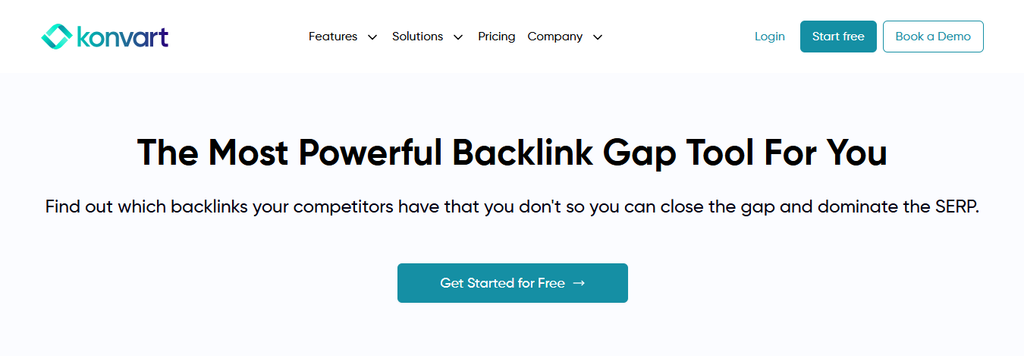
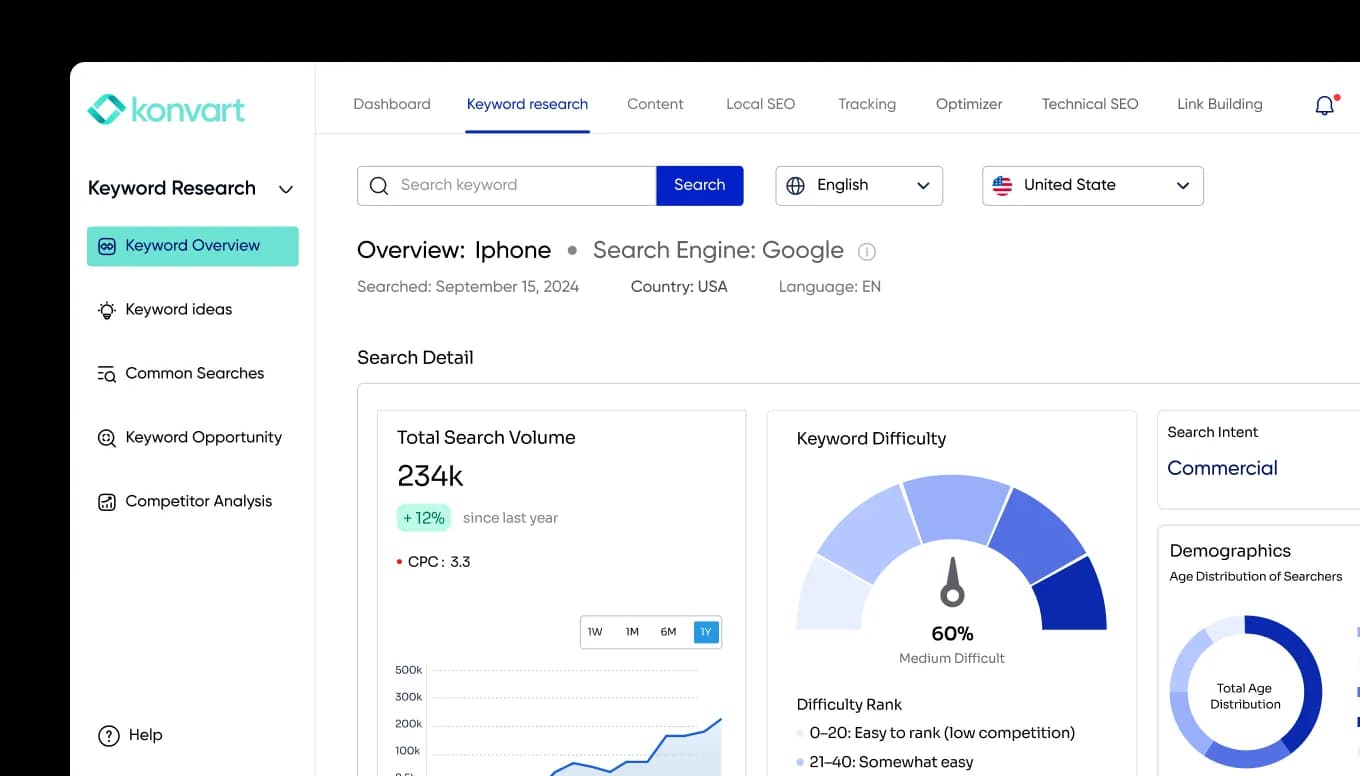
Konvart is an all-in-one SEO and AEO platform, and its backlink gap analysis is built around one idea: the report should be the start of your outreach, not the end of your research.
You find the gap, filter it down, and pitch the sites you pick without exporting a single CSV.
How it handles the gap
You enter your site and your competitors, and Konvart lists every domain that links to them and not to you, along with how many of your competitors each domain links to.
From there, you filter by strength, spam score and link attributes until only realistic prospects are left.
Then you send the ones you want into Outreach Support, which finds contacts, drafts pitches and tracks the links you win.
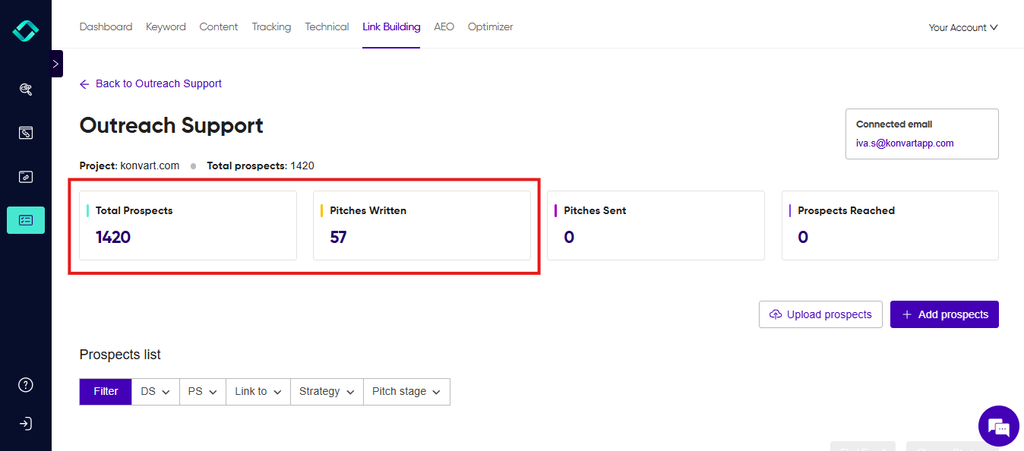
Konvart’s Backlink Gap Analysis compares your site with up to six competitors for 2 credits a run, then, with the Optimizer tool, finds contacts, drafts pitches and tracks the links you win.
Gap specs
- Competitors per run: up to 6
- Quality signals: Domain Strength, Page Strength and spam score
- Filters: competitor overlap, link attributes (follow or nofollow), strength and spam score
- Link-level detail: anchor text, link type, the linking page, and your competitors’ most-linked pages
- Freshness: new and lost link tracking
Key features for link building
- Email finder with three modes: Quick Find for fast lookups, Role Match for finding a specific person such as an editor or marketing lead, and Deep Find for harder-to-reach sites.
- AI pitches for guest posts and link insertions, written to each site’s guidelines and sent from your own connected mailbox, so replies land in your inbox.
- Link tracking, so you know when a pitched link goes live without checking pages by hand.
- Optimizer, Konvart’s AI agent, can run gap research on your saved competitors, filter out weak targets, find emails and prepare pitches within the permissions you set. It’s the closest thing on this list to having the follow-through handled for you.
An IT security consultancy, for example, might run a gap against four competitors and find that most of their links come from industry associations, conference speaker pages and a handful of “top cybersecurity firms” roundups.
In Konvart, those become three pitch groups in the same afternoon, with contacts found and first drafts ready to review.
Pricing
- Free: $0, with 10 credits to try the tools
- Individual: $30/month, 1 user, 250 credits (125 gap runs)
- Team: $45/user/month, minimum 2 users, with credits pooled across the team (3 users share 750)
- Annual billing: 11% off
- Trial: 7 days, no card required
A gap run costs 2 credits, a full backlink overview 4, and each AI outreach email or contact lookup 1. Extra credits are $10 for 50 if you run out. See the pricing page for the full breakdown.
Best for marketers and agencies that want to go from gap report to sent pitches in one place, without a separate outreach tool.
Watch out for
- Credits are shared across tools: Gap runs come out of the same pool as keyword research and content work, so heavy users of both should plan for top-ups or the Team plan.
- You still handle the conversation: Konvart finds contacts, drafts and sends pitches, and tracks links, but negotiating with an editor who replies is still your job.
2. Ahrefs
Ahrefs has built its reputation on link data, and Link Intersect is where that shows.
It compares more competitors in one run than almost any other tool here, and its filters make even a five-figure gap list manageable quickly.
How it handles the gap
Link Intersect sits in Ahrefs’ Competitive Analysis area. You enter your site, add competitors as whole domains or exact URLs, and Ahrefs shows the referring domains or pages that link to them and not to you.
A heatmap at the top shows how many shared links each combination of competitors has.
You can then narrow the list to sites that link to all your competitors, or set minimum DR and traffic thresholds.
Gap specs
- Competitors per run: up to 10
- Quality signals: Domain Rating (DR), URL Rating (UR) and domain traffic
- Filters: competitor overlap (any or all), DR, traffic, and domain or page level
- Link-level detail: anchor text, referring page and target URL for each link
- Input: domains, subdomains or exact URLs
Key features for link building
- Site Explorer for digging into any linking domain’s own profile before you pitch it.
- Content Explorer (Standard and above) for finding the content that earns links in your niche.
- Broken backlinks report (Standard and above) for broken link building on competitor pages.
- Batch Analysis (Standard and above) for checking metrics on up to 200 domains at once.
A boutique hotel group, for example, could compare its property pages against ten rival hotels in the same cities and filter to domains linking to at least three of them.
The result is mostly local travel guides, wedding venue directories and “where to stay” roundups: a short, focused list from a big comparison.
Pricing
- Lite: $129/month, 1,000 credits per user, 6 months of history
- Standard: $249/month, unlimited credits, 2 years of history
- Advanced: $449/month, 5 years of history
- Extra users: $40/month on Lite (up to 2 more), $60 on Standard (up to 5), $80 on Advanced (up to 10)
Link Intersect is included on Lite, but every report and filter change uses credits, and 1,000 a month goes quickly when you’re exploring a big gap list. Most link builders end up on Standard.
Best for link builders and SEOs who want the widest competitor comparisons, and already have an outreach process elsewhere.
Watch out for
- Lite’s credit cap: Big gap reports eat credits fast, and running out mid-month stops your research.
- Key link building reports need Standard: Broken backlinks, Content Explorer and Batch Analysis aren’t on Lite.
- No outreach: You’ll export the list and find contacts, write pitches and track links in other tools.
3. Semrush
Semrush is a full marketing suite, and Backlink Gap is one of a family of gap tools that sit side by side, alongside Keyword Gap.
If your team already lives in Semrush for keyword research and rank tracking, adding link gap work there costs nothing extra in setup.
How it handles the gap
You enter your domain plus up to four competitors as root domains, subdomains or exact URLs. Semrush suggests competitors automatically once you start typing, which helps if you’re not sure who your real link competitors are.
The results table shows every referring domain linking to the sites you entered, with a “Matches” count for how many of them each domain links to.
Select your own domain from the dropdown, and the table switches to prospects: domains linking to competitors but not to you. Preset views help you sort them.
Best shows domains linking to all your competitors and not you, and Weak shows domains that link to you less than to your competitors.
Gap specs
- Competitors per run: up to 4 (five domains in total, including yours)
- Quality signals: Authority Score
- Filters: preset views (Best, Weak and others), match count, and time frame
- Input: root domains, subdomains or exact URLs
- Export: Excel or CSV
Key features for link building
- Keyword Gap in the same toolkit, so you can see which competitors outrank you for your target terms, then check who links to them.
- Backlink Analytics for looking into any prospect’s own link profile and authority trend.
- Copilot, Semrush’s AI assistant, which can surface link building suggestions based on sites that link to your competitors.
- A separate Link Building tool in Semrush for prospecting and outreach, if you want to keep everything inside the suite.
Pricing
- Pro: $139/month($117.33/month billed annually), up to 5 websites to monitor
- Guru: $249/month($208.33/month billed annually), up to 15 websites, plus historical data
- Business: custom pricing through sales, with 40+ websites, extended limits, API access and team users
Backlink Gap is available from Pro. Teams that need several seats or API access now have to talk to sales, because Business no longer has a published price.
Best for marketing teams already using Semrush for keyword and competitor research who want link gap work in the same workflow.
Watch out for
- Only four competitors per run. Fine for focused comparisons, but tight if you compete with a crowded field.
- Team seats sit on Business, which is custom-priced. Budgeting for a multi-person team means a sales conversation.
- Outreach is a separate tool. The gap report and the Link Building tool are different parts of the suite, so expect some moving between them.
4. SE Ranking
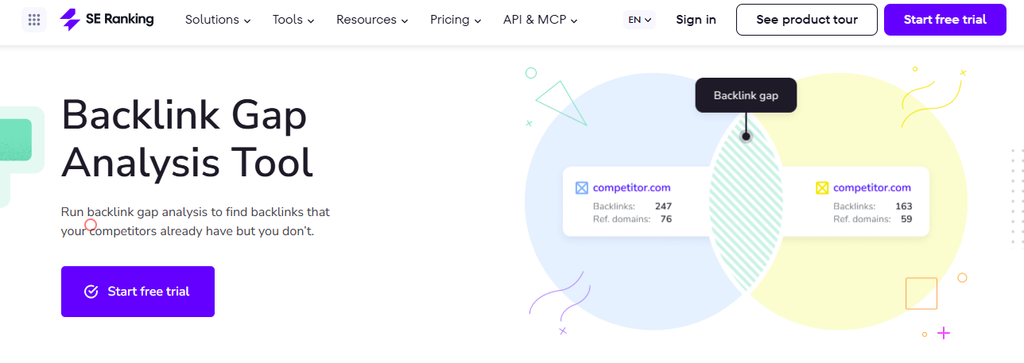
SE Ranking is an all-round SEO platform known for strong features at a mid-market price.
Its Backlink Gap Analyzer is straightforward: add your competitors, see who links to them, and expand any row to see exactly which pages carry the links.
How it handles the gap
You add up to five competing domains or URLs alongside your own. Once the scan finishes, you get a table of every referring domain linking to the sites you entered.
Each competitor’s backlinks from that domain can be expanded and exported, so you can see the exact linking pages without jumping to another report.
The analyzer also shows backlinks you already share with competitors, which is useful for spotting which links are “table stakes” in your niche.
Gap specs
- Competitors per run: up to 5
- Quality signals: Domain Trust and Page Trust
- Filters: competitor overlap and link metrics
- Link-level detail: expandable backlink lists for each competitor on every referring domain
- Export: per competitor, per domain
Key features for link building
- Backlink Checker for vetting any prospect’s own profile before you reach out.
- Backlink Monitor for tracking links you’ve built and spotting when they disappear.
- Unlimited competitor and backlink research on both plans, so gap runs don’t eat into a credit budget.
Pricing
- Core: $129/month($103.20/month billed annually), 10 projects, 1 manager seat
- Growth: $279/month($223.20/month billed annually), 30 projects, 3 manager seats, full project history
- Enterprise: custom pricing
- Trial: 14 days, no card required
Unlimited backlink research makes SE Ranking predictable for heavy gap users. Agencies weighing it against broader suites can compare it in our roundup of the best SEO tools for agencies.
Best for in-house teams and small agencies that run gap reports often and want unlimited research without per-run costs.
Watch out for
- One seat on Core: Teams of two or more need Growth, which more than doubles the price.
- No outreach: Like most tools here, SE Ranking ends at the export.
- Smaller link index than the biggest players: For niche sites, you may see fewer referring domains than in Ahrefs or Majestic.
5. Majestic
Majestic is a link specialist. It doesn’t try to be a full SEO suite, and its Clique Hunter tool is one of the oldest gap features around.
Its real strength for gap work is Topical Trust Flow, which tells you what a linking site is about as well as how strong it is.
How it handles the gap
Clique Hunter takes up to 10 root domains, subdomains or URLs, one per line, with your own site as one of them.
It returns the domains that link to several of the sites you entered, ranked by the number of matches and by Trust Flow.
Filters then narrow the list to domains that are topically relevant, which is where Majestic earns its place: you can drop the sites that link to everyone in your space but have nothing to do with your topic.
Gap specs
- Competitors per run: up to 9 (10 entries in total, including yours)
- Quality signals: Trust Flow, Citation Flow and Topical Trust Flow
- Filters: match count, Trust Flow and topical relevance
- Input: root domains, subdomains or URLs
- Data: Fresh Index and Historic Index on Pro
Key features for link building
- Topical Trust Flow for checking that a prospect actually covers your subject before you pitch it.
- Historic Index and Backlink History for seeing links a competitor once had, including ones that have since dropped off, which can point to old relationships worth reviving.
- Compare Sites for side-by-side profile comparisons beyond Clique Hunter.
- Raw Data Exports and Email Alerts for pulling full lists and keeping an eye on changes.
A specialist bike shop, for instance, might find that its competitors share links from cycling clubs, route-planning blogs and charity ride pages, but also from a few big lifestyle sites that link to everyone.
Filtering by the cycling and sports topics drops the generic sites and leaves a list of sites that actually care about bikes.
Pricing
- Lite: $49.99/month, 1 user, 1 million analysis units (no Clique Hunter)
- Pro: $99.99/month, 1 user, 20 million analysis units, includes Clique Hunter
- API: $399.99/month, 5 users, 100 million analysis units
Clique Hunter starts on Pro, so $99.99 is the real entry price for gap work. Prices exclude VAT, and there’s no free trial, but Lite and Pro come with a 7-day money-back guarantee for new customers.
Best for link builders who care most about topical relevance and want deep historical link data at a lower price than the big suites.
Watch out for
- One user until the API plan: Adding team members means jumping from $99.99 to $399.99.
- Analysis units run out: Big Clique Hunter reports use units, and running short stops the report.
- Links only: No keyword research, site audits or outreach, so Majestic usually sits alongside other tools.
6. Moz Pro
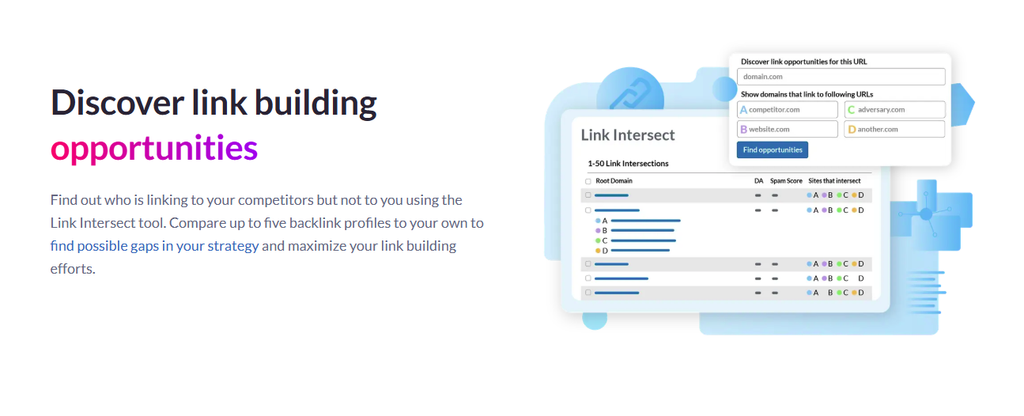
Moz Pro is one of the longest-running SEO suites. Link Intersect is simple and quick, and Moz pairs it with Link Tracking Lists, which give you a light way to manage prospects without exporting.
How it handles the gap
Link Intersect lives in Link Explorer. You enter your site and up to five competitors, and Moz lists the sites linking to them and not to you.
You can sort the results by Domain Authority to see the strongest prospects first, or by Spam Score to clear out the risky ones.
From there, you can save targets to a Link Tracking List and monitor them as you reach out.
Gap specs
- Competitors per run: up to 5
- Quality signals: Domain Authority (DA) and Spam Score
- Filters: sorting by DA and Spam Score, and competitor overlap
- Results per backlink query: 10,000 on Standard, 40,000 on Medium, 50,000 on Large
Key features for link building
- Link Tracking Lists for saving prospects and tracking whether they’ve linked to you.
- Link Explorer for checking any prospect’s own backlinks and authority.
- Spam Score for flagging sites with patterns linked to low-quality or penalized domains.
- AI visibility tracking on every plan, if you’re also measuring how you appear in AI search.
Pricing
- Standard: $99/month($79/month billed annually), 1 user, 5,000 backlink queries/month, 1 Link Tracking List of 100 links
- Medium: $179/month($143/month billed annually), 2 users, 20,000 backlink queries/month, 30 lists of 500 links
- Large: $299/month($239/month billed annually), 3 users, 70,000 backlink queries/month, 60 lists of 750 links
The free trial is offered on Medium. Standard covers Link Intersect, but its single tracking list of 100 links fills up quickly if you’re running ongoing outreach.
Best for small businesses and in-house marketers who want a familiar authority metric and a simple way to track a short list of prospects.
Watch out for
- Tight tracking limits on Standard: One list of 100 links isn’t enough for most campaigns.
- Backlink query caps: Heavy gap work on Standard can hit the 5,000 monthly query limit.
- No outreach: Tracking lists help you monitor prospects, but finding contacts and pitching happens elsewhere.
7. SEO SpyGlass
SEO SpyGlass is a desktop app from the SEO PowerSuite family. You install it, run it from your own computer, and pay once a year instead of monthly.
For budget-conscious freelancers and small agencies, it’s one of the cheapest ways to run proper side-by-side profile comparisons.
How it handles the gap
SpyGlass’s Domain Comparison puts several backlink profiles side by side and shows where they intersect: domains linking to your competitors, domains linking to you, and the overlap between them.
How many sites you can compare depends on your plan, from 2 on the free version to 11 on Enterprise.
Each backlink can be checked against more than 50 factors, including a penalty risk score that flags links likely to do more harm than good.
Gap specs
- Sites compared per run: 2 on Free, 6 on Professional, 11 on Enterprise (so 1, 5 or 10 competitors, plus you)
- Quality signals: InLink Rank and penalty risk, alongside 50+ backlink factors
- Filters: a flexible workspace with advanced filtering on every plan
- Backlinks per site: 1,100 on Free, unlimited on paid plans
Key features for link building
- Penalty risk checks for spotting spammy domains before they make it onto your pitch list.
- Backlink history (paid plans) for seeing how a competitor’s profile has grown over time.
- Scheduled tasks (paid plans) for re-running comparisons automatically.
- LinkAssistant, a separate SEO PowerSuite app, if you want to manage outreach in the same software family.
A freelancer handling SEO for a roofing company could compare the client against five local competitors on the Professional plan and filter out anything with a high penalty risk.
What’s left is usually trade association listings, local business awards, home improvement blogs and supplier “find an installer” pages.
Pricing
- Free: $0, 1,100 backlinks per site, compares 2 sites
- Professional: $179/year, unlimited backlinks, compares 6 sites, backlink history and scheduling
- Enterprise: $419/year, compares 11 sites, plus data export and PDF or HTML reports you can email or publish
Best for freelancers and small agencies who want low-cost, side-by-side profile comparisons and don’t mind working in a desktop app.
Watch out for
- Exports and reports need Enterprise: Professional lets you copy data to spreadsheets but not export it, and it doesn’t produce PDF or HTML backlink reports.
- Desktop only: No browser access, and sharing work with a team means sharing project files.
- Outreach lives in another app. LinkAssistant is a separate product, so the gap and the pitching don’t happen in one place.
8. Serpstat
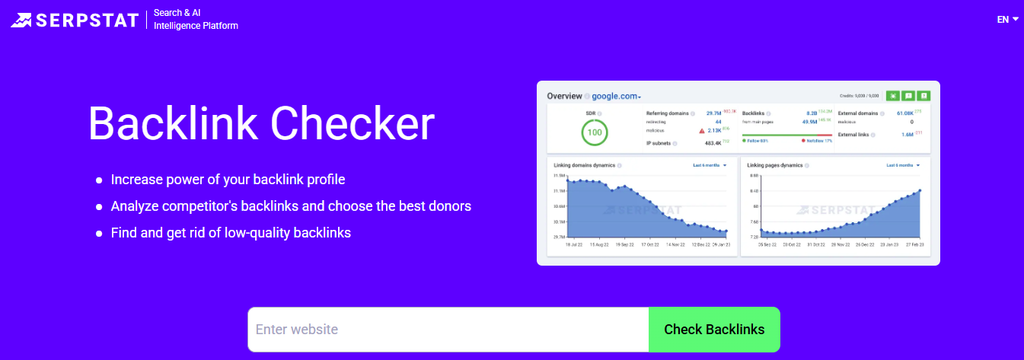
Serpstat is an all-in-one SEO platform with a strong following among budget-conscious teams and agencies.
Its Links Intersection report won’t win on index size, but it’s clear, visual and quick to read.
How it handles the gap
Links Intersection compares the link profiles of several domains and shows their common and unique referring domains.
You get a summary dashboard, a detailed table and a visual overlap graph, so you can see at a glance which donors link to several competitors and which are one-offs.
Switch to the domains your competitors share and you don’t, and you have your gap list.
Results can be copied out or exported within your plan’s row limits.
Gap specs
- Competitors per run: not published
- Quality signals: Serpstat Domain Rank (SDR)
- Views: summary dashboard, detailed table and overlap graph
- Results per backlink report: 2,000 on Individual, 10,000 on Team and Agency
Key features for link building
- Backlink Analysis on every plan, for checking a prospect’s own referring domains, anchors and new or lost links.
- Domain batch analysis (Team and above) for checking metrics on up to 500 domains per project, which is handy for vetting a long gap list in one pass.
- API and MCP access (Team and above) for pulling intersection data into your own workflows or AI tools.
- White-label reports on Agency.
Pricing
- Individual: $69/month($50/month billed annually), 100 searches a day, 2,000 results per backlink report
- Team: $129/month($100/month billed annually), 500 searches a day, 10,000 results per backlink report, API and batch analysis
- Agency: $499/month($410/month billed annually), 5,000 searches a day, white-label reports
Annual billing saves up to 27%. The Individual plan’s 2,000-result cap is the limit to watch for gap work, since bigger comparisons can return far more domains than that.
Best for small teams and agencies on a budget who want gap analysis inside a broad SEO platform and are comfortable with a smaller link index.
Watch out for
- Result caps on Individual: With 2,000 results per backlink report, you may only see part of a big gap list.
- No published competitor limit: Check how many domains you can compare during the free trial before you commit.
- No outreach: Like most tools here, the work after the gap happens elsewhere.
9. Ubersuggest
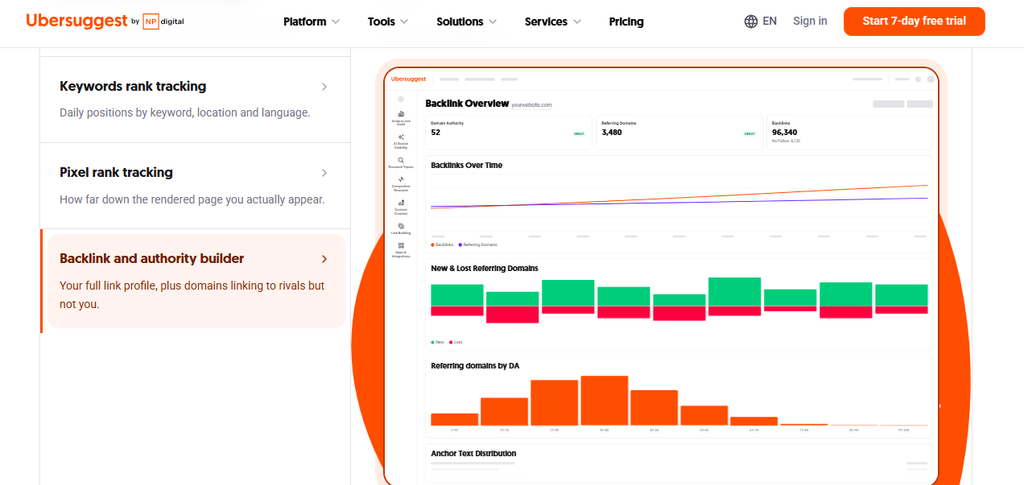
Ubersuggest is one of the most affordable tools on this list, built for solo site owners and small businesses that want straightforward SEO data without a big monthly bill.
Its Backlink Opportunity report is basic, but it does the core gap job well enough to get a small site started.
How it handles the gap
You enter your site and add competitors, and Backlink Opportunity lists the domains that link to them and not to you.
Results start at domain level, and you can drill down to the exact URL linking to each competitor.
You can also switch the input from Domain to URL, which is useful for checking who links to the specific pages outranking you, not just the whole site.
Gap specs
- Competitors per project: 5 on Individual, 10 on Business, 15 on Enterprise
- Quality signals: Ubersuggest’s own Domain Authority score
- Input: domains or exact URLs
- Link-level detail: drill-down from each domain to the linking URL
Key features for link building
- Backlink Overview for checking your own profile and any competitor’s before running the gap.
- Competitor tracking across projects, so your gap competitors are saved and ready for repeat runs.
- Keyword and content research in the same tool, for building the linkable content your gap list points to.
- Lifetime plans for site owners who’d rather pay once than every month.
Pricing
- Individual: from $12/month, 1 user, 1 project, 5 competitors
- Business: from $20/month, 2 users, 7 projects, 10 competitors
- Enterprise: from $40/month, 5 users, 15 projects, 15 competitors
- Other options: yearly and one-off lifetime plans, plus a free trial
Best for solo site owners and small local businesses that want a low-cost way to find their first batch of link prospects.
Watch out for
- A smaller link index: You’ll see fewer referring domains than in Ahrefs, Majestic or Semrush, especially for niche sites.
- Daily search limits: Individual allows 150 searches a day, which is enough for one site but tight when you’re digging into a long list.
- No outreach: You’ll find contacts and send pitches yourself.
That’s the full list.
To see what the work after the report looks like in practice, here’s how a gap analysis plays out from start to finish.
Backlink Gap Analysis in Practice: From 3,800 Domains to 31 Links
Tool comparisons only go so far. To show what the work after the report actually looks like, here’s how a gap analysis plays out for a small specialty coffee roaster that sells beans online and wants to rank for terms like “single origin coffee beans” and “coffee subscription.”
The numbers are illustrative, but the pattern is typical: a huge raw list, a few hard cuts, and a much smaller set of prospects worth real effort.
For the step-by-step method behind each stage, see our guide to doing a backlink gap analysis yourself.
| Stage | Domains left |
| Raw gap (3 competitors) | 3,800 |
| Linking to 2+ competitors | 420 |
| After spam, traffic and relevance filters | 96 |
| After manual review | 58 |
| Pitched | 58 |
| Links won (10 weeks) | 31 |
Step 1: Choosing the right competitors
The first instinct is to compare against the biggest coffee brands. That’s a mistake.
A national chain earns links from business news, stock market coverage and franchise directories, none of which will link to a small roaster.
Instead, the roaster picks three sites it actually competes with in search: two independent online roasters of a similar size, and one regional roaster that’s a little bigger.
The gap list will reflect sites that link to businesses like it, which is the whole point.
Step 2: The raw gap (3,800 domains)
The first report returns 3,800 domains linking to at least one competitor and not to the roaster.
Scrolling through the first page shows the usual mix: coffee blogs and brewing guides, but also coupon sites, web directories, scraped product listings and a lot of sites with no obvious connection to coffee at all.
Step 3: Filtering by overlap (420 domains)
The roaster keeps only domains that link to at least two of the three competitors. One click, and 3,800 becomes 420.
This is the most powerful cut in the whole process.
A site linking to one competitor might have done so for a personal reason. A site linking to two or three has a habit of linking to small coffee roasters.
Step 4: Filtering by spam, traffic and relevance (96 domains)
Next come three filters, in this order:
- Spam score: removes link farms, scraper sites and expired domains repurposed for links.
- Traffic: removes sites with almost no search visitors, however good their authority score looks.
- Relevance: removes sites unrelated to coffee, food, gifts, home or the roaster’s region.
That leaves 96 domains that are real, visited and on topic.
Step 5: Manual review (58 domains)
No filter catches everything, so the roaster opens each of the 96 sites, which takes about two hours.
It drops 38 more:
- Paid placements: pages marked “sponsored” or sites with a “submit your brand for $X” form.
- Dead or abandoned sites: blogs with no new posts in two years.
- Closed roundups: one-off review posts that won’t be updated.
- Wrong fit: sites that only cover espresso machines, or only coffee shops with physical locations.
What’s left is 58 sites with a clear reason to link and a realistic chance of saying yes.
Step 6: Grouping and pitching (58 pitched)
Instead of writing 58 separate pitches, the roaster groups the list by why each site linked to its competitors:
- Gift guides (20 sites): “best coffee gifts” and “gifts for coffee lovers” posts. The pitch: a gift-ready subscription box, sent in September and October, when editors are updating holiday guides.
- Brewing and coffee blogs (18 sites): reviews of roasters and bean recommendations. The pitch: a sample bag and an offer to answer questions about their processing methods.
- Resource pages (12 sites): “where to buy specialty coffee online” lists and coffee subscription roundups. The pitch: a short note on what makes the roaster different, plus a direct link to the page that fits the list.
- Local press (8 sites): regional food and business coverage. The pitch: a story angle about the roaster’s direct-trade sourcing.
This is the step where most of the hours go: finding the right contact at each site, writing four pitch templates, personalizing each one and keeping track of who replied.
In Konvart, the 58 domains move straight from the gap report into Outreach Support, where contacts are found, first drafts are written for each group, and pitches go out from the roaster’s own mailbox.
What’s left for a person is reviewing drafts and answering the replies.
Step 7: The results (31 links in 10 weeks)
Over the next 10 weeks, 31 of the 58 sites link to the roaster:
- Gift guides: 12 links, almost all in October and November
- Brewing and coffee blogs: 9 links, mostly after samples arrived
- Resource pages: 6 links, usually within two weeks of the pitch
- Local press: 4 links, from two features and two mentions
A 53% win rate is high for outreach.
It comes from doing the cutting first: every site pitched had already linked to two or more similar roasters, and every pitch matched the reason they’d linked before.
What this example shows
- Most of the raw gap is irrelevant: Over 98% of the original 3,800 domains never made it to a pitch, and that’s normal.
- Overlap is the best filter: It did more work than every other filter combined.
- Patterns beat individual prospects: Grouping by link type turned 58 pitches into four angles.
- Timing matters: The gift guide pitches only worked because they landed when editors were updating their lists.
The roaster didn’t win those 31 links by finding a better list than its competitors. It won them by doing what most people skip: cutting the list hard, working out why each site linked before, and pitching with that reason in mind.
Every tool in this article can get you to step 2. The links come from steps 3 to 7.
That’s also why the next part matters more than which tool you pick. Once you have a short list of real prospects, how you approach each type of site decides how many of them say yes.
What to Do After You Find the Gap
A gap list tells you who links to your competitors. But it doesn’t tell you how to get those same sites to link to you. That depends almost entirely on what kind of link it is.
A resource page editor, a journalist and a blogger running a “best of” roundup all want different things from you.
If you send them the same pitch, most of them will ignore it. Group your shortlist by link type first, then use the approach that fits each group.
1. Resource pages
These are curated lists of useful links: “helpful tools for first-time landlords,” “where to buy specialty coffee,” “resources for new parents.”
The people who maintain them want to keep them current and useful, which makes them some of the easiest links to win.
What works: a short, polite note pointing to the exact page on your site that fits the list, with one sentence on why it’s useful to their readers. Mention the list by name so it’s clear you’ve actually read it.
2. Listicles and “best of” roundups
These are posts like “10 best project management apps for freelancers” or “best florists for same-day delivery.”
If your competitors are on them and you’re not, it’s usually because nobody told the writer you exist.
What works:
- Check when the post was last updated. Roundups refreshed every year are worth pitching; one-off posts from 2021 usually aren’t.
- Give the writer what they need to include you: what you do, who you’re best for, your price, and one thing that sets you apart.
- Time it well. Seasonal roundups (gift guides, “best of the year” lists) get updated a month or two before the season, so pitch then.
3. Directories and listings
Industry associations, local business directories, supplier “find a partner” pages and niche marketplaces.
Many are quick to join and genuinely useful, especially for local businesses.
An accounting firm listed by its professional body and its local chamber of commerce has two relevant, trusted links that most competitors will also have.
What works: fill in every field, use consistent business details, and choose the right category. Skip general web directories that list anything for a fee. They add nothing and can look like paid links.
4. Press coverage and unlinked mentions
Some competitor links come from news stories, interviews and expert quotes. These are harder to copy directly, but the gap shows you which publications cover your space and what kinds of stories they run.
What works:
- Answer journalist requests in your industry with a useful, quotable response, fast. Journalists on deadline pick the first good answer.
- Look for unlinked mentions: articles that already name your brand without linking to you. An indie game studio featured in a “games to watch” post without a link only needs a short, friendly note asking for one.
5. Guest posts and link insertions
Some gap sites accept contributed articles or will add a link to an existing post where it genuinely helps readers.
An HR software company might find that its competitors write practical guides for HR and small business blogs, on topics like onboarding checklists and leave policy templates.
What works: pitch a specific topic that fits the site’s audience, not “I’d love to write for you.”
Follow their contributor guidelines closely. Tools like Outreach Support can draft the pitch, and once a site agrees, write the guest post or link insertion to that site’s guidelines, so you’re editing instead of starting from a blank page.
6. Broken links on competitor pages
Sometimes a page on your gap list links to a competitor page that no longer exists, or to a resource that’s gone. That’s a broken link the site owner would rather fix.
What works: point out the broken link politely and suggest your page as a replacement, as long as it covers the same thing.
An outdoor gear shop that spots a hiking blog linking to a competitor’s retired “how to choose hiking boots” guide is offering the editor a fix, not asking for a favour.
What to skip
Not every domain on a gap list is worth a pitch, even after filtering. Leave out:
- Sites that sell links to anyone: “Write for us” pages with a price list, or blogs where every post is sponsored.
- Link networks and expired domains: Sites with no real audience that exist mostly to pass links.
- Irrelevant sites with high scores: A strong domain with no connection to your topic won’t send visitors and may look unnatural.
- Sites that link to your competitors for reasons you can’t copy: A sponsorship, a partnership, a founder’s personal blog.
Run it again, regularly
A gap analysis isn’t a one-off. Your competitors keep earning new links, and some of their old ones disappear.
Rerunning the analysis every month or quarter, and checking what’s new since last time, gives you a fresh list of sites that are actively linking in your space right now.
Those are often the most responsive prospects of all.
This repeat work is also where it helps to automate parts of your SEO workflow. Scheduled gap runs, contact lookups and link tracking don’t need a person, and the time you save goes into the pitches and relationships that do.
How to Choose The Right Backlink Gap Analysis Tool
By now, the pattern should be clear. Every tool here will find the gap, so the right choice comes down to how you work and what happens after the report loads.
Before you pick, answer three quick questions.
1. How many sites, and how often?
A freelancer checking one site each quarter can use almost anything on this list. An agency running monthly gap reports for ten clients needs predictable limits, and the gap feature on a plan that covers that volume.
Work out roughly how many runs you’ll do a month, then compare credits, query caps and result limits, not just the starting price.
2. Do you already have an outreach process?
If your team already uses a separate outreach tool and a well-worn spreadsheet, a gap tool that just exports a clean list is fine.
If outreach is where your link building usually stalls, a tool like Konvart that carries the list into contacts, pitches and tracking will save more time than any extra filter.
3. How many people need access?
Seat limits vary more than most people expect. Several tools include only one user on their entry or mid plans, and adding a second can double the price.
If two or three people will work the gap list, check the per-seat cost before anything else.
Choose the tool that fits
- Choose Konvart if you want to go from gap report to sent pitches in one place, run gap analysis often enough that cost per run matters, or manage link building for several clients from one shared credit pool.
- Choose Ahrefs if you want the deepest link data, compare up to 10 competitors at once, and already have an outreach setup elsewhere.
- Choose Semrush if your team already uses it for keyword research and you want link gaps and keyword gaps side by side.
- Choose SE Ranking if you run gap reports often and want unlimited backlink research at a mid-market price.
- Choose Majestic if topical relevance and historical link data matter more to you than having a full SEO suite.
- Choose Moz Pro if you work with clients or partners who think in Domain Authority and need a simple way to track a short list of prospects.
- Choose SEO SpyGlass if you want low-cost, side-by-side profile comparisons and you’re happy working in a desktop app.
- Choose Serpstat if you want gap analysis inside a budget all-in-one platform, with API access on the Team plan.
- Choose Ubersuggest if you run one small site and want the cheapest way to find your first batch of link prospects.
If you’re choosing a tool to cover more than link building, such as rank tracking, audits and client reporting as well, our guide to the best SEO tools for agencies compares the wider platforms.
The Gap is The Easy Part
Remember that first report with 3,800 domains on it? Every tool in this article can get you there in a few seconds.
The links you actually win come from what happens next: cutting the list to sites that genuinely link to businesses like yours, working out why they linked, and getting the right pitch in front of the right person at the right time.
That’s why the best backlink gap analysis tool for you isn’t simply the one with the biggest index or the most competitors per run. It’s the one that fits how you work after the report loads.
If outreach is where your link building usually stalls, look for a tool that carries the list all the way through.
Konvart’s backlink gap analysis shows you who links to your competitors and not to you, then moves the sites you pick straight into contacts, pitches and link tracking, so the gap you find this week can become links you’ve won by the end of the quarter.
Find your competitors’ backlinks you don’t have (7-day free trial)