Every new client brings more work with it; another site to audit, another set of keywords to track, another monthly report, another round of outreach.
Revenue grows, but so does the workload. And at some point, your team can’t stretch any further without hiring.
Most agencies respond by adding tools. One for rankings, one for audits, one for backlinks, one for reports, and now one for AI search. Each solves a problem, but together they create new ones.
Logins pile up, data lives in five different places, and your team spends more time moving between tools and copying numbers into reports than doing the work clients pay for.
The monthly bill creeps up too, often without anyone noticing until renewal time.
That’s where the right tools make the biggest difference. The best SEO tools for agencies don’t just give you more data. They help your team handle more clients without the work piling up, by cutting the time spent switching between accounts, pulling reports together and repeating the same tasks for every site.
We compared 12 SEO tools on what matters most when you’re running SEO for many clients:
- Managing multiple clients and team members
- The depth of research data
- Whether the tool actually does the work, or only reports on it
- Coverage of AI search, such as ChatGPT and AI Overviews
- White-label reports and client access
- What it really costs at 10 clients, not just the starting price
Some of these tools are full platforms that cover most of an agency’s SEO work. Others are specialists that do one job exceptionally well.
You’ll see where each one fits, so you can build a setup that suits your clients, your team and your budget.
Before we get to the tools, here’s how we chose them and what we looked for.
How We Chose These Tools
For each tool, we reviewed its features, pricing pages and documentation. We then judged every tool on six things that matter when you’re running SEO for many clients:
- Multi-client management: how easy it is to set up client projects, add team members and switch between accounts
- Research depth: the quality and range of keyword, competitor and backlink data
- Execution: whether the tool can do the work, such as optimizing pages, fixing issues or running outreach, or only tells you what needs doing
- AI search coverage: whether it can track and report on visibility in tools like ChatGPT and Google’s AI Overviews
- Client-facing output: white-label reports, scheduled delivery and client access
- Cost at scale: what the tool costs for an agency with 10 clients and a small team, not just its starting price
The list includes two kinds of tools. SEO platforms cover most of an agency’s SEO work in one place, from research and audits to tracking and reporting.
Specialist tools do one job in more depth, such as technical crawling, content optimization or local SEO.
Most agencies use one platform as their base and add specialists where a client needs extra depth.
Also, the tools aren’t ranked from best to worst. The right choice depends on the services you sell, how many clients you manage and how much of the work you want handled for you.
With that in mind, here’s how all 12 compare at a glance.
The best SEO tools for agencies at a glance
If you only have a minute, start here. The table shows the job each tool does for an agency, who it suits best, whether it supports white-label client work and AI search, and what it costs to start.
| Tool | Agency job | Best for | White-label | AI search | Starting price |
| Konvart | All-in-one platform that does the work | Agencies that want client work done within permissions | ✓ | ✓ | $30/mo (Individual); $45 per user/mo for teams (min 2) |
| Semrush | Research and competitive data | Agencies that need the deepest competitive data | — Pro reports ($20/mo each) | ✓ | $139/mo |
| Ahrefs | Backlink and content research | Link-focused agencies and backlink audits | — Data Studio integration (Advanced) | ✓ | $129/mo |
| SE Ranking | Affordable SEO suite | Mid-size agencies that want strong value | — Agency Pack ($69/mo, annual) | ✓ | $129/mo($103.20 billed annually) |
| AgencyAnalytics | Client reporting and portal | Multi-channel agencies with client dashboards | ✓ | — Add-on | 25perclient/mo(20 billed annually) |
| Screaming Frog | Technical crawling | Technical audits and site migrations | ✗ | ✗ | Free up to 500 URLs; $279 per user/year |
| Surfer | Content optimization | Agencies producing a lot of content | — | ✓ | $99/mo billed yearly |
| BrightLocal | Local SEO | Agencies with local and multi-location clients | ✓ | ✓ | From $41/mo($31 billed annually), priced by location |
| Nightwatch | Rank tracking at scale | Agencies tracking many keywords and locations | ✓ | ✓ | €99/mo (€79 billed yearly) |
| Peec AI | AI visibility specialist | Agencies selling AI visibility as a service | — | ✓ | $95/mo($80 billed annually) |
| Mangools | Budget toolkit | Freelancers and small agencies on a budget | ✗ | ✓ | $30.50/mo($18.85 billed annually) |
| Google Search Console + GA4 | Free first-party data | Every agency | ✗ | — AI referral traffic only | Free |
✓ included · — add-on, higher plan or limited · ✗ not available
Plans change often, so confirm the current price before you buy.
You’ll notice that two patterns stand out.
First, white-labeling and AI search are often add-ons, so a tool’s starting price rarely matches what an agency actually pays.
Second, most tools on this list help you find and track problems. Far fewer help your team get the work done across clients, which is where most agency hours go.
To see how Konvart supports teams running SEO for many clients, take a look at our SEO platform for agencies.
Next, we’ll look at each tool in detail.
The 12 Best SEO Tools for Agencies
Every tool below is reviewed the same way, so you can compare them quickly. Each entry starts with what the tool does and the job it fills in an agency.
Then it covers the agency specs that matter most when you’re running many clients, its key features, pricing, what to watch out for, and the kind of agency it suits best.
The tools aren’t ranked from best to worst. An agency that sells link building needs something different from one that runs local SEO for dentists or content programs for SaaS brands.
Read the “Best for agencies that…” line at the end of each entry to find the ones that match how you work.
Now, let’s look at each one.
1. Konvart: Client work done within your permissions
Konvart is an all-in-one SEO platform built around getting the work done, not just showing what needs doing.
Research, audits, rank tracking, AI visibility and reporting all live in one place.
Its Optimizer then acts on what it finds for each client site: improving pages, fixing technical issues and running link outreach, within the permissions you set.
For agencies, that changes the maths of taking on new clients.
Instead of every new account adding another round of manual audits, page updates and outreach to your team’s week, much of that routine work runs in the background while your team focuses on strategy and client relationships.
Agency job: All-in-one platform that does the client work
Agency specs
- Multi-client management: separate client accounts in one workspace, with limits shared across your plan
- Team seats: shared workspaces, team members and permissions, and a team usage dashboard (Team plan)
- Execution: Page and technical fixes, plus end-to-end link outreach
- AI search: Citations, cited sources, fan-out queries and AI traffic
- Client-facing output: White-label PDF reports, sent weekly or monthly
Key features
1. Onboarding a new client takes minutes: Enter the client’s domain, and Konvart fills in the setup from their site: brand style, sitemap, competitors, services, target market and site type.
Your team reviews and adjusts it rather than building it from scratch. Then you set permissions for that client.
For example, Optimizer can optimize new pages automatically, while changes to existing pages wait for your approval.
2. The work happens in the background: Konvart’s Optimizer picks up to 20 core pages for each client, tracks them in Search Console for 3 to 6 months and rotates them as they hit their targets.
It optimizes each page for its type, so a product page gets treated as a product page and not a blog post.
It also decides whether a page needs better content or more links, and applies changes directly on WordPress, Shopify, Webflow and Wix.
When a page needs links, Outreach Support handles the whole process: finding contacts, writing pitches, sending them from your connected mailbox, following up on replies, writing guest posts to each site’s guidelines and tracking the links you earn.
Your team steps in to approve and close, not to chase emails.
3. Optimized content writing: Konvart has an AI writer and editor that creates optimized content for you based on what’s already ranking and the gaps they leave.
So, the content is not just written to rank, but also adds what other top ranking pages don’t have.
This helps you speed up content creation for clients, and you can add human experience, examples, and case studies after Konvart’s AI writer writes the first draft.
4. Reporting and research stay in the same place: White-label SEO reports cover traffic, rankings, AI citations, technical health and conversions, with notes and saved templates, sent weekly or monthly under your branding.
Behind them sit keyword, backlink and technical gap analysis against competitors, site audits with 100+ checks, weekly rank tracking and local map tracking.
On the Team plan, a shared knowledge base and shared Optimizer memory keep everyone working from the same strategy, competitors and personas for each client.
Pricing
- Free: $0, with 10 credits to try the tools
- Individual: $30/mo for 1 user, with 250 credits, 200 tracked keywords, 12,000 audit URLs and 1 AI visibility site. Optimizer usage runs on top-ups.
- Team: $45 per user/mo (minimum 2 users). Each user adds 250 credits, 200 tracked keywords, 20,000 audit URLs and $10 of Optimizer AI allocation, all shared across the team. It also includes 5 AI visibility sites, MCP and API access, and priority support.
- Flex usage: 50 credits for $10. An extra AI visibility site is 50 credits a month, and an extra tracked keyword is 1 credit a month.
- Free trial: 7 days, no card needed
Most agencies will want the Team plan, since it includes Optimizer allocation and team features. When you need more capacity, you add credits rather than moving up a plan.
See all plans and credit rates.
Watch out for
- Client reports are PDFs, and there’s no live client portal yet. Clients who like to log in and explore their own data may need a separate dashboard tool.
- Rank tracking updates weekly on Google, and AI prompt tracking is ChatGPT-first. Agencies selling daily tracking across many engines may want a specialist alongside it.
- Konvart covers SEO and AI search only, not paid ads or social media.
Best for agencies that want to take on more clients without growing their team at the same rate, and want routine SEO work done for them while keeping control of every change.
Konvart is an all-in-one SEO platform that helps agencies deliver more client work: its Optimizer improves each client’s core pages, fixes technical issues and runs link outreach within the permissions you set, alongside white-label reports and AI visibility tracking.
2. Semrush: The deepest competitive data in one suite
Semrush is one of the most widely used SEO platforms. Its keyword, competitor and traffic data is among the most extensive available, covering organic search, paid search and content in one place.
For agencies, that depth is especially useful during pitches and audits, when you need to show a prospect exactly where they stand against their competitors.
Semrush is mainly a research and monitoring platform. It shows you what’s happening and what to improve, while your team handles most of the implementation.
Client reporting is sold separately, one report at a time, through its My Reports tool.
Agency job: Research and competitive data
Agency specs
- Multi-client management: projects per website, with 5 websites on the SEO plan and more on higher plans
- Team seats: extra users cost more on every plan
- Execution: Recommendations and audits, with implementation left to your team
- AI search: AI visibility reports on the SEO plan, plus daily prompt tracking from the Starter plan
- Client-facing output: White-label reports through My Reports Pro ($20/mo per report)
Key features
1. Research for pitches and strategy: Semrush’s keyword and competitor databases make it easy to size up a prospect’s market, find the keywords competitors win and spot quick opportunities.
Its paid search data also helps agencies that sell both SEO and PPC.
2. Audits and tracking across client sites: Site audits, position tracking and backlink analysis run inside each project, so your team can monitor every client’s technical health and rankings from one account.
3. AI search alongside SEO: The SEO plan includes AI visibility reports, and the Starter plan adds daily prompt tracking.
Agencies can show clients how they appear in ChatGPT and Google’s AI results next to their regular rankings.
4. Reports that pull from across the platform: My Reports combines Semrush data with Google Analytics, Search Console and other sources into PDF or online reports.
Pro reports add white-labeling, a custom domain and link sharing.
Pricing
- SEO: 139/mo(117.33/mo billed annually), with 5 websites and 500 tracked keywords
- Starter (SEO + AI Search): 199/mo(165.17/mo billed annually), adding 50 daily AI prompts
- My Reports: Base reports $10/mo each (3 included with your first paid toolkit), and Pro reports $20/mo each with white-labeling
- Free trial: 7 days
For agencies, the real cost depends on how many client projects and branded reports you need. Ten white-labeled client reports alone add $200 a month on top of your plan.
Watch out for
- White-label reports are a paid extra, billed per report, so costs rise with every client.
- The SEO plan covers 5 websites, which most agencies will outgrow quickly.
- It’s built for research and recommendations, so your team still does most of the page updates, fixes and outreach.
Best for agencies that win business on research and competitive insight, and have the team in place to act on what the data shows.
3. Ahrefs: Backlink and content research at depth
Ahrefs is best known for its backlink data, which many SEO professionals consider among the most comprehensive available.
Over the years, it has grown into a full SEO suite, with keyword research, site audits, rank tracking and AI visibility.
Like Semrush, Ahrefs is primarily a research and monitoring tool.
It’s excellent at finding opportunities, but outreach, content updates and technical fixes happen outside the platform.
Agency job: Backlink and content research
Agency specs
- Multi-client management: unlimited verified projects on every plan, plus 5 to 50 non-verified projects depending on the plan
- Team seats: user included, with extra users from $40 to $80 a month each
- Execution: Research, audits and monitoring only
- AI search: AI prompt checks included on every paid plan, with deeper analysis through Brand Radar AI
- Client-facing output: No built-in white-labeling, but a Data Studio integration on Advanced
Key features
1. Backlink research: Site Explorer shows who links to any site, which links were gained or lost, and which pages attract the most links.
That’s the foundation for link audits, competitor research and outreach lists.
For a quick view of the sites linking to a client’s competitors but not to them, a backlink gap analysis does the same job in one step.
2. Content and keyword research: Keywords Explorer and, from the Standard plan, Content Explorer help agencies find topics with real search demand and see which content performs best in a niche.
3. Always-on site audits and rank tracking: Each project includes ongoing site audits and tracked keywords, from 750 on Lite to 5,000 on Advanced, so you can monitor every client’s health and rankings.
4. Portfolios and AI visibility. From the Standard plan, Portfolios let you group sites and track their combined performance, which is useful for reporting on multi-site clients.
Every paid plan includes AI prompt checks across major AI platforms, and Brand Radar AI adds research across more than 578 million real prompts.
Pricing
- Starter: $29/mo, for lighter research
- Lite: $129/mo, with 750 tracked keywords, 150 AI prompt checks and 1 user (add 2 more users at $40/mo each)
- Standard: $249/mo, with 2,000 tracked keywords, 300 AI prompt checks and Portfolios (add 5 more users at $60/mo each)
- Advanced: $449/mo, with 5,000 tracked keywords, 600 AI prompt checks and Data Studio integration (add 10 more users at $80/mo each)
- Enterprise: $1,499/mo
- Brand Radar AI: from $199/mo
- Annual billing saves up to 17%, and Ahrefs Free is available for basic data on your own site.
Most agencies with a small team land on Standard or Advanced, especially once extra users are added.
Watch out for
- Extra team members are charged per user, so costs climb as your team grows.
- There’s no built-in white-labeling, so client reports usually need another tool or a Data Studio setup.
- It finds opportunities but doesn’t act on them, so outreach and page updates need your team or another tool.
Best for agencies that specialize in link building, content strategy or competitive analysis, and want the deepest data available to support it.
4. SE Ranking: An affordable SEO suite with agency extras
SE Ranking covers most of an agency’s day-to-day SEO needs. Rank tracking, site audits, backlink analysis, keyword research and AI visibility all sit in one platform, with a report builder on top.
Its Agency Pack then adds the client-facing pieces many agencies need, such as white-labeling and client seats.
That combination makes it a popular choice for agencies that have outgrown basic tools but don’t need, or want to pay for, the deepest research data.
Like most suites, it shows you what to fix, while your team makes the changes.
Agency job: Affordable SEO suite
Agency specs
- Multi-client management: 10 projects on Core and 30 on Growth
- Team seats: 1 manager seat on Core and 3 on Growth, plus 30 client seats with the Agency Pack
- Execution: Audits and recommendations, with implementation left to your team
- AI search: 25 AI prompts tracked daily across 5 AI engines on every plan
- Client-facing output: White-label platform and reports with the Agency Pack ($69/mo, annual billing only)
Key features
1. Daily tracking across client projects: SE Ranking tracks 2,000 keywords daily on Core and 5,000 on Growth, so agencies can monitor rankings for every client without paying extra for daily updates.
2. A white-labeled platform: With the Agency Pack, clients can log in to a dashboard under your branding, and scheduled reports go out with AI summaries.
3. AI visibility built in: Every plan tracks 25 AI prompts a day across five AI engines, so agencies can start reporting on AI search without buying a separate tool.
The AI Search add-on adds more prompts for clients who need wider coverage.
Pricing
- Core: 129/mo(103.20/mo billed annually), with 10 projects, 2,000 tracked keywords and 10 report builder reports
- Growth: 279/mo(223.20/mo billed annually), with 30 projects, 5,000 tracked keywords, 30 reports and guest links
- Agency Pack: +$69/mo, billed annually only. It adds white-labeling, 30 client seats and unlimited scheduled reports.
- AI Search add-on: from $71/mo
- Free trial: 14 days, no card needed
An agency with 10 clients on Core plus the Agency Pack pays about $172 a month on annual billing, which is strong value for a white-labeled suite.
Watch out for
- White-labeling needs the Agency Pack, which is only sold on annual billing.
- Core’s 10 projects and 1 manager seat fill up quickly once an agency grows past a handful of clients.
- Your team still handles page updates, fixes and outreach.
Best for agencies that want a capable, white-labeled SEO suite at a sensible price, and are comfortable committing to annual billing.
5. AgencyAnalytics: Client reporting and portals across every channel
AgencyAnalytics isn’t an SEO research tool. It’s a client reporting and dashboard platform built for agencies.
It pulls data from more than 90 marketing platforms, including Google Analytics, Search Console, ad platforms and social networks, into white-labeled dashboards and reports that clients can log in to.
That makes it a strong fit for agencies that sell more than SEO and want one place to show results for every channel.
Most agencies pair it with an SEO platform like Konvart that collects the deeper data, since AgencyAnalytics reports on data rather than doing the research or the work itself.
Agency job: Client reporting and portal
Agency specs
- Multi-client management: priced per client, with unlimited data sources, reports and dashboards for each one
- Team seats: unlimited staff accounts
- Execution: Reporting and monitoring only
- AI search: Available through the AI Tracker add-on
- Client-facing output: White-labeled client portal, reports and custom domain
Key features
1. Every channel in one client report: With 90+ integrations, an agency can combine SEO, Google Ads, social and call tracking data into a single dashboard for each client, instead of sending separate reports for each channel.
2. Reports that go out on time: Reports can be scheduled, approved before they’re sent and annotated with comments that explain changes. AI summaries help your team write the commentary faster.
3. Built for managing many clients: Roll-up reports combine data across clients or locations. Goals, alerts and anomaly detection flag when a client’s numbers change, so your team can spot problems before the client does.
Pricing
- Core: $25 per client/mo, or $20 per client/mo billed annually
- Rank Tracker add-on: from $41.67/mo per 500 keywords (billed annually)
- AI Tracker add-on: from $20.83/mo per 250 credits (billed annually)
- Free trial: 14 days
Per-client pricing keeps costs predictable, but it rises with every client you sign. For 10 clients, expect around $250 a month on monthly billing, before any add-ons.
Watch out for
- It doesn’t collect SEO research data on its own, so most agencies still need an SEO platform alongside it.
- Rank tracking and AI visibility are paid add-ons.
- Costs grow with every client, which can hurt margins on smaller retainers.
Best for agencies that report on several marketing channels for each client and want a polished, branded portal clients can log in to anytime.
If reporting is your main priority, our roundup of the best SEO reporting tools compares AgencyAnalytics with ten other options in more depth.
6. Screaming Frog: Deep technical crawls for audits and migrations
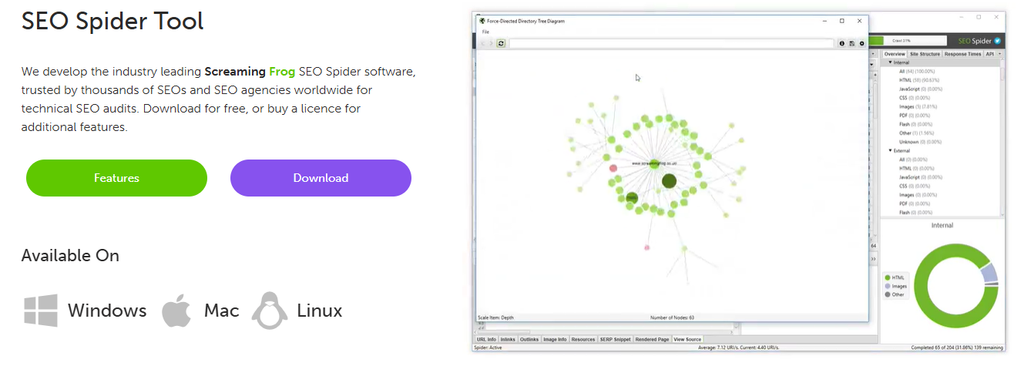
Screaming Frog’s SEO Spider is the crawler many technical SEOs consider essential.
It runs on your desktop, crawls a site the way a search engine does, and flags hundreds of technical issues, from broken links and redirect chains to missing titles, duplicate content and indexing problems.
For agencies, it’s the go-to tool for in-depth technical audits, site migrations and pre-launch checks.
It’s a specialist tool, not a platform. There are no client dashboards, rankings or reports to send. Instead, you get detailed crawl data your team can dig into, export and act on.
Agency job: Technical crawling
Agency specs
- Multi-client management: crawl as many client sites as you need, with saved crawls for each
- Team seats: licensed per user, with discounts from 5 licences
- Execution: Finds issues, while fixes happen elsewhere
- AI search: Not covered
- Client-facing output: Data exports rather than client reports
Key features
1. Audits that go as deep as you need: The SEO Spider checks for more than 300 SEO issues.
Custom extraction and custom search let your team pull almost any element from a page, which is invaluable for large or unusual sites.
2. Built for migrations and launches: Crawl a staging site before launch, compare crawls before and after a migration, and catch broken redirects or missing pages before they cost a client traffic.
3. Data from Google in the same crawl: A paid licence connects Google Analytics, Search Console and PageSpeed Insights, so crawl data sits next to traffic and performance metrics. Crawls can also be scheduled, so regular audits run without anyone pressing start.
Pricing
- Free: crawl up to 500 URLs, with limited features
- Paid licence: $279 per user/year
- Multi-licence discounts: $265 each for 5 to 9 licences, $249 for 10 to 19, and $235 for 20 or more
At under $25 a month per user, it’s one of the most affordable tools on this list. Most agencies buy a licence for each technical SEO on the team.
Watch out for
- It runs on your computer, so very large crawls depend on your machine’s memory and storage.
- The data is powerful but technical. Turning it into a client-ready audit takes time and expertise.
- It flags issues but doesn’t fix them. If you’d rather see where a client’s pages fall short of competitors on schema, speed and titles in a single view, Konvart’s technical gap analysis does that without a crawl setup.
Best for agencies that run in-depth technical audits or site migrations and have technical SEOs who know how to use the data.
7. Surfer: Content optimization for content-heavy agencies
Surfer helps teams plan, write and optimize content so it competes with the pages already ranking.
Its Content Editor scores a draft against top results in real time, suggesting topics, terms and structure to include.
For agencies producing a lot of content for clients, it brings consistency: every writer works to the same standard, whatever their experience.
Surfer has also expanded into AI search, with AI visibility tracking built into its plans and a dedicated AI Search Analytics plan.
Separate brand spaces let agencies keep each client’s content, voice and settings apart.
Agency job: Content optimization
Agency specs
- Multi-client management: brand spaces for each client, with 5 on Pro and unlimited on Peace of Mind
- Team seats: team collaboration from the Standard plan
- Execution: 1-click content optimization and internal linking inside its editor, with publishing through integrations such as WordPress
- AI search: AI visibility tracking on every plan, with daily tracking across several AI engines from Pro
- Client-facing output: No white-label reporting listed
Key features
1. A consistent standard for every writer: The Content Editor shows what a page needs to compete, so freelance and in-house writers can produce optimized drafts without an SEO reviewing every line.
Templates and custom voices (on Pro) keep content on-brand for each client.
2. Planning and fixing content at scale: From Pro, Content Ideas and Coverage Gap help find topics a client is missing, 1-click internal linking strengthens new pages, and a cannibalization report flags pages competing for the same keywords.
3. AI visibility next to content work: Surfer tracks how brands appear in AI answers, from 25 prompts refreshed weekly on Standard to 100 prompts refreshed daily on Peace of Mind, so agencies can connect content work to AI search results.
Pricing
- AI Search Analytics: $82/mo billed yearly, for AI visibility tracking only (50 prompts refreshed daily)
- Standard: $99/mo billed yearly, with 360 documents to create or optimize and 25 AI prompts refreshed weekly
- Pro: $182/mo billed yearly, with 360 documents, 50 AI prompts refreshed daily, 5 brand spaces and content planning tools
- Peace of Mind: $299/mo billed yearly, with unlimited documents and brand spaces, 100 AI prompts, a dedicated success manager and API access
Monthly billing costs more. Based on Surfer’s stated yearly savings, Standard works out at about $119 a month and Pro at about $219 a month when billed monthly.
Watch out for
- Document limits apply on Standard and Pro, which content-heavy agencies can use up quickly.
- It focuses on content, so you’ll still need other tools for rankings, technical audits, backlinks and client reports.
- Most of the features agencies need, such as brand spaces and content planning, start on Pro.
Best for agencies that produce a high volume of client content and want every writer working to the same optimization standard.
8. BrightLocal: Local SEO for multi-location clients
BrightLocal is built for local SEO, and it’s one of the most established tools for agencies serving local businesses.
It covers the jobs local clients care about most: tracking map and local rankings, auditing local search presence, keeping business details accurate, and managing reviews.
Pricing scales by the number of locations, which suits agencies with dentists, law firms, trades and multi-location brands on their books.
Like the other specialists here, it focuses on one area. For broader SEO work, such as content, technical audits beyond local and backlink research, you’ll need a platform alongside it.
Agency job: Local SEO
Agency specs
- Multi-client management: priced by location, so it scales with each local client you add
- Team seats: built for agencies managing many businesses and locations
- Execution: Listing sync and review management, plus pay-as-you-go citation building, with other fixes left to your team
- AI search: Local AI Visibility Tracker on every plan, covering ChatGPT and Google’s AI
- Client-facing output: ✓ Custom-branded reports for clients
Key features
1. Local rankings, the way customers see them: Every plan tracks local rankings for up to 100 keywords and four competitors per location.
A geo-grid map shows how a business ranks across its area for up to five keywords, not just from one spot.
2. Audits that show what to fix locally: Track includes local SEO audits, Google Business Profile audits benchmarked against competitors, and citation accuracy monitoring that spots gaps in a client’s listings. Citation Builder, available on every plan as a pay-as-you-go service, builds and cleans up citations without hours of manual submissions.
3. Listings and reviews on the higher plans: Manage keeps a client’s business details synced across key sites, lets you schedule Google Business Profile posts, and adds AI Insights with prioritized actions.
Grow adds review management: monitoring and responding to reviews across multiple sites, requesting reviews by email, SMS or in store, and publishing reviews on the client’s website.
Pricing (per location)
- Track: 41/mo(31/mo billed annually)
- Manage: 54/mo(40/mo billed annually), adding listing sync, AI Insights and Google Business Profile post scheduling
- Grow: 65/mo(49/mo billed annually), adding review management
- Citation Builder: pay-as-you-go on every plan
- Annual billing saves 25%, and the price per location drops as you add more locations
- Free trial: 14 days, no card needed
Because pricing is tied to locations, it stays proportionate to the size of your local client base. Agencies managing dozens of locations pay far less per location than those managing a few.
Watch out for
- It’s focused on local SEO, so content, backlinks and wider technical work need another tool.
- AI Insights, listing sync and review management sit on the higher plans.
- Citation building is charged on top of your plan.
Best for agencies that serve local businesses or multi-location brands, and sell local rankings, listings and reviews as core services.
To track local rankings alongside the rest of a client’s SEO in one place, a local rank tracker covers map and local organic results within a wider platform.
9. Nightwatch: Rank tracking at scale, with unlimited seats
Nightwatch started as a rank tracker and still leads with it. It tracks rankings daily in almost any location or language, down to very local results, across Google, Bing, YouTube and other search engines.
It now tracks AI visibility in the same dashboard too, across ChatGPT, Claude, Gemini, Perplexity and Google’s AI results.
For agencies, the standout is the pricing model.
Plans are based on keywords tracked, not team size, and every plan includes unlimited user seats, so you can add your whole team without per-seat fees.
Agency job: Rank tracking at scale
Agency specs
- Multi-client management: 5 websites on Starter and 25 on Professional, with more on higher plans
- Team seats: unlimited on every plan
- Execution: An SEO Agent for analysis tasks, with fixes left to your team
- AI search: AI prompt tracking included on every plan
- Client-facing output: White-label reports and Looker Studio integration
Key features
1. Daily rankings anywhere: Track keywords daily across search engines and locations, with competitors tracked side by side for each client site.
That’s useful for agencies whose clients care about specific cities or regions.
2. AI visibility in the same dashboard: Every plan includes AI prompt tracking, from 50 prompts on Starter to 500 on Agency, so rankings and AI search results sit side by side in client reporting.
3. A full toolkit, with no add-ons: Site audits, keyword research and an SEO Agent are included on every plan, alongside white-label reports and client management tools.
Pricing
- Starter: €99/mo (€79/mo billed yearly), with 500 keywords and 50 AI prompts
- Professional: €199/mo (€159/mo billed yearly), with 2,500 keywords, 150 AI prompts and 25 websites
- Agency: €499/mo, with 7,500 keywords and 500 AI prompts
- Enterprise: custom
- Yearly billing gives two months free.
- Free trial: 14 days, no card needed
With unlimited seats, the price stays the same however many people on your team need access. That makes it good value for larger teams.
Watch out for
- Prices are in euros.
- Starter covers 5 websites, so most agencies will need Professional or above.
- It’s built around tracking, so content work, outreach and page fixes happen elsewhere.
Best for agencies that report on rankings across many keywords and locations, and want their whole team in the tool without paying per seat.
10. Peec AI: AI visibility tracking as a standalone service
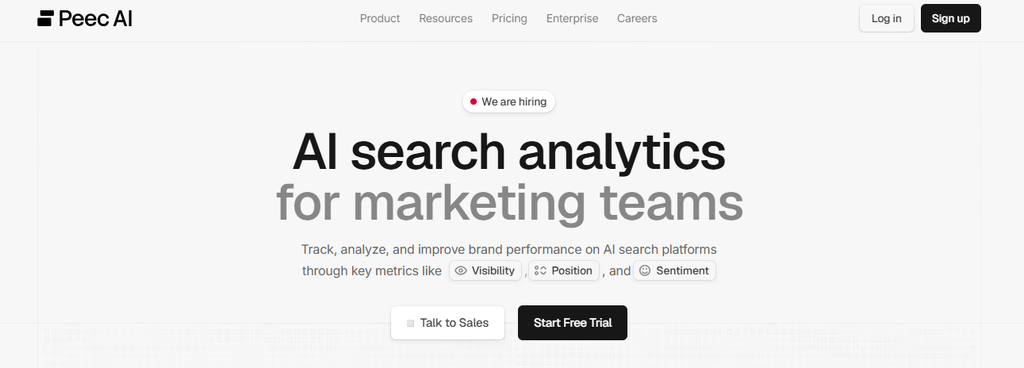
Peec AI is a dedicated AI visibility platform. It tracks how brands appear in AI answers across engines such as ChatGPT, Perplexity, Gemini and Google’s AI Overviews and AI Mode, with daily tracking, competitor comparisons and source insights that show which sites shape each answer.
For agencies, its appeal is focus.
If you sell AI visibility as its own service, or want deeper AI tracking than your main SEO platform offers, Peec gives you a purpose-built tool.
It also has separate agency plans designed for managing several client brands.
Agency job: AI visibility specialist
Agency specs
- Multi-client management: 1 to 5 projects on brand plans, with dedicated agency plans for multiple client brands
- Team seats: unlimited users on every plan
- Execution: An AI agent for analysis and content briefs, with page updates and outreach left to your team
- AI search: Its core focus, with daily tracking across 3 chosen AI engines
- Client-facing output: Looker Studio integration and CSV exports, rather than built-in white-label reports
Key features
1. Choose the engines that matter to each client: Every plan tracks three AI engines of your choice from a list that includes ChatGPT, Perplexity, Google AI Overviews, AI Mode, Gemini and Bing AI Mode.
2. Sources and competitors, not just mentions: Source insights show which websites AI engines rely on for their answers, and you can track unlimited competitors on every plan.
That’s the information agencies need to build an AI visibility strategy for a client.
3. Pricing built for teams: Unlimited users on every plan means account managers, strategists and clients can all have access without extra fees.
Pricing
- Starter: 95/mo(80/mo billed annually), with 50 prompts, 3 models, daily tracking, 1 project and 1 country
- Pro: 245/mo(205/mo billed annually), with 150 prompts, 2 projects and 3 countries
- Advanced: 495/mo(420/mo billed annually), with 350 prompts, 5 projects, multiple countries and Looker Studio integration
- Enterprise: custom, with unlimited prompts, projects and models
- Agency plans: from $205/mo billed annually, with unlimited client seats, MCP and API access, and Looker Studio
Agencies managing several brands will usually get better value from the agency plans than from stacking brand-plan projects.
Watch out for
- It covers AI search only, so you’ll still need a separate SEO platform for rankings, audits, content and links.
- Each plan tracks three AI engines, so clients who need wider coverage may need Enterprise.
- It shows where a client stands, while improving pages and earning mentions on cited sites is left to your team. If you’d rather keep AI visibility next to rankings and site audits, AI visibility tracking within an SEO platform avoids running a second tool.
Best for agencies that sell AI visibility as a standalone service, or need dedicated, multi-engine AI tracking for their clients.
11. Mangools: A budget-friendly SEO toolkit for small agencies
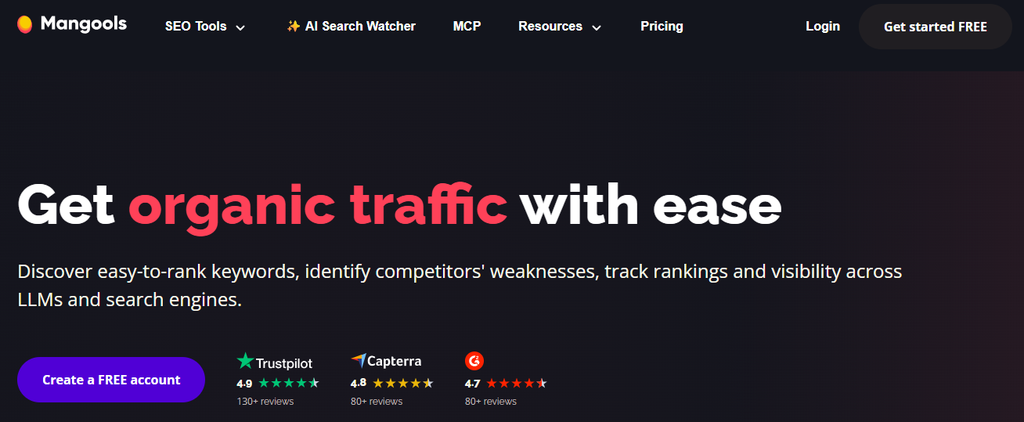
Mangools is a beginner-friendly SEO toolkit that bundles keyword research, SERP analysis, backlink research, site profiling and rank tracking. Every plan now includes AI Search Watcher PRO for tracking brand visibility in AI answers.
For freelancers and small agencies, it covers the essentials without the learning curve or the cost of larger suites.
The trade-off is depth and scale. Limits are tighter, and the agency features are basic compared with the bigger platforms on this list.
Agency job: Budget toolkit
Agency specs
- Multi-client management: rank tracking across unlimited domains, with limits set by daily lookups and tracked keywords
- Team seats: none on Basic, 3 extra on Premium and 5 extra on Agency
- Execution: Research and tracking only
- AI search: AI Search Watcher PRO included, with 500 prompts across 8 AI engines
- Client-facing output: No white-label reporting
Key features
1. Easy keyword research: KWFinder makes it simple to find keywords with realistic difficulty, which is useful for small agencies working with local businesses and newer sites.
2. The essentials in one subscription: Keyword research, SERP analysis, backlink data, site profiles and rank tracking all come in one plan, so a small team can cover most research tasks with one tool. API and MCP access are included on every plan.
3. AI visibility: AI Search Watcher PRO tracks up to 500 prompts across eight AI engines, including ChatGPT, Google and Claude.
It checks each prompt twice per run to smooth out the natural variation in AI responses.
Pricing
- Basic: 30.50/mo(18.85/mo billed annually), with 200 tracked keywords updated weekly and no extra seats
- Premium: 40.50/mo(26.35/mo billed annually), with 700 tracked keywords updated weekly and 3 extra seats
- Agency: 70.50/mo(48.85/mo billed annually), with 1,500 tracked keywords updated daily and 5 extra seats
- Every plan includes AI Search Watcher PRO (500 prompts, checked twice per run), plus API and MCP access. A free account is also available.
Annual billing saves around 35%, which makes the Agency plan one of the cheapest ways to get daily rank tracking and AI visibility in one subscription.
Watch out for
- Daily lookup limits and weekly rank updates on Basic and Premium can be restrictive for agencies managing many clients.
- There’s no white-label reporting or client access.
- It’s built for research, so audits, content work and outreach need other tools.
Best for agencies that are just starting out or run lean, and need affordable keyword research, tracking and basic AI visibility for a small number of clients.
12. Google Search Console + GA4: The free foundation every agency needs
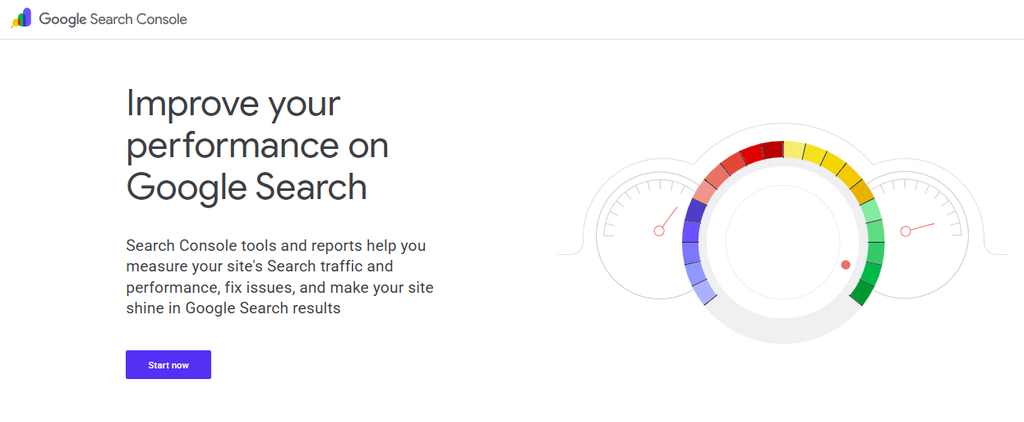
Google Search Console and Google Analytics 4 aren’t optional extras. They’re the starting point for every client.
Search Console shows how a site appears in Google: which searches it shows up for, how often people click, and whether its pages are indexed.
GA4 shows what visitors do once they arrive, including the enquiries, sign-ups and sales that prove SEO is working.
No third-party tool can fully replace them, because this is data that comes directly from Google and the client’s own site.
Most SEO platforms, including the others on this list, connect to them during setup.
Agency job: Free first-party data
Agency specs
- Multi-client management: clients add your team to their own properties, with permission levels for each user
- Team seats: free, with access managed per property
- Execution: Data and diagnostics only
- AI search: AI referral traffic visible in GA4. Search Console has a Generative AI performance dashboard, but it only shows page impressions for now.
- Client-facing output: No white-labeling, though reports can be built in Data Studio for free
Key features
1. The most reliable view of search performance: Search Console’s Performance report shows the real queries, clicks, impressions and average positions for every page.
That’s first-party data, which makes it the best source for spotting pages that are close to page one.
2. Indexing and technical health from Google itself: The Pages report shows which pages are indexed and why others aren’t.
URL Inspection lets you check and request indexing for individual pages, and the Core Web Vitals report shows how real visitors experience page speed.
When a client says their site isn’t showing up, this is where you start. Our guide on why a website isn’t showing up on Google walks through the most common causes.
3. Proof that SEO brings in business: In GA4, key events track the actions that matter to each client, and the organic search channel shows which of them come from SEO.
Visits from AI tools such as ChatGPT also appear as referral traffic, which helps agencies show early returns from AI search.
Pricing
- Google Search Console: free
- Google Analytics 4: free
- Data Studio (formerly Looker Studio): free, for building custom reports from both
Watch out for
- Access depends on the client. You’ll need them to add your team to their accounts, which can slow down onboarding.
- Both tools show what’s happening, not what to do about it, so you’ll still need other tools to research, fix and report.
- Building client-ready reports from this data takes time unless your platform does it for you.
Best for agencies that want accurate, first-party data for every client. In other words, every agency.
That’s all 12 tools. Each one does its job well, but the real test for an agency is what they cost together once you’re running SEO for a full client list.
What SEO Tools Cost an Agency With 10 Clients
Starting prices make tools look cheaper than they are. Once you add team members, client projects, white-label reports and AI tracking, the monthly bill can look very different.
And because every tool charges in a different way (per user, per client, per report, per location or per keyword), comparing them on headline prices alone doesn’t tell you much.
So here’s a more realistic comparison. Picture a typical small agency:
- 10 clients, each with one website
- 3 team members who need their own logins
- White-label monthly reports for every client
- Rank tracking for around 50 keywords per client
- AI visibility tracking for every client
Here’s roughly what that setup costs on each option, using monthly billing unless stated:
| Option | Approx. monthly cost | What it covers | What’s missing |
| Konvart Team (3 users) | $135 | Research, audits, rank tracking, SEO writing, AI visibility for all 10 clients, white-label reports, plus Optimizer and outreach doing the work | A live client portal. Heavy Optimizer use may need top-ups. |
| SE Ranking Growth + Agency Pack | $292 (annual billing only) | Research, audits, daily tracking, AI prompts, white-labeled platform and reports | Execution. AI prompts are shared across all clients. |
| Semrush SEO + 10 Pro reports | $339 or more | Deep research, audits, tracking, AI visibility reports, white-label reports | The SEO plan covers 5 websites, so 10 clients need a higher plan, plus extra users. No execution. |
| Ahrefs Standard + 2 extra users | $369 | Backlink and content research, audits, tracking, 300 AI prompt checks | White-label reports and execution |
| Nightwatch Professional | €199 | Daily rank tracking, AI prompts, white-label reports, unlimited seats | Research depth, content tools and execution |
| Mangools Agency | $70.50 | Keyword and backlink research, daily tracking, 500 AI prompts | White-label reports, audits and execution |
| A typical stack: Ahrefs + AgencyAnalytics + Screaming Frog | About $690 | Deep research, client portal and reports, technical crawls | Execution, plus three tools to manage |
The last row is the one most agencies recognize. One tool for research, another for client reporting and a third for technical audits soon adds up to several hundred dollars a month.
And none of them does the work itself.
That’s the cost most comparisons leave out: your team’s time.
Every tool on this list, apart from Konvart, stops at showing you what needs doing. Someone still has to update the pages, fix the technical issues, find the contacts, send the pitches and follow up.
For 10 clients, that can easily add up to dozens of hours a month. A cheaper tool that leaves all of that to your team can cost far more than its price suggests.
Next, let’s look at how to put these tools together into a stack that covers every job without paying for the same thing twice.
How to Build an Agency SEO Stack
There’s no single “best” stack, but there is a simple way to build one.
Start with the jobs your agency needs covered, not with a list of tools. Then choose one main platform that covers most of those jobs, and add specialists only where a client needs more depth than your platform can give.
That approach keeps your costs down and your team’s workflow simple. Because every extra tool means another login, another subscription and another place where client data lives.
A specialist is only important when it does a job noticeably better than your main platform, and when that job matters to the clients paying for it.
Most agencies need these eight jobs covered:
| Job | What it covers | Tools from this list |
| First-party data | Real search performance, indexing and conversions for each client | Google Search Console and GA4 (every agency) |
| Research | Keywords, competitors and backlink data for pitches and strategy | Konvart, Semrush, Ahrefs, SE Ranking, Mangools |
| Technical SEO | Site audits, crawling, indexing issues and migrations | Konvart, SE Ranking, Semrush, Screaming Frog |
| Content | Planning, writing and optimizing pages | Konvart, Surfer |
| Links and outreach | Finding link opportunities and running outreach | Konvart, Ahrefs, Semrush |
| Local SEO | Map rankings, listings and reviews | BrightLocal, Konvart (local rank tracking) |
| AI visibility | How clients appear in ChatGPT and AI Overviews | Konvart, Peec AI, Semrush, Nightwatch |
| Reporting | White-label reports and client access | Konvart, AgencyAnalytics, SE Ranking, Nightwatch |
Once you’ve mapped the jobs, the stack usually falls into place. A few examples:
- A small SEO agency with 5 to 15 clients might run everything from one platform that covers research, audits, AI visibility and reports, with Google’s free tools underneath. A Screaming Frog licence can be added for the occasional migration.
- A link building agency might use Ahrefs for backlink research or use Konvart to handle backlink research, outreach, and reporting, so the team spends less time chasing emails.
- A multi-channel marketing agency might use an SEO platform for the SEO work and AgencyAnalytics to report on SEO, ads and social together in one client portal.
- A local SEO agency might build around BrightLocal for listings and reviews, with a broader platform like Konvart for content, technical work and AI visibility.
One more layer that’s rarely talked about is execution.
Most stacks are built for finding and tracking problems, which leaves the actual work, such as page updates, technical fixes and outreach, to your team.
That’s where Konvart fits differently. Its Optimizer handles much of that routine work for each client within the permissions you set, so the stack doesn’t just tell your team what to do. It helps get it done.
Not every task should be automated, though. Strategy, client relationships and final approvals are where your team adds the most value.
Our guide on what SEO to automate and what to keep human walks through how to decide, task by task.
With the jobs mapped, the last step is choosing the tools that fit your agency.
How to Choose the Right SEO Tools for Your Agency
By now, you’ve seen what each tool does well and where it falls short.
The tricky part is matching that to your own agency, because the right choice for a 3-person local SEO shop looks very different from the right choice for a 20-person team running content programs for SaaS brands.
These six questions will narrow the list quickly. Work through them before you start any free trials.
1. How many clients and team members do you have, and where are you heading?
Pricing models matter more as you grow. Per-user pricing gets expensive as your team expands.
Per-client pricing gets expensive as your client list grows. Per-report pricing adds up with every branded report.
So, tools with unlimited seats or shared usage across clients tend to scale more gently.
Look at where you’ll be in a year, not just today. A tool that’s cheap for 5 clients and 2 people can become your biggest expense at 20 clients and 6 people.
2. Which services do you actually sell?
Your stack should match what clients pay you for. A link building agency needs strong backlink data and an efficient outreach process.
A content agency needs content planning and optimization. A local agency needs map rankings, listings and reviews.
There’s no point paying for deep capabilities in areas you don’t sell, or skimping on the ones you do.
3. How much of the delivery do you want handled for you?
This is the question most agencies skip, and it often matters most. Ask each tool the same thing: once it finds a problem, what happens next?
Some tools only report, some recommend fixes, a few can make the changes for you.
If your team already has the time to do every update, audit and outreach email by hand, a research tool may be all you need.
But if your team is stretched, tools that handle routine work give you capacity to take on more clients without hiring.
Our roundup of automated SEO software compares tools that go beyond reporting.
4. What do your clients expect to see?
Some clients want a branded PDF in their inbox every month. Others want to log in to a dashboard whenever they like. Many want SEO, ads and social media in one report.
Ask a few of your clients what they prefer before you choose.
Paying for a client portal nobody logs into, or sending PDFs to clients who want live data, wastes money either way.
5. Do you need to report on AI search?
Clients are increasingly asking how they show up in ChatGPT and Google’s AI Overviews. If you plan to answer that, or sell AI visibility as a service, check which tools include AI tracking on the plan you’d actually buy, and which charge for it as an add-on.
Look beyond whether a tool “tracks AI.” The useful ones show which sources AI tools cite, how a client compares with competitors, and how much traffic AI search sends.
6. How much control do you need over changes to client sites?
If a tool can make changes to client websites, you need to decide exactly what it’s allowed to do.
Look for clear permissions and approval steps, so you can let routine work run while keeping sensitive changes, such as edits to a client’s homepage or key service pages, behind your sign-off.
That protects your clients and your reputation.
Test with a real client before you commit. Most tools on this list offer a free trial or a free plan.
Set up one real client account, run through a full month’s work, and see how much time the tool actually saves your team. That tells you more than any feature list.
Still not sure where to start? The quick picks below match the most common types of agency to the tools that suit them best.
Best Picks by Agency Type
If you’d rather go straight to a shortlist, these are the tools we’d start with for the most common kinds of agency.
Each pick is the best fit for that situation, not necessarily the best tool overall.
- Small agencies that want to grow without hiring: Konvart. Research, audits, AI visibility and white-label reports in one platform, with Optimizer and Outreach Support handling routine client work within the permissions you set.
- Mid-size agencies that want strong value in one suite: SE Ranking, especially with the Agency Pack for a white-labeled client platform. Or Konvart, if you’d rather pay monthly and want the work done as well as tracked.
- Agencies that win business on research and competitive insight: Semrush, for the depth of its keyword, competitor and paid search data.
- Link building agencies: Ahrefs for backlink research, paired with Konvart’s Outreach Support, which finds contacts, sends pitches, follows up on replies, writes guest posts and tracks the links you earn.
- Multi-channel marketing agencies: AgencyAnalytics, to report on SEO, ads and social together in one branded client portal.
- Agencies running technical audits and migrations: Screaming Frog for deep crawls. For ongoing audits across every client, with common fixes applied for you, Konvart covers the day-to-day technical work.
- Content-heavy agencies: Surfer, to keep every writer working to the same optimization standard. Or Konvart, if you want content planned, drafted and optimized as part of a wider SEO workflow.
- Local SEO agencies: BrightLocal, for map rankings, listings and reviews across every client location, with Konvart alongside for local rank tracking, content and technical work in the same place as the rest of a client’s SEO.
- Agencies tracking rankings across many keywords and locations: Nightwatch, with unlimited seats for the whole team.
- Agencies selling AI visibility as a standalone service: Peec AI, or Konvart if you want AI visibility next to the SEO work that improves it.
- Freelancers and agencies on a tight budget: Mangools, for affordable research, tracking and AI visibility. Or Konvart’s Individual plan, at $30 a month, if you also want site audits and white-label reports.
- Every agency: Google Search Console and GA4, as the free foundation underneath everything else.
Most agencies don’t need more than two or three of these. One main platform for the bulk of your SEO work, plus a specialist or two for the services you’re known for, covers almost every setup.
Choose Tools That Give Your Team Time Back
Every tool on this list can make your agency better at SEO. The question is which ones help your team do more of it, for more clients, without the workload growing at the same pace.
For most agencies, that means a simple setup: Google’s free tools underneath, one main platform that covers research, audits, AI visibility and client reporting, and a specialist or two for the services you’re known for.
Price it at your real client count and team size, not the headline price.
Then pay close attention to what happens after each tool finds a problem, because that’s where most of your team’s hours go.
If you’d like a platform that handles the routine client work as well as tracking it, Konvart sets up each client from just a domain and works within the permissions you set. See Konvart for agencies, with a 7-day free trial and no card needed.
Frequently Asked Questions
What SEO tools do agencies use?
Most agencies use one main SEO platform for research, site audits, rank tracking and client reporting, with Google Search Console and Google Analytics for first-party data. They add specialist tools where they need more depth, such as technical crawling, content optimization, local SEO or AI visibility tracking.
What should an agency look for in an SEO tool?
Look at how easily it manages multiple clients and team members, the depth of its research data, and whether it offers white-label reports. Check its AI search coverage and whether it can do any of the work for you. Then compare the cost at your real client count and team size.
How much do SEO tools cost for an agency?
Prices range from under $100 a month for budget toolkits to several hundred dollars for full suites. For an agency with 10 clients and 3 team members, a realistic setup costs roughly $135 to $700 a month, depending on whether you use one platform or several tools.
Is one all-in-one SEO tool enough for an agency?
For many small and mid-size agencies, one platform covers most day-to-day SEO work: research, audits, tracking, AI visibility and reporting. Specialist tools are worth adding when you sell services that need extra depth, such as large technical migrations, local listings management or multi-channel client reporting.
What is white-label SEO software?
White-label SEO software lets an agency remove the tool’s branding and add its own, so reports, dashboards or client portals look like they came directly from the agency. Some tools include white-labeling on every plan, while others charge extra for it or limit it to higher plans.
Can SEO tools automate client work?
Most SEO tools automate tracking, audits and reports. A few (like Konvart) go further, applying page updates, technical fixes and link outreach for each client within permissions you set. Strategy, client relationships and approval of important changes still work best with your team in charge.
Do agencies need AI visibility tools?
Increasingly, yes. Clients want to know how they appear in ChatGPT, Google’s AI Overviews and other AI tools. Agencies can track mentions, citations and the sources AI tools rely on, either within their main SEO platform or with a dedicated AI visibility tool.