AI has worked its way into almost every part of SEO. It can find keyword gaps in minutes, draft an article from the pages already ranking, flag technical issues across thousands of URLs, or show whether ChatGPT mentions your brand.
So, the hard part isn’t finding an AI SEO tool; it’s knowing which one is actually good at the job you need done.
AI SEO tools use artificial intelligence to speed up or improve SEO tasks, such as keyword research, content creation, technical audits, and tracking visibility in AI search.
Some cover one task in depth, others cover the whole process. And plenty of tools have simply added “AI” to their marketing without changing much.
To make the choice easier, we’ve grouped the best AI SEO tools by the SEO task they handle best, from keyword research and content to technical SEO and AI search visibility.
For each tool, you’ll see what the AI actually does, what it costs, and who it suits.
TL;DR
- Best overall: Konvart. It uses AI across every part of SEO, from keyword research and content to technical fixes, outreach, and AI search visibility, and applies the work with your approval.
- If you only need one part of SEO covered, each task below has a specialist pick, from content tools like Surfer and Frase to AI visibility trackers like Nightwatch.
- Stacking specialist tools adds up fast. Covering research, content, technical fixes, and AI search with separate tools can cost $487/mo plus €79/mo. Konvart covers all four from $30/mo.
- AI search is now part of SEO: The best tools track whether ChatGPT, Gemini, and Perplexity mention and cite you, and show which sources shape those answers.
- AI works best with a human in the loop: Use it for research, drafts, and routine fixes, and keep people on strategy, fact-checking, and final approval.
The Best AI SEO Tools at a Glance
Here’s how the 10 tools compare. Each one is listed under the SEO task it handles best, along with its standout AI feature and what it costs to get started.
Prices are monthly unless noted.
| Tool | SEO task | Best for | Key AI feature | Starting price | Free plan or trial |
| Konvart | Every task | All-in-one AI SEO platform that does the work | AI agent that plans and applies fixes, content, and outreach with your approval | $30/mo | Free account; 7-day trial |
| Semrush | Keyword research and suites | All-in-one research with AI features | AI prompt tracking and research tools | $139/mo | Free plan; 7-day trial |
| SE Ranking | Keyword research and suites | Affordable suite with AI tracking built in | AI prompt tracking across 5 AI tools | $129/mo | 14-day trial |
| Surfer | Content writing and optimization | Optimizing drafts against what ranks | 1-click content optimization | $49/mo, billed yearly | Free to start |
| Frase | Content writing and optimization | Content-led teams that want writing, publishing, and AI visibility together | An agent that drafts and publishes content | $49/mo | 7-day trial |
| MarketMuse | Content planning | AI topic modeling and content strategy | Topic modeling and content briefs | Not published | Free plan |
| Jasper | Large-scale AI content | Brand-consistent AI content for marketing teams | Brand voice and marketing agents | $69/mo per seat | 7-day trial |
| Alli AI | Technical and on-page SEO | Sitewide on-page and technical changes | Bulk on-page and AEO changes across a site | $299/mo | 10-day trial |
| Nightwatch | AI search visibility | AI and Google Maps tracking alongside rankings | Tracking across 6 AI platforms on every plan | €79/mo | 14-day trial |
| Profound | AI search visibility | Dedicated AI visibility for larger brands and agencies | Prompt tracking across up to 9 answer engines | Custom (agencies from $99/mo) | 7-day trial |
How We Chose These Tools
Almost every SEO tool now mentions AI somewhere on its website, so “uses AI” wasn’t enough to make the list.
We looked at what each tool actually does with AI, and asked five questions:
- What does the AI actually do? We favored tools where AI does real work, such as drafting content, applying fixes, or tracking AI answers, over tools that use it for a chatbot or a few suggestions.
- How well does it handle its task? Each tool earned its place in a specific part of SEO, so we judged it against what that task needs, not against every other tool on the list.
- Does it fit into how you work? We checked for connections that save time in practice: publishing to your CMS, pulling data from Google Search Console, and working with the tools you already use.
- Does it cover AI search? More searches now end in an AI answer, so we noted which tools track your visibility in ChatGPT, Gemini, Perplexity, and Google’s AI features.
- What does it cost to get started? We recorded each tool’s starting price, its free plan or trial, and what the entry plan includes.
Konvart comes first because it’s the only tool on the list that covers every task. The rest are grouped by the job they do best, so you can jump straight to the part of SEO you need help with.
If you’re mainly looking to cut manual work, our guide to SEO automation tools compares tools by how much of the work they take off your plate.
The 10 Best AI SEO Tools
Each tool below is grouped by the part of SEO it handles best. Every entry covers what the AI actually does, its key features, pricing, and who it suits, so you can compare them on what matters for your team.
Here’s the full list:
- Konvart: Best overall, an all-in-one AI SEO platform that does the work across every part of SEO
- Semrush: Best for all-in-one research with AI features
- SE Ranking: Low cost with AI tracking built in
- Surfer: Best for optimizing drafts against what ranks
- Frase: Best for content-led teams that want writing, publishing, and AI visibility together
- MarketMuse: Best for AI topic modeling and content strategy
- Jasper: Best for brand-consistent AI content for marketing teams
- Alli AI: Best for sitewide on-page and technical changes
- Nightwatch: Best for AI and Google Maps tracking alongside rankings
- Profound: Best for dedicated AI visibility for larger brands and agencies
Now, let’s talk about each.
1. Konvart
Best for: An all-in-one AI SEO platform that does the work across every part of SEO
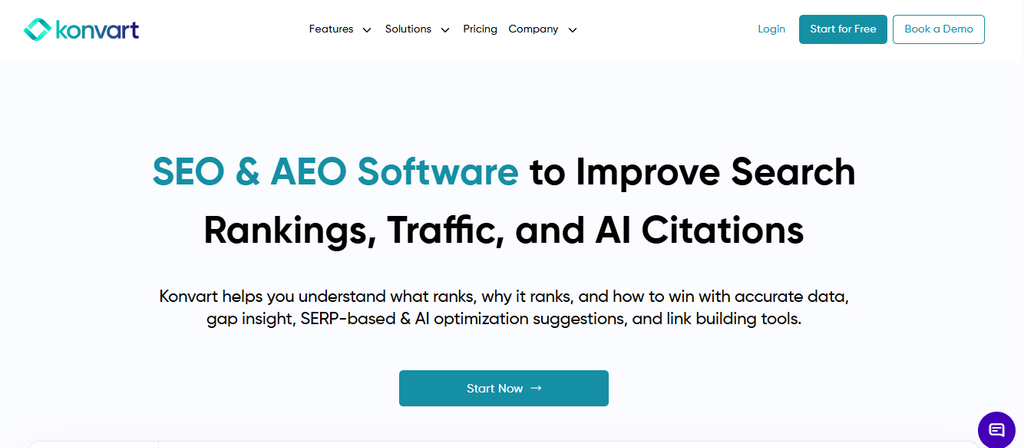
Most AI SEO tools are built around one job. But Konvart is built around the whole process.
It uses AI to find opportunities across keyword research, content, technical SEO, links, and AI search, and then it does the work: drafting content in your brand voice, applying fixes on your site, and sending outreach.
A list of recommendations becomes a list of completed tasks.
Every change can wait for your approval in co-pilot mode. So, nothing goes live until you say yes.
In autopilot, routine fixes go ahead, while riskier changes are held in an Actions tab for review.
What the AI does: It analyzes your site, rankings, competitors, and AI answers to find what to work on.
Then it plans the fix, writes the content or backlink outreach pitch, and applies it in your CMS or sends it from your mailbox, once you’ve approved it.
Key features
1. AI agent and AI search
This is where Konvart differs most from the other tools on this list. Its AI doesn’t stop at analysis. It acts on what it finds, both on your website and in AI search.
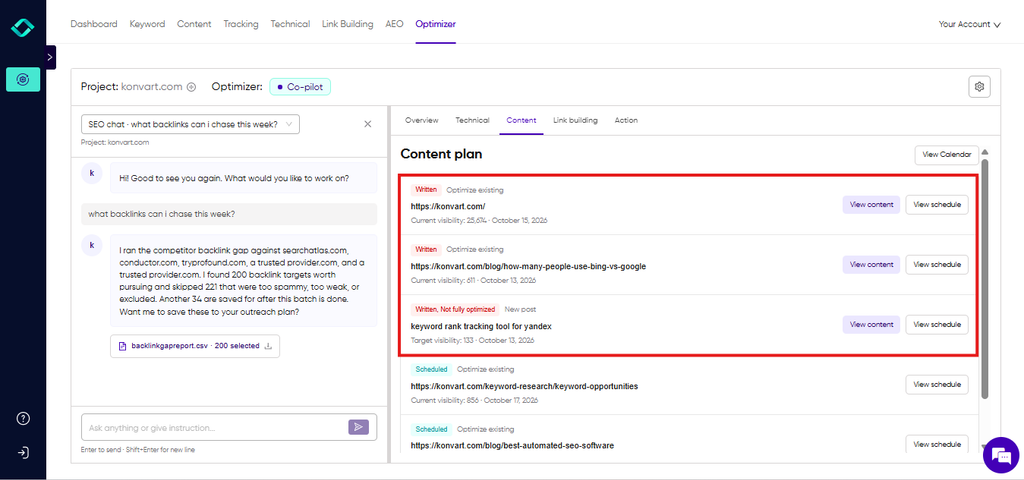
- The Optimizer is an AI agent connected to your SEO data and your website. It turns audit issues, content gaps, and keyword opportunities into specific fixes, then applies them directly in WordPress, Shopify, Webflow, or Wix.
- Co-pilot or autopilot, your choice: In co-pilot mode, nothing goes live until you approve it. In autopilot, routine fixes go ahead, and riskier changes wait in an Actions tab for your review.
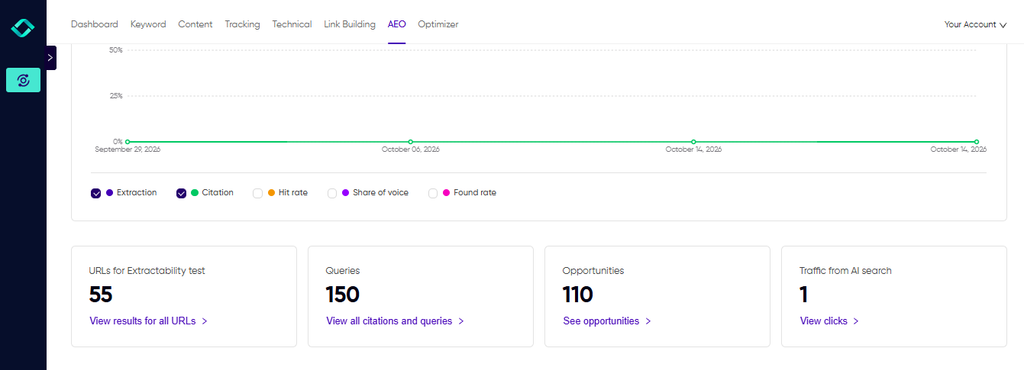
- AI visibility tracking shows where ChatGPT, Perplexity, Claude, and Gemini cite your brand, the sources and fan-out queries behind each answer, and the traffic AI tools send to your site.
- An extractability audit checks how easily AI tools can pull clear answers from your pages, and flags the ones that need restructuring.
- From insight to action: The Optimizer takes the sources behind AI answers and turns them into Reddit suggestions, link prospects, or content fixes, so improving your AI visibility becomes a list of approved tasks.
2. Content
Konvart’s content tools are built around what’s already ranking, so drafts start from what Google rewards instead of a generic prompt.
- The Konvart AI Writer studies the pages ranking for your keyword, suggests the headings, terms, and topics to cover, and writes a first draft built around them.
- Custom AI Writer learns your tone and style, so drafts sound like your brand and need less rewriting.
- The Content Editor checks each draft against the top-ranking pages before it goes live, showing what’s missing and what to improve.
- Publishing integrations send finished content straight to WordPress, Shopify, Webflow, or Wix, without copying and pasting.

3. Keyword research
Konvart uses your rankings and your competitors’ data to show where the quickest wins are, so you’re not starting from a blank keyword list.
- Keyword opportunities surface the terms you’re already close to ranking for, usually the fastest pages to improve.
- A competitor keyword gap shows the keywords your competitors rank for, and you don’t, so you can see exactly where you’re missing traffic.
- Competitor monitoring tracks rivals over time and flags when one starts gaining ground on your keywords.
4. Technical SEO
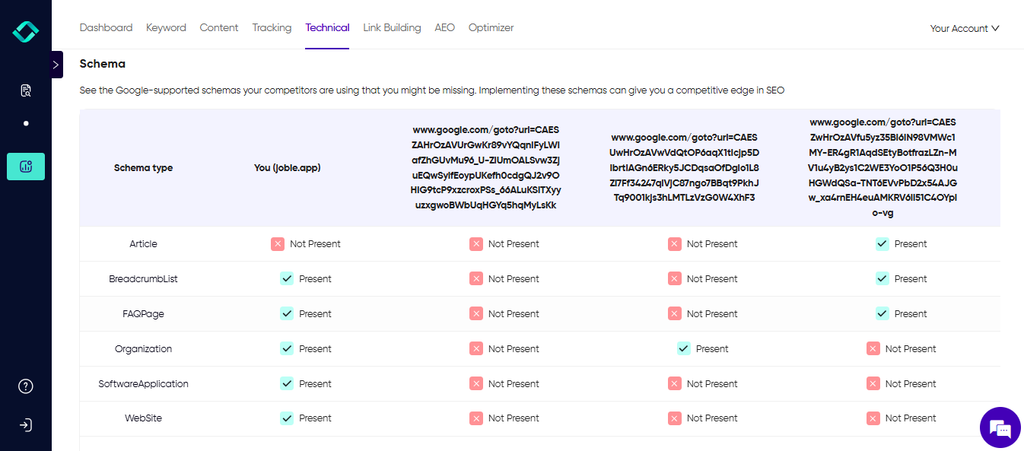
Technical issues tend to creep in after every site update. Some of the biggest gaps only show up when you compare your site with the competitors outranking you.
Konvart covers both.
- Page and site audits check your whole site, or a single page, against 100+ technical metrics. Those include indexing blockers, broken links and redirect chains, Core Web Vitals, mobile usability, structured data, hreflang, and missing meta descriptions and alt text. Site audits run automatically every week, with custom schedules for large projects, and can render JavaScript for JS-heavy sites.
- Technical gap analysis compares your site with up to three competitors on Core Web Vitals, meta titles and H1s, schema markup, hreflang targeting, and status codes. You can see where competitors have a technical edge, and what to fix to close it.
- Issues feed straight into the Optimizer, which plans and applies the fixes for you.
5. Link building
Link building is slow because so much of it is manual research. Konvart handles the research and the first draft, so your time goes into the conversations that lead to links.
- Outreach support finds relevant link prospects and their contact details.
- AI-drafted pitches are personalized for each site and the page you want linked.
- Sending from your connected mailbox means pitches and follow-ups go out from Konvart, without switching tools.
- Digital PR helps you earn coverage and brand mentions on the sites your audience reads.
6. Rank and local tracking
Konvart tracks where you rank in search and in Google Maps, so you can see the impact of every fix and spot changes before they affect your traffic.
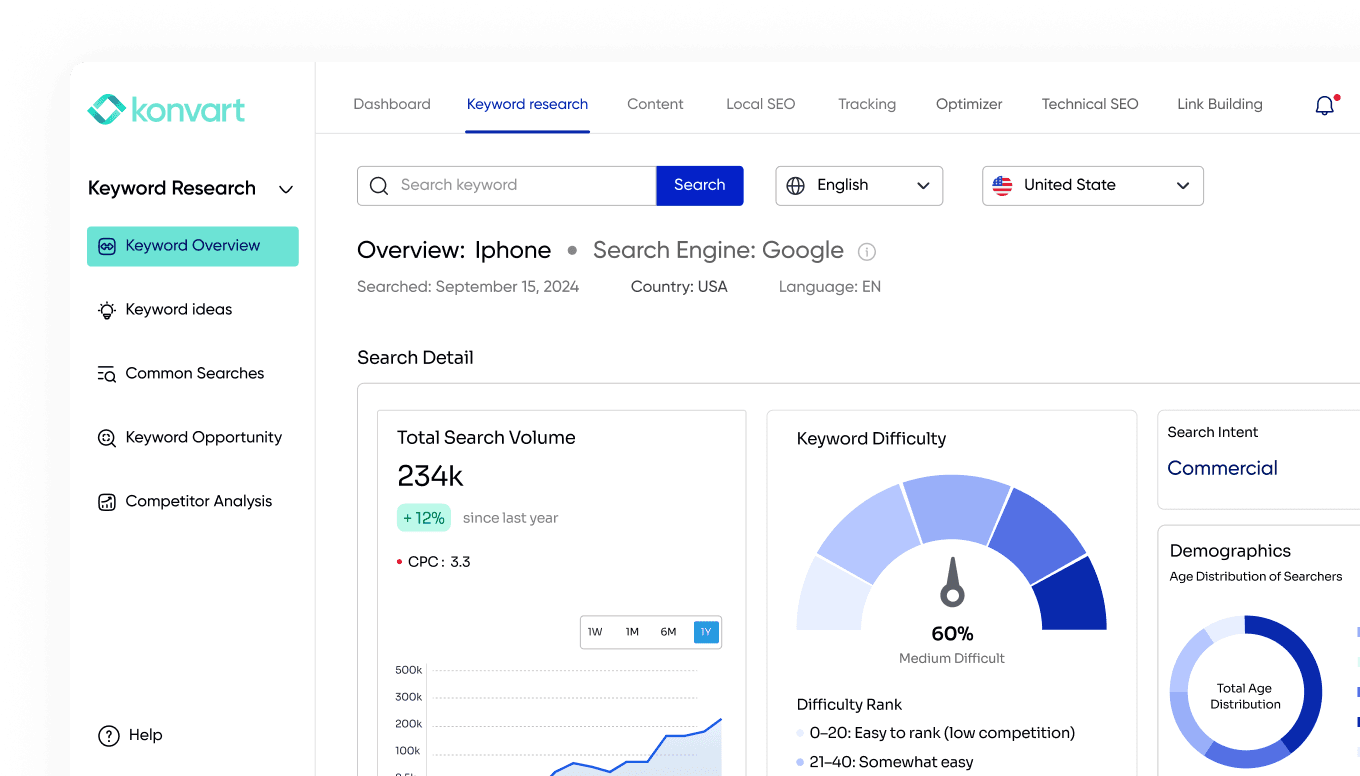
- Rank tracking checks your keywords weekly at global, national, and local levels. It shows the SERP features that appear for each keyword, including the ones you don’t hold yet, and sends email alerts when rankings move.
- Local map tracking checks your Google Maps and local rankings across a 5, 10, or 20 km radius, with a pin view showing where you lead and where competitors are ahead.
7. Reporting
Konvart turns your data into reports you can share as they are, so you don’t spend hours each month exporting and formatting.
- Weekly reports show what changed, what was fixed, and how your rankings moved.
- Branded PDF reports are free and refresh every 30 days, ready to share with clients, managers, or stakeholders.
Pricing
- Free account: $0, with 10 credits
- Individual: $30/mo, with 200 tracked keywords, 250 credits, 1 AI visibility site, and 12,000 audit URLs
- Team: $45 per user/mo (minimum 2 users), with 5 AI visibility sites, shared resources, and MCP and API access
- Flex usage: add keywords, audit URLs, or AI visibility sites with credits ($10 for 50) instead of upgrading your plan
- Trial and discount: 7-day free trial, no card required. Paying annually saves 11%.
Things to consider
- Rank tracking updates weekly, so teams that need daily ranking data may want a dedicated daily tracker alongside it.
Choose Konvart if you want one AI SEO tool that covers every part of SEO and does the work for you, with your approval at every step.
Keyword research and all-in-one suites
Keyword research is where many teams first use AI. Instead of exporting data and sorting it in spreadsheets, AI-powered suites group related keywords, spot gaps against competitors, and highlight which terms are worth targeting first.
Some go further and show where you’re already close to ranking, which is usually the quickest way to grow traffic.
These two suites pair deep keyword data with a growing set of AI features, including tracking how your brand appears in AI answers.
2. Semrush
Best for: All-in-one research with AI features
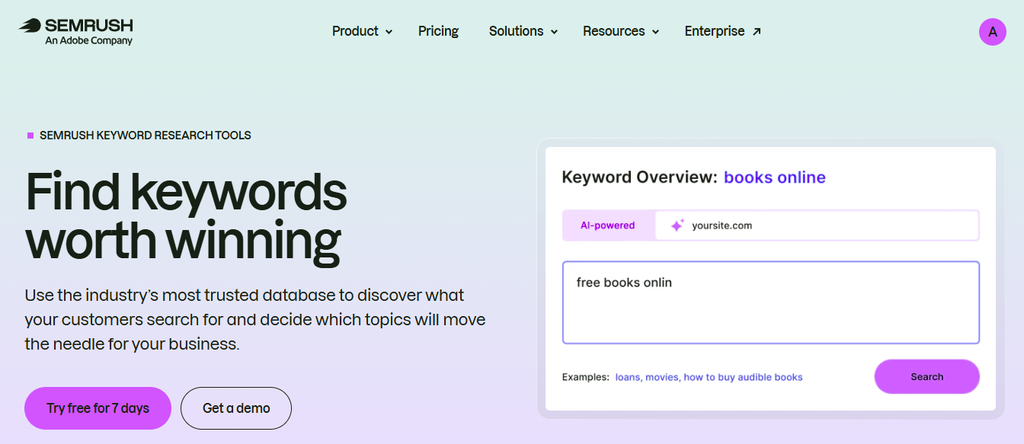
Semrush is a natural fit for teams that research heavily, whether they’re planning content, sizing up a new market, or finding the keywords competitors rank for.
AI search has become part of the platform too. The entry plan includes limited AI visibility, and dedicated AI prompt tracking starts on the Starter plan.
What the AI does: It tracks how your brand appears in AI-generated answers for the prompts you choose, alongside Semrush’s keyword and competitor data.
Key features
- Keyword research and competitor analysis, drawing on a large keyword database
- Daily rank tracking on every paid plan
- Site audits and reporting in the same platform
- AI prompt tracking from the Starter plan, with more prompts on higher plans
- A free plan with limited access
Pricing
- Free plan: available, with limited access
- SEO: 139/mo(117.33/mo billed annually), with 500 tracked keywords and limited AI visibility
- Starter: $199/mo, with 500 keywords and 50 AI prompts
- Pro+: $299/mo, with 1,500 keywords and 100 AI prompts
- Advanced: custom pricing, from 5,000 keywords
- Trial and discount: 7-day free trial. Paying annually saves up to 17%.
Things to consider
- Dedicated AI prompt tracking starts at $199/mo, so teams focused on AI search will need more than the entry plan.
- The AI helps you research and monitor, but making changes on your site is still a manual job.
Choose Semrush if your team does a lot of keyword and competitor research and wants AI visibility data in the same platform.
3. SE Ranking
Best for: An SEO suite with AI tracking built in
SE Ranking builds AI tracking into the entry plan rather than selling it separately. For $129 a month, you get 2,000 tracked keywords with daily updates, plus prompt tracking across five AI tools.
Keyword research, site audits, and reporting sit alongside it.
If AI search is a priority, an AI Search add-on gives you deeper visibility data on top of any plan.
What the AI does: It runs your chosen prompts through five AI tools and tracks whether your brand appears, so you can monitor AI visibility next to your regular rankings.
Key features
- 2,000 tracked keywords with daily updates on the entry plan
- AI prompt tracking across five AI tools, included from the Core plan
- Keyword research, site audits, and reporting in one suite
- An optional AI Search add-on for deeper AI visibility data
Pricing
- Core: 129/mo(103.20/mo billed annually), with 2,000 keywords and 100 AI prompts
- Growth: 279/mo(223.20/mo billed annually), with 5,000 keywords and 250 AI prompts
- AI Search add-on: 89/mo(71.20/mo billed annually)
- Trial: 14-day free trial, no card required
Things to consider
- 100 AI prompts on Core is enough to monitor a few key topics, but broader AI tracking means the Growth plan or the add-on.
- It shows where you rank and where you’re mentioned, but acting on the findings is up to you.
Choose SE Ranking if you want an all-in-one SEO suite with AI tracking included.
Content writing and optimization
Content is where AI saves the most visible time. A good AI content tool studies the pages already ranking for your keyword, shows you what they cover, and helps you write a draft that matches what searchers want.
The best ones also check your draft before it goes live and help you write from what already ranks, instead of from a blank page or a generic prompt.
These two tools focus on getting each piece of content right, from the first draft to the final optimization.
4. Surfer
Best for: Optimizing drafts against what ranks
Surfer is one of the best-known content optimization tools. Its editor compares your draft with the top-ranking pages for your keyword, scores it, and suggests the terms and topics to add.
On higher plans, it can make many of those improvements in one click.
It’s built for writers and content teams who want a clear target for every piece they publish.
Surfer has also moved into AI search. Its plans now track how your brand appears in ChatGPT and other AI tools.
AI can speed up drafting a lot, but drafts still need a careful edit to rank well. Here’s why AI content needs a human edit.
What the AI does: It analyzes the top-ranking pages, scores your draft against them, suggests or applies optimizations, and, on higher plans, tracks your visibility in AI answers.
Key features
- Content drafting and scoring against the top-ranking pages, plus Surfy, an AI SEO assistant
- 1-click content optimization, rank drop detection, and a plagiarism checker from the Standard plan
- 1-click internal linking, a content coverage gap report, a cannibalization report, and custom voices from the Pro plan
- AI visibility tracking across ChatGPT and other AI tools, with daily prompt tracking from the Pro plan
- Integrations including WordPress and Google Docs from the Pro plan
Pricing (billed yearly)
- Discovery: $49/mo, with 120 documents and 10 tracked pages
- AI Search Analytics: $82/mo, for AI visibility tracking only (50 prompts tracked daily)
- Standard: $99/mo, with 360 documents and 25 AI prompts tracked weekly
- Pro: $182/mo, with 360 documents, 50 AI prompts tracked daily, and integrations
- Peace of Mind: $299/mo, with unlimited documents, 100 AI prompts, and API access
- Enterprise: custom pricing
- Trial: each plan has a “Start for free” option, but the page doesn’t say how long it lasts. Monthly billing costs more than the yearly prices shown.
Things to consider
- Many of Surfer’s most useful AI features, such as internal linking and integrations, start on the $182/mo Pro plan.
- It focuses on content, so technical SEO and link building need other tools.
Choose Surfer if your team writes regularly and wants a clear, data-backed target for every draft.
5. Frase
Best for: Content-led teams that want writing, publishing, and AI visibility together
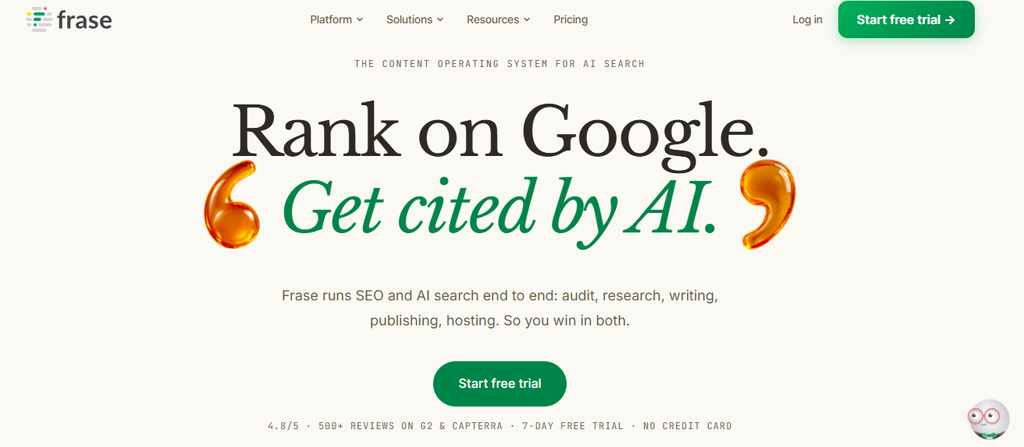
Frase has grown from a content brief tool into what it calls “the content operating system for AI search.”
It handles research, drafting, and optimization, and it can publish straight to your CMS. It also scores content for both traditional SEO and AI search (GEO), and tracks your visibility in AI tools.
Its AI agent can publish on its own when you allow it, and Content Guard watches your published pages for signs of decay in Google.
That makes Frase one of the more complete options for teams whose SEO strategy is built mainly around content.
What the AI does: It researches and drafts content, scores it for SEO and AI search, can publish it to your site through its agent, and monitors published pages for decay.
Key features
- SEO and GEO scores, so you can optimize content for search results and AI answers at the same time
- Publishing to WordPress, Webflow, Sanity, or Wix, or hosting on FraseCMS
- AI visibility tracking in ChatGPT and Google AI on every plan, adding Perplexity on Professional, and Claude and Gemini on Scale
- Content Guard, which watches your pages for Google decay (10 pages on Starter, up to 300 on Scale)
- Internal linking suggestions, a content calendar, and AI crawler monitoring from the Professional plan
- Frase Answers, a free conversational widget that captures what visitors ask, so you can create content for it
Pricing
- Starter: 49/mo(39/mo billed yearly), with 1 seat, 1 site, 10 articles, and 50 audit pages a month
- Professional: 129/mo(103/mo billed yearly), with 3 seats, 5 sites, 40 articles, and 250 audit pages a month
- Scale: 299/mo(239/mo billed yearly), with 5 seats, up to 10 domains, 100 articles, and 1,000 audit pages a month
- Enterprise: custom pricing, with white-label reports and a branded client portal
- Trial and discount: 7-day free trial, no card required. Paying yearly saves 20%.
Things to consider
- The Starter plan covers 10 articles a month on one site, so growing teams will likely need Professional.
- Its strength is content. Technical fixes, link building, and rank tracking need other tools.
Choose Frase if content is the center of your SEO strategy, and you want writing, publishing, and AI visibility in one tool.
Content planning
Writing a single great page is one challenge. Deciding which pages to write, and how they fit together, is another.
AI planning tools look at the topics in your market, map what your site already covers, and show where the gaps are, so your content builds authority on a subject instead of scattering across unrelated keywords.
6. MarketMuse
Best for: AI topic modeling and content strategy
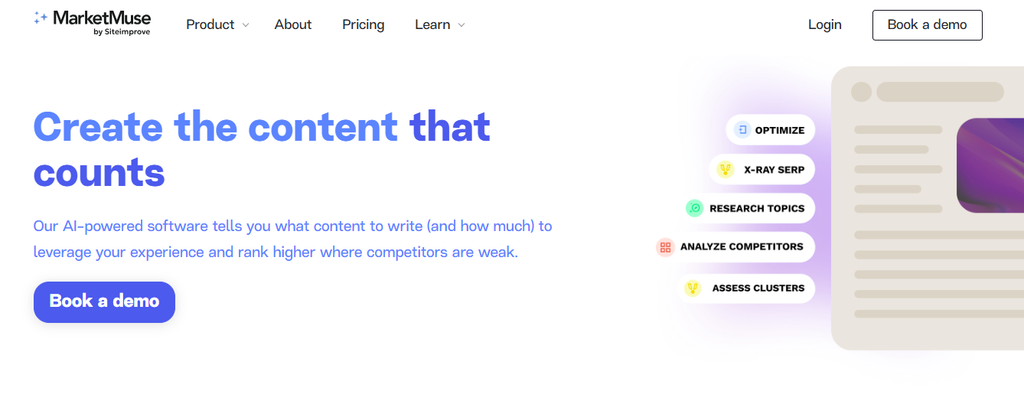
MarketMuse, now part of Siteimprove, uses AI topic modeling to help you plan content strategically.
Instead of looking at one keyword at a time, it maps the topics related to your subject, shows how well your site covers them, and helps you decide what to create or improve next. It’s best suited to teams building authority in a subject area, where the plan matters as much as any single article.
Its paid plans scale by tracked topics, content briefs, and strategy documents, and add deeper analysis such as SERP X-ray and site heatmaps on higher tiers.
Like a competitor keyword gap analysis, it helps you see where other sites cover ground you don’t, but it focuses on topics rather than individual keywords.
What the AI does: It models the topics around your subject, compares them with your site’s coverage, and turns the gaps into content briefs and strategy documents.
Key features
- Topic Navigator, available on every plan, including the free plan
- Tracked topics to monitor your coverage over time, from 100 on Optimize to 10,000 on Strategy
- AI content briefs and strategy documents each month, scaled by plan
- Keywords, SERP X-ray, and SERP Heatmap from the Research plan
- Site Heatmap and Connect on the Strategy plan, for a site-wide view of your content
Pricing
- Free: 1 user, 10 queries a month, and Topic Navigator, with no site inventory or tracked topics
- Optimize: 1 user, 1 site inventory, 100 tracked topics, 5 content briefs and 1 strategy doc a month, and 100 queries a month
- Research: 3 users, 1,000 tracked topics, 10 briefs and 3 strategy docs a month, and unlimited queries
- Strategy: 5 users, 10,000 tracked topics, 20 briefs and 5 strategy docs a month, and unlimited queries
- MarketMuse doesn’t publish prices for its paid plans. Each one is booked through a demo.
Things to consider
- Without published prices, you’ll need a demo to find out what a paid plan costs.
- It plans content, but writing, publishing, and technical SEO happen in other tools.
Choose MarketMuse if you want a data-driven content strategy built around topic coverage, and you’re planning content at scale.
Large-scale AI content
Some teams need to produce a lot of content: blog posts, landing pages, product copy, and campaigns, often in several languages.
The challenge at that scale is staying on brand.
AI tools in this group focus on teaching the AI your voice, audience, and company knowledge, so every piece sounds like it came from the same team.
7. Jasper
Best for: Brand-consistent AI content for marketing teams
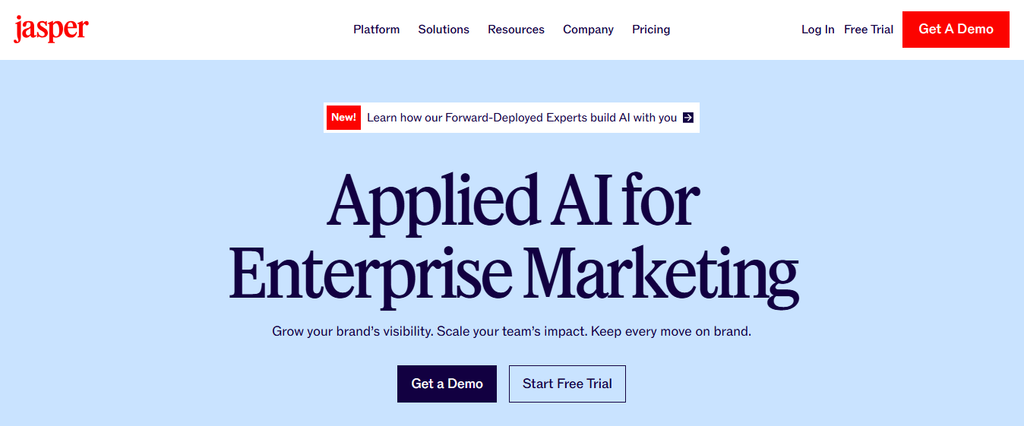
Jasper is an AI content platform built for marketing teams rather than SEO specialists. Its focus is keeping AI-generated content on brand.
You set up brand voices, audiences, and company knowledge, and Jasper uses them across everything it writes. That makes it a strong choice for teams producing large amounts of marketing content across channels.
The Business plan goes further, with AI agents for workflows such as GEO, translation, and deep research, plus a no-code builder for custom agents.
What the AI does: It writes marketing content using your brand voice, audience profiles, and uploaded company knowledge, and on the Business plan, runs agents for GEO, translation, and research workflows.
Key features
- Brand voices, created by analyzing your existing content’s tone and formatting
- Audiences and company knowledge that ground AI output in your personas and your own materials, including text, video, image, data, and audio
- Canvas, a workspace for on-brand content creation
- Agents for core marketing workflows on Pro, with GEO, translation, and deep research agents on Business
- 30+ languages for creating or repurposing content
- Jasper Grid, Jasper Studio, a style guide, and API access on the Business plan
Pricing
- Pro: $69/mo per seat, with 1 seat, 2 brand voices, 5 knowledge assets, and 3 audiences
- Business: custom pricing, with unlimited brand voices, knowledge, and audiences
- Trial and discount: 7-day free trial. Paying yearly saves about 20%.
Things to consider
- Pricing is per seat, so costs grow with your team. Five people on Pro would pay $345/mo.
- It’s built for marketing content in general, so SEO-specific work such as keyword research, technical fixes, and rank tracking needs other tools.
Choose Jasper if your marketing team produces a lot of content across channels, and keeping it on brand matters more than deep SEO features.
Technical and on-page SEO
Technical SEO is full of fixes that are simple to describe but slow to make by hand: updating title tags across hundreds of pages, adding schema, fixing broken links, or improving page speed.
On a large site, these often wait weeks for a developer. AI tools in this group can find these issues and apply the fixes for you, so routine technical work no longer sits in a queue.
8. Alli AI
Best for: Sitewide on-page and technical changes
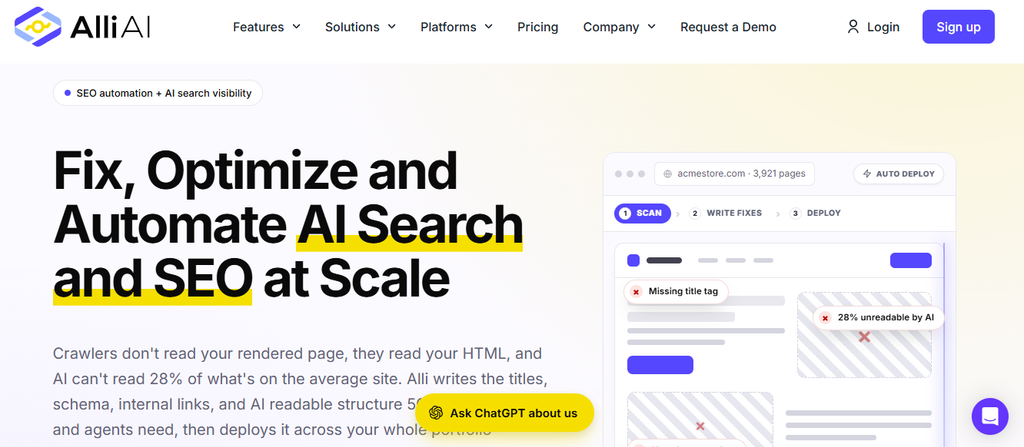
Alli AI is built to make changes across an entire website at once. Instead of editing pages one by one, it deploys technical, SEO, and AEO optimizations across thousands or even millions of pages.
It’s especially useful for large sites and agencies that need technical changes made without waiting on a development team.
It has also invested heavily in AI search. Every plan includes an AI Search Visibility Engine, pre-rendering for more than 50 AI crawlers so they can read your pages properly, and a live monitor of AI bot traffic.
What the AI does: It crawls your site weekly, recommends technical and on-page improvements, and deploys them across your pages, including optimizations aimed at AI crawlers and AI search.
Key features
- Sitewide deployment of technical, SEO, and AEO optimizations
- Pre-rendering for 50+ AI crawlers, plus a live AI bot traffic monitor
- An AI Search Visibility Engine and LLM Mode on every plan
- A site speed optimizer, link builder, and keyword tracking
- A weekly crawl with recommendations, plus standard reports
- API access and white-label snippet hosting from the Agency plan
Pricing
- Business: $299/mo, with 5 sites, 5 team members, 500 keywords, and 1,250 pages
- Agency: $599/mo, with 15 sites, 15 team members, and 2,000 keywords
- Enterprise: custom pricing, with 50 sites, 5,000 keywords, 20,000 pages, and a full white-label dashboard
- Trial and discount: 10-day free trial on every plan. Paying annually saves up to 17%.
Things to consider
- At $299/mo, the entry price is high for small businesses and solo marketers.
- The Business plan’s 1,250-page limit is shared across 5 sites, so large sites may need a higher plan.
- Content creation isn’t among its listed features, so you’ll need another tool for writing new content.
Choose Alli AI if you manage large sites or several clients and want to deploy technical and AI search optimizations at scale without relying on developers.
AI search visibility
AI search visibility is the newest category of AI SEO tools, and one of the fastest-growing.
These tools run the questions your customers ask through ChatGPT, Gemini, Perplexity, and Google’s AI features, then show whether your brand is mentioned or cited, and how you compare with competitors.
The most useful ones also show the sources behind each answer, which tells you where to focus.
Our guide to LLM visibility covers how to track and improve it step by step, and an AI visibility tool can automate the tracking for you.
9. Nightwatch
Best for: AI and Google Maps tracking alongside rankings
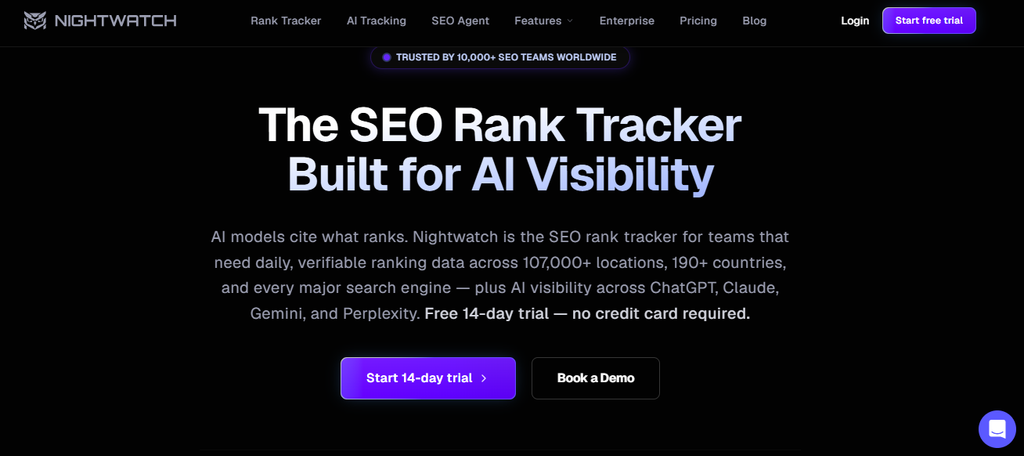
Nightwatch started as a rank tracker and now tracks visibility across classic search, Google Maps, and AI search on every plan, including the cheapest.
Its entry plan covers ChatGPT, Claude, Gemini, Perplexity, AI Mode, and AI Overviews, which makes it one of the broadest AI trackers at its price.
Rankings update daily, with on-demand checks when you need fresh data straight away. It’s a strong fit for teams that want AI visibility and traditional rankings in one dashboard.
If rank tracking is your main need, our guide to keyword tracking tools compares Nightwatch with other trackers in more detail.
What the AI does: It tracks whether your brand appears in answers across six AI platforms, alongside your daily Google and Google Maps rankings.
Key features
- AI visibility tracking across ChatGPT, Claude, Gemini, Perplexity, AI Mode, and AI Overviews on every plan
- Daily rank tracking, plus on-demand checks
- Google Maps tracking on every plan
- Plans from 500 to 7,500 keywords, plus custom enterprise plans
Pricing
- Starter: €79/mo, with 500 keywords
- Professional: €159/mo, with 2,500 keywords
- Agency: €399/mo, with 7,500 keywords
- Enterprise: custom pricing
- Trial: 14-day free trial, no card required
Things to consider
- Prices are in euros, so the cost in your currency changes with the exchange rate.
- It shows where you appear, but turning those insights into content, outreach, or fixes is up to you.
Choose Nightwatch if you want to track AI visibility, Google rankings, and local results in one tool from the entry plan up.
10. Profound
Best for: Dedicated AI visibility for larger brands and agencies
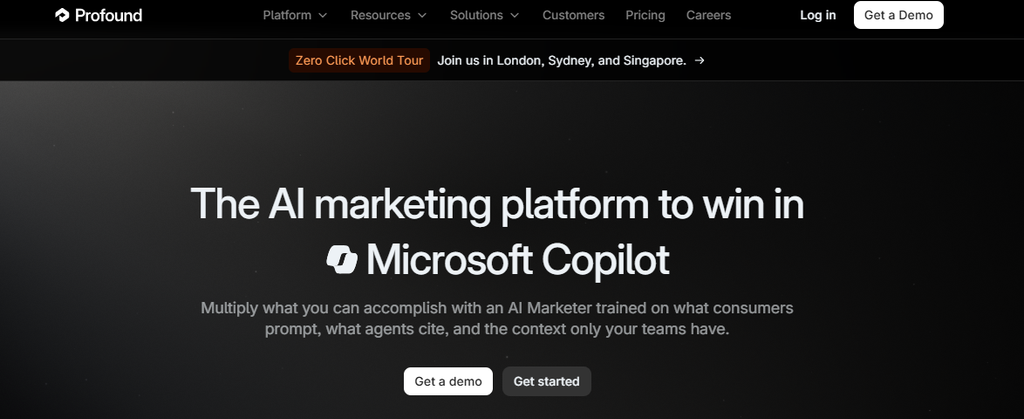
Profound tracks how your brand appears across answer engines, and its enterprise plans cover up to nine of them.
It also includes AI Marketer, an AI assistant that helps teams research, write, and report on AI search using what it knows about your brand.
Pricing for brands is tailored through a demo, but you can start with a free 7-day trial that runs 50 prompts daily across ChatGPT, Gemini, and Google AI Overviews.
Agencies get published pricing, starting at $99 a month.
What the AI does: It tracks your brand’s visibility across answer engines, and its AI Marketer helps your team research, write, and report on AI search insights.
Key features
- AI visibility tracking across up to 9 answer engines on Enterprise
- AI Marketer, an AI assistant for research, writing, and reporting
- Tailored prompt tracking plans for enterprise brands
- Agency mode, with pitch workspaces for running AI visibility audits for prospects
Pricing
- Free trial: 7 days, with 50 prompts run daily across ChatGPT, Gemini, and Google AI Overviews, plus limited AI Marketer credits
- Enterprise (brands): custom pricing
- Agency Growth: $99/mo plus add-ons, with 10 pitch workspaces a month and full client workspaces for $399/mo each
- Agency Enterprise: custom pricing
Things to consider
- Brand pricing isn’t published, so you’ll need a demo to understand the full cost.
- It’s focused on AI search, so you’ll need other tools for keyword research, content, and technical SEO.
Choose Profound if you’re a larger brand or agency that wants a dedicated platform for AI search visibility, with enterprise security and support.
What Can AI do for SEO?
Now that you’ve seen the tools, it helps to step back and look at what AI is actually good at in SEO, and where it still needs a person.
AI is strongest at work that involves large amounts of data, repeated patterns, or a first draft.
It’s weaker at judgment, original insight, and anything that depends on knowing your business.
That difference matters when you choose a tool. The best tools for AI SEO don’t try to replace your team; they just take over the parts of the job that are slow, repetitive, or data-heavy, so your team can spend its time on the decisions that move results.
Knowing where AI helps most in each part of SEO also makes it easier to spot tools that oversell what their AI can do.
Here’s how that plays out across each part of SEO.
1. Keyword research
AI can sort thousands of keywords in minutes. It groups them into topics, spots the terms where competitors rank and you don’t, and flags the ones you’re already close to ranking for.
For a cybersecurity company with a large blog, that can turn a week of spreadsheet work into a prioritized list of keyword opportunities by the end of the day.
What AI can’t do is decide which keywords matter most to your business.
That still depends on your products, your margins, and where your customers are in the buying process.
2. Content creation and optimization
This is where most people first use AI, and where the time savings are most obvious.
AI can research the pages already ranking for a keyword, suggest a structure, write a first draft, and then score that draft against the competition.
The caveat is that AI draws on what’s already been published, so its drafts tend to repeat what’s already ranking.
The best results come from AI-assisted drafting combined with human editing, where a person adds the experience, examples, and fact-checking that make a page worth ranking.
We cover this in more depth in Is AI content good for SEO?
3. Technical and on-page SEO
AI is well suited to technical SEO because so much of it follows clear rules.
It can:
- Crawl thousands of pages and spot broken links, redirect chains, and missing metadata
- Compare your site’s speed, schema, and titles with the competitors outranking you
- Write title tags and meta descriptions for large batches of pages
- Apply routine fixes directly on your site, with your approval
An online beauty store with 3,000 product pages, for example, can have missing alt text and duplicate titles fixed across the catalog in an afternoon, instead of over several sprints.
4. Internal linking
Internal links help search engines understand how your pages relate, but adding them by hand across a large site rarely gets done.
AI can read your content, find pages that should link to each other, and suggest the anchor text.
It works best as a suggestion engine: a person should still check that each link makes sense to a reader.
5. Link building
AI speeds up the slowest parts of link building: finding relevant sites, tracking down the right contact, and writing a personalized first pitch.
A fitness app looking for coverage could have a list of health blogs, editor contacts, and drafted outreach emails ready to review in an hour.
The relationships are still human work, though.
Replies, follow-up questions, and negotiations are where links are actually won, and they deserve a real person.
6. Rank tracking and analysis
AI can track your rankings on a schedule, spot unusual drops, and help explain what changed: a competitor overtook you, a new SERP feature appeared, or something on your page shifted.
Instead of scanning a dashboard every morning, you get alerts when rankings move, with the likely reasons attached.
7. AI search visibility
AI is also the best way to track AI search. Tools can run the questions your customers ask through ChatGPT, Gemini, and Perplexity, record whether you’re mentioned or cited, and show the sources behind each answer.
For a law firm, that might reveal that AI tools keep citing two legal directories when people ask for local lawyers.
Getting listed there becomes the clearest next step. Tracking your AI visibility turns guesswork about AI search into a list of specific actions.
AI can handle a large share of the work in every one of these areas. The question is which tool, or combination of tools, fits the way your team works, and that comes down to a few key questions.
How to Choose an AI SEO Tool
With so many tools adding AI, it’s easy to end up paying for features you won’t use, or to pick a tool that does one job well but leaves gaps everywhere else.
A slick demo or a long feature list doesn’t tell you much about how a tool will fit into your week.
The right choice depends less on how much AI a tool has and more on whether that AI does useful work for you or your team.
A solo marketer juggling everything needs something different from an agency managing 20 clients, and a content-led startup has different gaps from an ecommerce store with thousands of product pages.
So, start with where you lose the most time today, whether that’s research, writing, technical fixes, outreach, or reporting, then look for the tool that takes the most of that work off your plate.
These questions will help you narrow it down.
Does the AI do the work, or just suggest it?
This is the biggest difference between AI SEO tools. Many use AI to analyze and recommend: here are your keyword gaps, here’s your content score, here are 40 technical issues.
That’s useful, but someone still has to act on every recommendation.
Fewer tools take the next step and do the work itself. Konvart’s Optimizer plans the fix, writes the content or pitch, and applies it on your site or sends it from your mailbox.
Among the specialists, Alli AI deploys technical changes, and Frase can publish content through its agent.
If your team is small or stretched, tools that act will save far more time than tools that only advise.
Does it cover one task or your whole workflow?
Specialist tools often go deep on a single job, which is ideal if that’s the only gap you have. But SEO is connected work.
Keyword research shapes content, content needs technical health to rank, and rankings and AI visibility show whether any of it worked.
If you use a different tool for each step, the data never connects, and the work still moves between people and spreadsheets.
An all-in-one platform like Konvart keeps keyword research, content, technical fixes, backlink outreach, and AI search in one place, so a finding in one area can turn into action in another.
Can it learn your brand?
Generic AI writes generic content. Before you rely on a tool for content, check whether you can teach it your tone, your audience, and your product details.
Konvart’s Custom AI writes in your brand voice, and Jasper is built around brand voices and company knowledge.
Without this, you’ll spend much of the time you saved rewriting drafts so they sound like you.
Does it connect to your website?
A tool that can’t reach your website leaves someone copying drafts into your CMS or sending fixes to a developer.
Check which platforms each tool supports, and whether it can publish and edit, not just read.
Konvart publishes content and applies fixes directly in WordPress, Shopify, Webflow, and Wix.
If your site runs on something else, ask each vendor exactly how changes are applied before you commit.
Can you control what it changes?
AI that edits your live website needs guardrails. Before you turn on any automated changes, look for:
- Approval before changes go live, at least for important pages
- A way to hold back riskier changes for manual review
- A clear record of what was changed and when
Konvart’s co-pilot mode covers all three.
Nothing goes live until you approve it, riskier fixes wait in an Actions tab, and weekly reports show what changed.
Does it cover AI search?
Rankings no longer tell the whole story. More buyers now get recommendations straight from ChatGPT, Gemini, and Perplexity, so check whether a tool tracks your brand’s mentions and citations there.
The most useful tools also show the sources behind each answer. That’s what tells you where to act, rather than just whether you appeared.
How does the price grow with you?
Starting prices on this list range from free to $299 a month, but the starting price rarely tells the full story.
Look at what happens as you grow:
- Per-seat pricing can add up quickly for larger teams.
- Plan jumps can double your bill for a little more capacity.
- Usage credits can be harder to predict month to month.
For example, Konvart starts at $30/mo, and its flex credits let you add keywords, audit URLs, or AI visibility sites as you need them, without moving to a bigger plan.
A quick checklist
| Question | What to look for |
| Does the AI do the work? | It applies fixes, publishes content, or sends outreach, not just suggestions |
| Does it cover your workflow? | Research, content, technical, links, and AI search in one place, or a clear plan for connecting tools |
| Can it learn your brand? | Brand voice, audience, and company knowledge settings |
| Does it connect to your site? | Direct publishing and editing in your CMS |
| Can you control changes? | Approval steps, held-back risky changes, and a change log |
| Does it cover AI search? | Mentions, citations, and the sources behind AI answers |
| How does pricing grow? | Clear costs as you add users, sites, or usage |
If you want one AI SEO tool that ticks every box on this list, Konvart is built for that.
How to Use AI SEO Tools Without Hurting Your Rankings
AI tools can speed up almost every part of SEO, but speed isn’t the goal on its own. The sites that get into trouble with AI usually aren’t using the wrong tool. They’re using a good tool without enough care.
Like publishing faster than anyone can review, or letting automated changes go live without a second look.
A few habits keep AI working in your favor.
1. Edit everything AI writes
Treat every AI draft as a starting point. Read it closely, cut the generic lines, and add what only your team knows: real examples, results from your own work, screenshots, and opinions based on experience.
That’s what makes a page worth ranking above the ones AI learned from.
Fact-check as you go. AI tools can state outdated or invented details with complete confidence, including statistics, prices, and product features. If you can’t find the source for a claim, remove it.
Our guide on whether AI content is good for SEO covers a full editing process step by step.
2. Publish at the pace you can review
AI makes it possible to publish dozens of pages a day, and that’s exactly where the risk lies.
Google’s spam policies describe scaled content abuse as generating many pages mainly to manipulate rankings rather than help users, and they list generative AI used this way as an example.
The fix is to publish only as much as you can properly review.
A smaller number of strong, checked pages will do more for your rankings than a large number of thin ones.
3. Keep people on strategy
AI is good at answering “how” questions. Like how to structure a page, how to fix a broken link, how to word a pitch.
But it’s much weaker at “what” and “why.” Like what to focus on this quarter, which audience matters most, and why one topic deserves more investment than another.
Those decisions depend on knowing your business, so keep them with your team.
4. Review changes to important pages
Routine fixes like missing alt text or broken links are safe to automate. But changes to your homepage, top product pages, or highest-converting landing pages are different, because even a small edit can affect revenue.
Use tools that let you approve changes before they go live, and review anything that touches your most valuable pages yourself.
With our Optimizer co-pilot mode, every change waits for your approval, and riskier fixes are held back for review even on autopilot.
5. Measure what AI changes
AI should make your results better, not just your process faster. After you publish AI-assisted content or apply automated fixes, track how your rankings respond over the following weeks, and watch your AI search visibility too.
If something isn’t working, you’ll catch it early. If it is, you’ll know where to use AI more.
When you use the tools this way, AI becomes a way to do more of the SEO work that matters, without cutting the corners that hurt rankings.
The next question is how many tools you need to do it.
One AI SEO Tool or Five?
Look back at the list, and a pattern stands out. Most of these tools are excellent at one part of SEO.
So teams often end up stacking them: one tool for keyword research, another for content, another for technical fixes, and another for AI search.
Each one makes sense on its own. But together, they add up in ways that are easy to miss when you sign up.
Here’s what a typical AI SEO stack looks like, using the entry-level prices on this list:
| SEO job | Typical tool | Starting price |
| Keyword research and rank tracking | Semrush | $139/mo |
| Content optimization | Surfer | $49/mo (billed yearly) |
| Technical and on-page changes | Alli AI | $299/mo |
| AI search visibility | Nightwatch | €79/mo |
| Total | Four tools | $487/mo plus €79/mo |
| Konvart | One tool that covers all four, plus outreach and reporting | From $30/mo |
To be fair, each one goes deep in its own area, and some teams will want that depth. A large agency running technical SEO for dozens of enterprise sites, for example, may need a dedicated tool for it.
For most teams and solo marketers, though, the bigger cost of a stack isn’t the monthly bill. It’s everything that happens between the tools:
- Four logins and four sets of data that never connect, so insights in one tool don’t reach the others
- Handoffs between people, from exporting audit results and briefing writers to emailing developers and chasing outreach
- Work that never gets done, because every recommendation still needs someone to act on it
That’s the gap Konvart is built to close.
It keeps keyword research, content, technical SEO, link building, rank tracking, and AI search in one place, so an issue found in an audit or a gap spotted in AI answers can be acted on right away.
The Optimizer plans the work, you approve it, and it’s applied on your site, published, or sent as outreach.
And because everything sits in one platform, you can see whether it worked in the same place you started.
See how much of your stack Konvart can replace. Start a 7-day free trial, no card required.
Final Thoughts: Choose AI That Does the Work, not Just the Analysis
AI has changed what SEO tools can do. The best ones no longer stop at data and recommendations. They draft content, apply fixes, track your visibility in AI answers, and help you get more done each week.
The challenge is choosing tools whose AI does real work, rather than paying for “AI” labels that add little.
Every tool on this list earns its place. Semrush and SE Ranking are strong for research. Surfer, Frase, and MarketMuse help you plan and write better content. Jasper keeps large volumes of content on brand.
Alli AI handles technical changes at scale. Nightwatch and Profound track how your brand appears in AI search.
If you only need help with one part of SEO, one of these may be all you need.
If you want one AI SEO tool that covers every part of SEO, from keyword research and content to technical fixes, outreach, and AI search, Konvart is built for that.
It finds the opportunities, does the work with your approval, and shows you the results in one place, so your team spends its time on strategy instead of switching between tools.
Create a free Konvart account and explore the platform
Frequently asked questions
What is the best AI SEO tool?
For most teams, the best AI SEO tool is Konvart. It uses AI across every part of SEO, from keyword research and content to technical fixes, outreach, and AI search visibility, and it applies the work with your approval.
Are AI SEO tools worth it?
Yes, if the AI does useful work for your team. The best AI SEO tools save hours on research, drafting, technical fixes, and reporting, which frees your team to focus on strategy. They’re less worth it if the “AI” only adds suggestions you still have to act on yourself, so check what each tool’s AI actually does before you buy.
Can AI do SEO on its own?
No. AI can handle a large share of SEO work, such as finding keyword opportunities, drafting content, fixing technical issues, and tracking rankings. But it still needs people for strategy, fact-checking, adding real experience to content, and approving changes to important pages. The best results come from AI doing the heavy lifting and people making the decisions.
Are there free AI SEO tools?
Yes, though most free options are limited. MarketMuse and Semrush both offer free plans, and Konvart has a free account so you can explore the platform before choosing a plan. Several other tools on this list offer free trials, including Konvart, Frase, Jasper, Nightwatch, and Profound, so you can test them on your own site first.
Will AI-generated content hurt my rankings?
Not if it’s helpful and properly edited. Google rewards helpful content however it’s produced. The risk comes from publishing large amounts of unedited AI content that adds little value, which Google’s spam policies treat as scaled content abuse. Edit every draft, check the facts, and add real experience.
What’s the difference between AI SEO tools and SEO automation tools?
AI SEO tools use artificial intelligence to improve or speed up SEO tasks, such as writing content, analyzing search results, or tracking AI answers. SEO automation tools handle repetitive SEO work on a schedule or on their own. The two overlap more and more, since many tools now use AI agents to decide what to do and then do it. Our guide to SEO automation tool compares tools by how much work they take off your plate.
Can AI SEO tools help me show up in ChatGPT?
Yes. AI visibility tools track whether ChatGPT, Gemini, Perplexity, and other AI tools mention or cite your brand, and show the sources behind each answer. Konvart’s Optimizer also turns those sources into actions, such as content fixes, link prospects, and Reddit suggestions.